Prompt
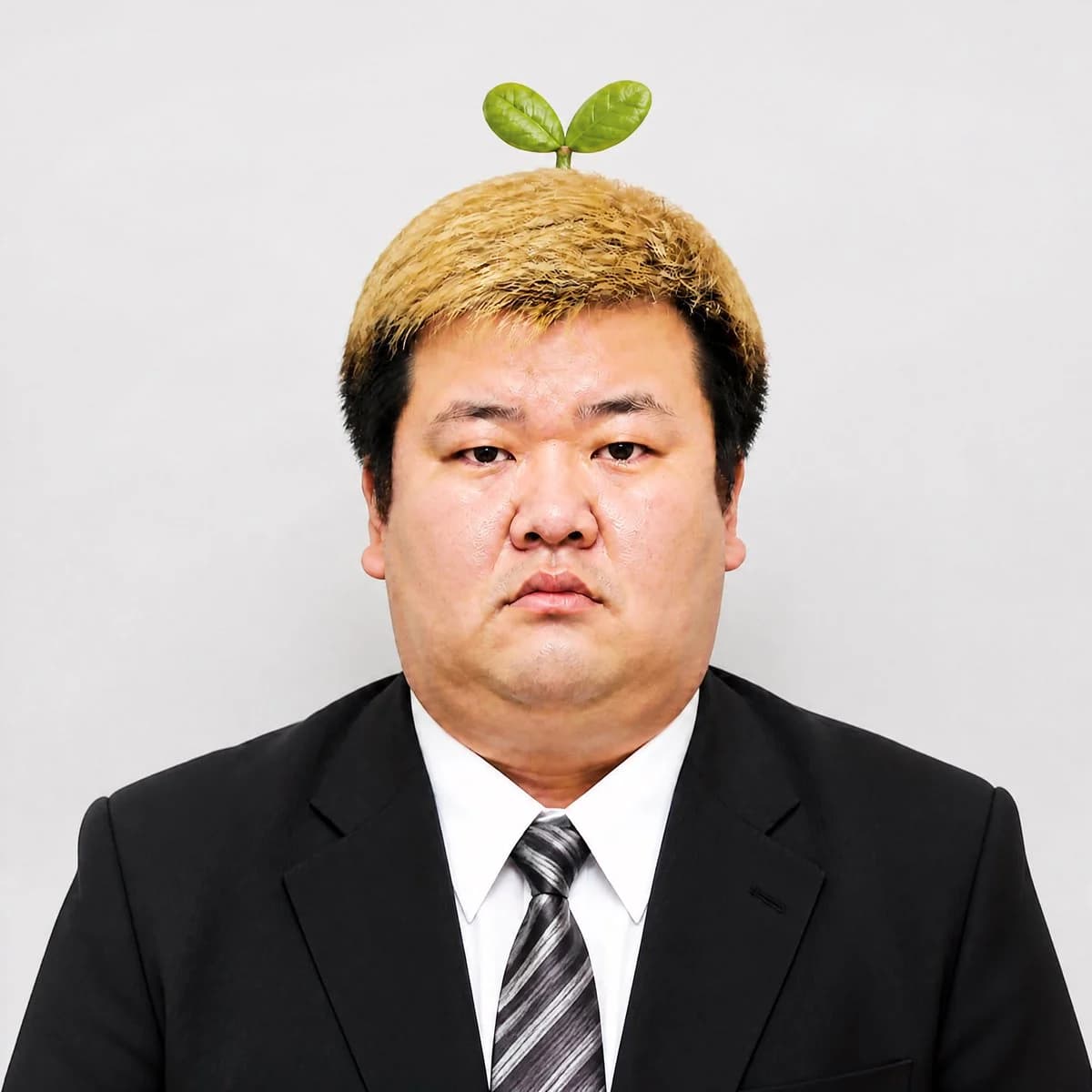
159 wordsCreate a photorealistic studio head-and-shoulders portrait of {argument name="character description" default="a heavyset East Asian man in his 20s with an intimidating middle-manager aura"} facing straight toward the camera. He has a broad round face, small serious eyes, neutral unsmiling mouth, and a stern silent-pressure expression. His hair is short and thick with bleached golden blond on top and darker black sides, slightly messy and textured. Add exactly one small plant sprout growing from the top center of his head: a short green stem with exactly two glossy oval leaves. Dress him in a formal black business suit jacket, crisp white dress shirt, and {argument name="tie style" default="gray and black diagonal striped necktie"}. Use a plain light gray studio background, centered symmetrical composition, cropped from chest to just above the sprout, passport-photo-like framing, sharp focus, realistic skin texture, even soft front lighting, high-resolution editorial portrait style. No text, no logo, no watermark, no extra accessories, no additional plants or leaves.About this prompt
Stern Businessman With Sprout is a ready-to-use portrait prompt for GPT Image 2 on Image 2. Copy the 159 words below, paste them into the Create form, and you will get a result close to the preview above. Tweak the Portrait, Product, Fashion tag if you want to push it somewhere new.
Use it as a starting point, then adjust the subject, lighting, or composition to suit your idea. The credit cost stays the same whether you use it as written or customize it.
Use case
A strong starting point for Portrait
Start here when you want a portrait image inspired by Stern Businessman With Sprout. The prompt already sets the look and composition; replace the subject, product, colors, or scene details to match your project.
Easy places to tweak
- Subject Swap in your person, product, place, or object without changing the overall composition.
- Look and mood Tune the lighting, palette, camera angle, or materials so the image fits your brand.
- Final format Set the aspect ratio, background, text, or layout notes before you generate.
More prompt paths to explore
Find more GPT Image 2 prompts with a similar style, use case, or subject.
How to use it
- Step 1
Copy the prompt
Hit the Copy button above to grab the full text.
- Step 2
Open Image 2 Create
Head to the Create form and paste it in.
- Step 3
Generate
Hit Generate. Your version lands in seconds.
Make it yours
Load the prompt into the Create form with one click, then start tweaking.