Prompt
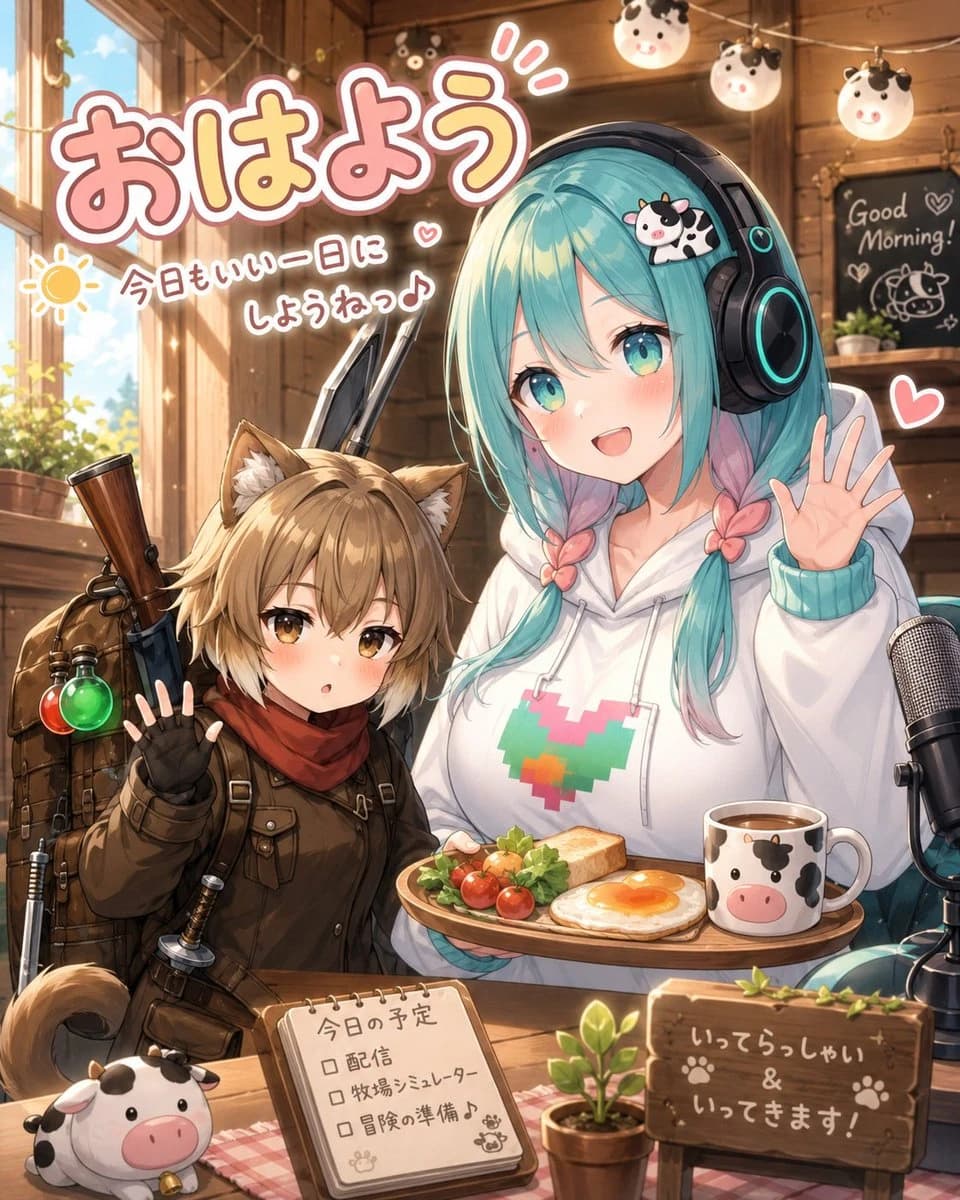
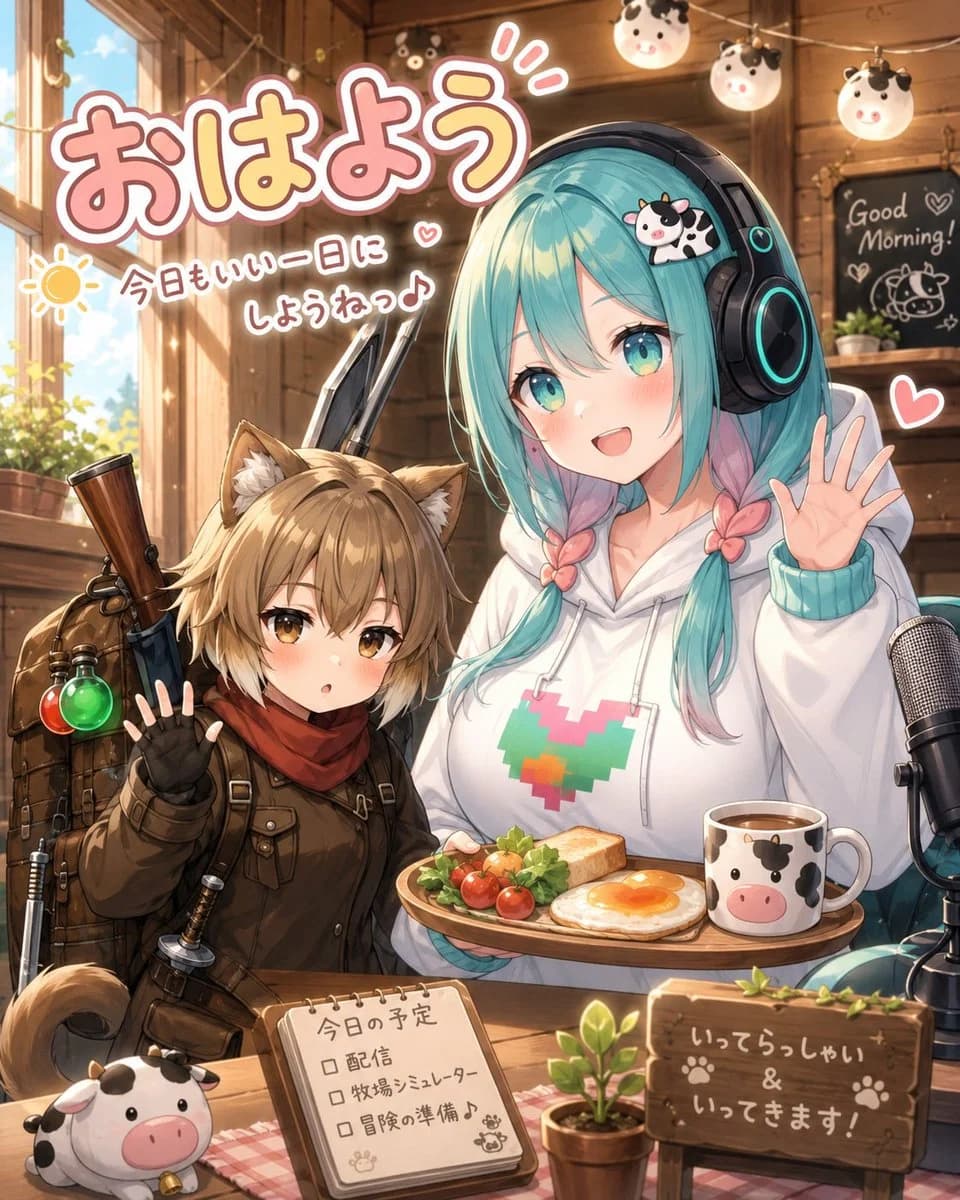
392 wordsCreate a warm, detailed anime-style morning livestream illustration inside a cozy wooden cabin cafe. The scene features exactly 2 main characters seated at a wooden table: on the left, a small cat-eared adventurer girl with short light-brown hair, amber eyes, fluffy ears and tail, wearing a dark brown explorer outfit, red scarf, fingerless gloves, backpack straps, and a rifle or long adventuring gear strapped behind her; she raises one hand in a shy greeting. On the right, a taller streamer girl with long twin-braided {argument name="hair color" default="turquoise hair with pink tips"}, oversized black headphones with cyan glowing rings, a white hoodie with a pixel heart design in teal, pink, orange, and green, and a tiny cow hair clip; her face is deliberately covered by a plain square censor block in a muted gray-beige color, while she waves with one hand. Place exactly 7 visible cow-themed items: 1 cow hair clip on the streamer’s head, 3 round hanging cow lanterns near the ceiling, 1 cow-face mug on the breakfast tray, 1 cow plush at the front-left corner of the table, and 1 cow doodle on the rear chalkboard. Add a breakfast tray in front of the streamer with exactly 4 food items: toast, a sunny-side-up egg, cherry tomatoes, and leafy greens. Add a large microphone on the right edge of the table for livestreaming, a small potted plant near the center front, and a wooden sign on the front-right reading 「いってらっしゃい & いってきます!」 with paw prints. Add a small spiral notebook on the table labeled 「今日の予定」 with exactly 3 checkbox lines: 「配信」, 「牧場シミュレーター」, and 「冒険の準備♪」. In the upper-left, add large bubbly Japanese headline text 「{argument name="headline text" default="おはよう"}」 in pink with a thick white outline and soft shadow. Beneath it, add smaller handwritten text 「{argument name="morning message" default="今日もいい一日にしようねっ♪"}」 next to a simple yellow sun doodle and small hearts. In the background, include a sunlit window with greenery outside, warm wooden beams, string lights, and a chalkboard on the back wall with English text “Good Morning!” plus hearts and a cow drawing. Use golden morning sunlight, soft rim lighting, cute VTuber fan-art energy, high detail, clean linework, glossy anime rendering, pastel pink accents, cozy rustic textures, and a cheerful welcoming mood. Keep the composition vertical, close-up, crowded but readable, with no extra characters and no additional text beyond the specified signs and labels.About this prompt
Cozy Anime Morning Livestream is a ready-to-use social media prompt for GPT Image 2 on Image 2. Copy the 392 words below, paste them into the Create form, and you will get a result close to the preview above. Tweak the Social Media, Infographic, Poster tag if you want to push it somewhere new.
Use it as a starting point, then adjust the subject, lighting, or composition to suit your idea. The credit cost stays the same whether you use it as written or customize it.
Use case
A strong starting point for Social Media
Start here when you want a social media image inspired by Cozy Anime Morning Livestream. The prompt already sets the look and composition; replace the subject, product, colors, or scene details to match your project.
Easy places to tweak
- Subject Swap in your person, product, place, or object without changing the overall composition.
- Look and mood Tune the lighting, palette, camera angle, or materials so the image fits your brand.
- Final format Set the aspect ratio, background, text, or layout notes before you generate.
More prompt paths to explore
Find more GPT Image 2 prompts with a similar style, use case, or subject.
How to use it
- Step 1
Copy the prompt
Hit the Copy button above to grab the full text.
- Step 2
Open Image 2 Create
Head to the Create form and paste it in.
- Step 3
Generate
Hit Generate. Your version lands in seconds.
Make it yours
Load the prompt into the Create form with one click, then start tweaking.