Prompt
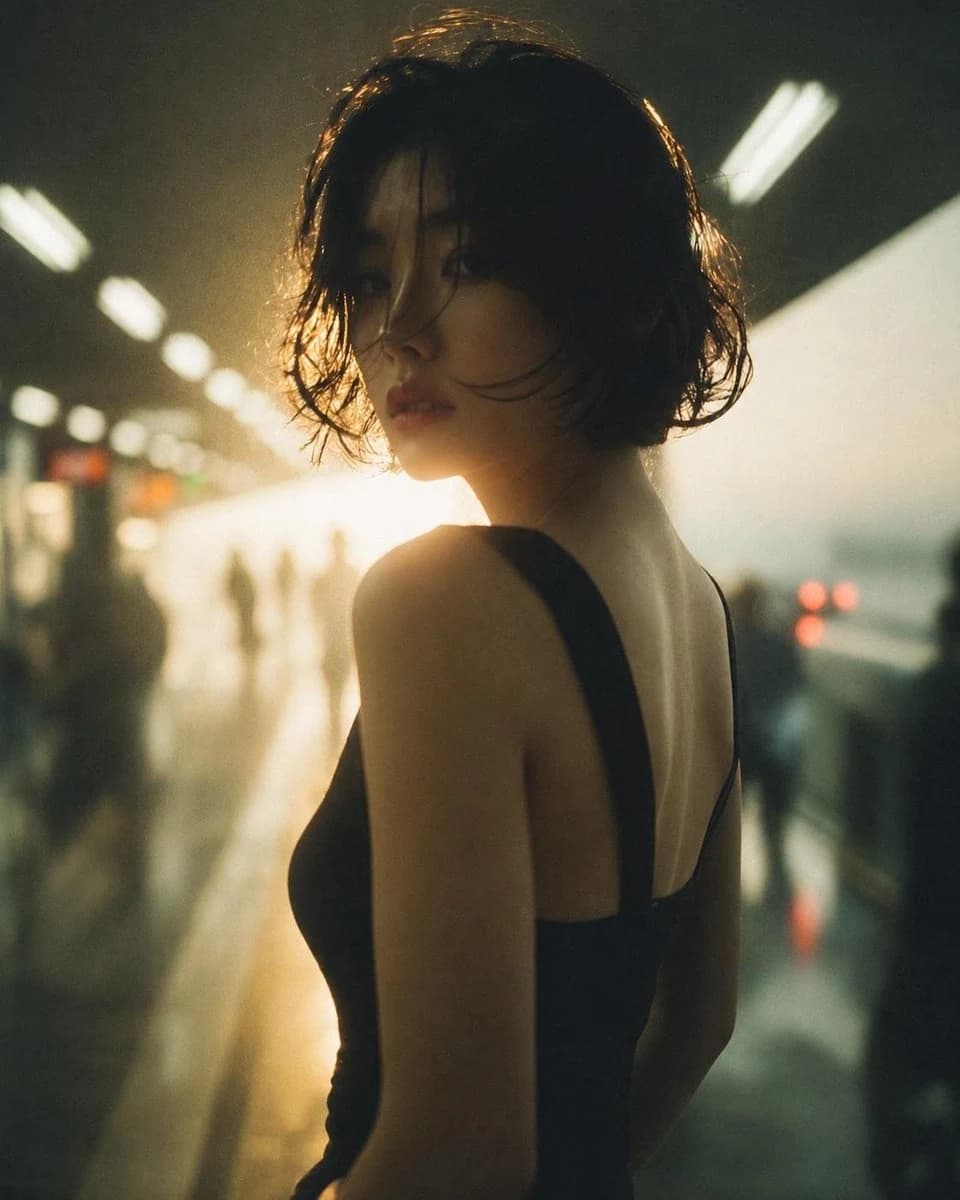
127 wordsUsing the provided reference image, restore and enhance it into a clean, realistic cinematic portrait while preserving the same subject, pose, composition, wet-hair look, black sleeveless outfit, backlit subway-platform setting, and moody atmosphere. Remove the dirty glass/reflection overlay, stains, haze, and visual noise from the reference. Reconstruct obscured facial and body details naturally, making the face, skin, hair strands, shoulder, back, and clothing clearer and more lifelike without changing the identity or framing. Slightly sharpen the image, improve contrast, and apply natural color correction with warm golden backlight and subdued green-black shadows. Keep the background softly blurred and atmospheric, with the platform lights and distant silhouettes remaining out of focus. The final result should look like a realistically restored, high-quality editorial photo rather than an overprocessed image.
About this prompt
Cinematic Photo Restoration is a ready-to-use portrait prompt for GPT Image 2 on Image 2. Copy the 127 words below, paste them into the Create form, and you will get a result close to the preview above. Tweak the Portrait, Fashion, Cinematic tag if you want to push it somewhere new.
Use it as a starting point, then adjust the subject, lighting, or composition to suit your idea. The credit cost stays the same whether you use it as written or customize it.
Use case
A strong starting point for Portrait
Start here when you want a portrait image inspired by Cinematic Photo Restoration. The prompt already sets the look and composition; replace the subject, product, colors, or scene details to match your project.
Easy places to tweak
- Subject Swap in your person, product, place, or object without changing the overall composition.
- Look and mood Tune the lighting, palette, camera angle, or materials so the image fits your brand.
- Final format Set the aspect ratio, background, text, or layout notes before you generate.
More prompt paths to explore
Find more GPT Image 2 prompts with a similar style, use case, or subject.
How to use it
- Step 1
Copy the prompt
Hit the Copy button above to grab the full text.
- Step 2
Open Image 2 Create
Head to the Create form and paste it in.
- Step 3
Generate
Hit Generate. Your version lands in seconds.
Make it yours
Load the prompt into the Create form with one click, then start tweaking.