Prompt
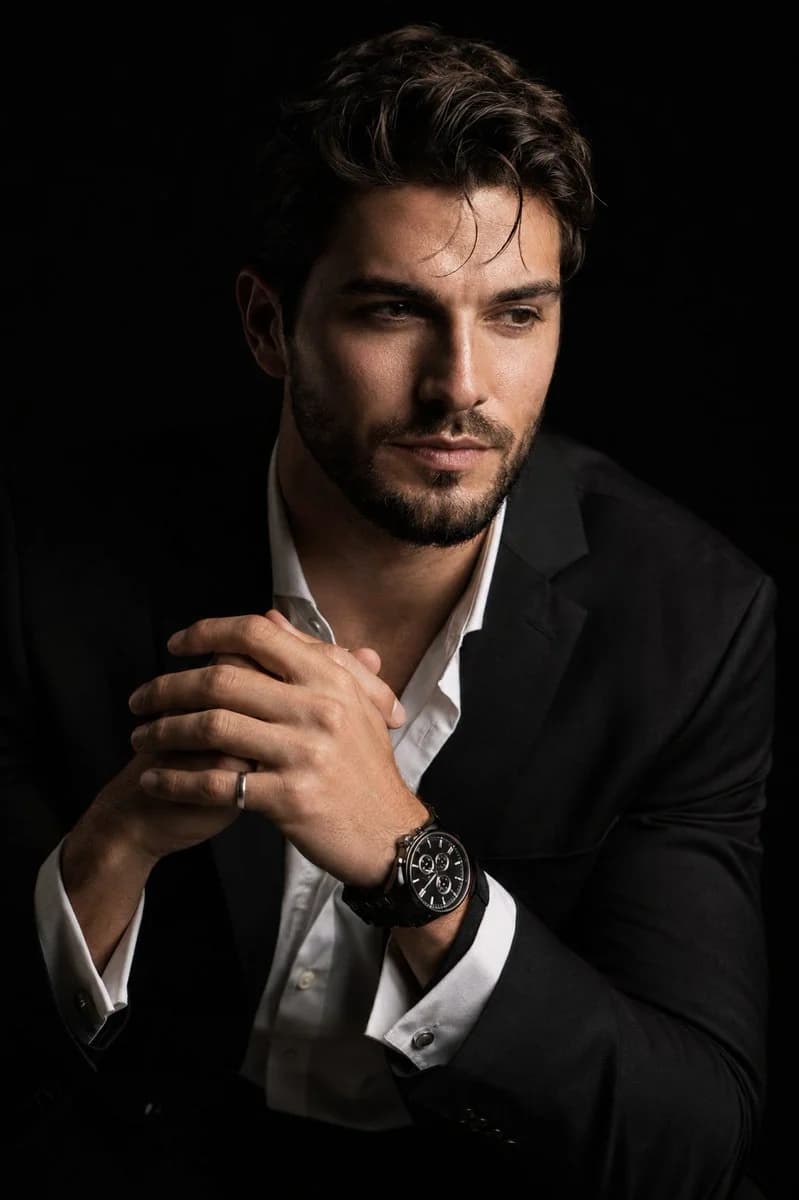
214 wordsCreate a hyper-realistic 8K cinematic portrait of the uploaded person in a dramatic chiaroscuro style. The subject is seated at a three-quarter angle, leaning slightly forward with a relaxed yet commanding posture. His face is turned slightly away from the camera, not looking at the lens, with one side of the face sharply illuminated and the opposite side fading into deep, velvety black shadow. His expression is contemplative. His hands are near the chest in a natural, precise pose, with the fingers gently and correctly interlocked. One wrist clearly shows a luxury black chronograph watch with a detailed metal link bracelet, and one hand wears a subtle silver ring. He is dressed in a sharp black suit jacket over a white dress shirt with the top buttons open, showing refined fabric texture and natural folds. The background is solid seamless black. Use strong directional studio lighting with rich contrast, clean shadow falloff, and realistic skin texture. Highlight fine details such as hair strands, beard bristles, eye moisture, facial texture, the watch face, metal bracelet reflections, and the silver ring. Shot with an 85mm portrait lens look, shallow depth of field, premium commercial photography, ultra-sharp focus, smooth natural skin transitions, cinematic contrast, no artificial plastic skin, no extra fingers, no distorted hands, no messy anatomy.
About this prompt
Chiaroscuro Hyper-realistic Portrait is a ready-to-use portrait prompt for GPT Image 2 on Image 2. Copy the 214 words below, paste them into the Create form, and you will get a result close to the preview above. Tweak the Product Ad, Portrait, Fashion tag if you want to push it somewhere new.
Use it as a starting point, then adjust the subject, lighting, or composition to suit your idea. The credit cost stays the same whether you use it as written or customize it.
Use case
A strong starting point for Portrait
Start here when you want a portrait image inspired by Chiaroscuro Hyper-realistic Portrait. The prompt already sets the look and composition; replace the subject, product, colors, or scene details to match your project.
Easy places to tweak
- Subject Swap in your person, product, place, or object without changing the overall composition.
- Look and mood Tune the lighting, palette, camera angle, or materials so the image fits your brand.
- Final format Set the aspect ratio, background, text, or layout notes before you generate.
More prompt paths to explore
Find more GPT Image 2 prompts with a similar style, use case, or subject.
How to use it
- Step 1
Copy the prompt
Hit the Copy button above to grab the full text.
- Step 2
Open Image 2 Create
Head to the Create form and paste it in.
- Step 3
Generate
Hit Generate. Your version lands in seconds.
Make it yours
Load the prompt into the Create form with one click, then start tweaking.