Prompt
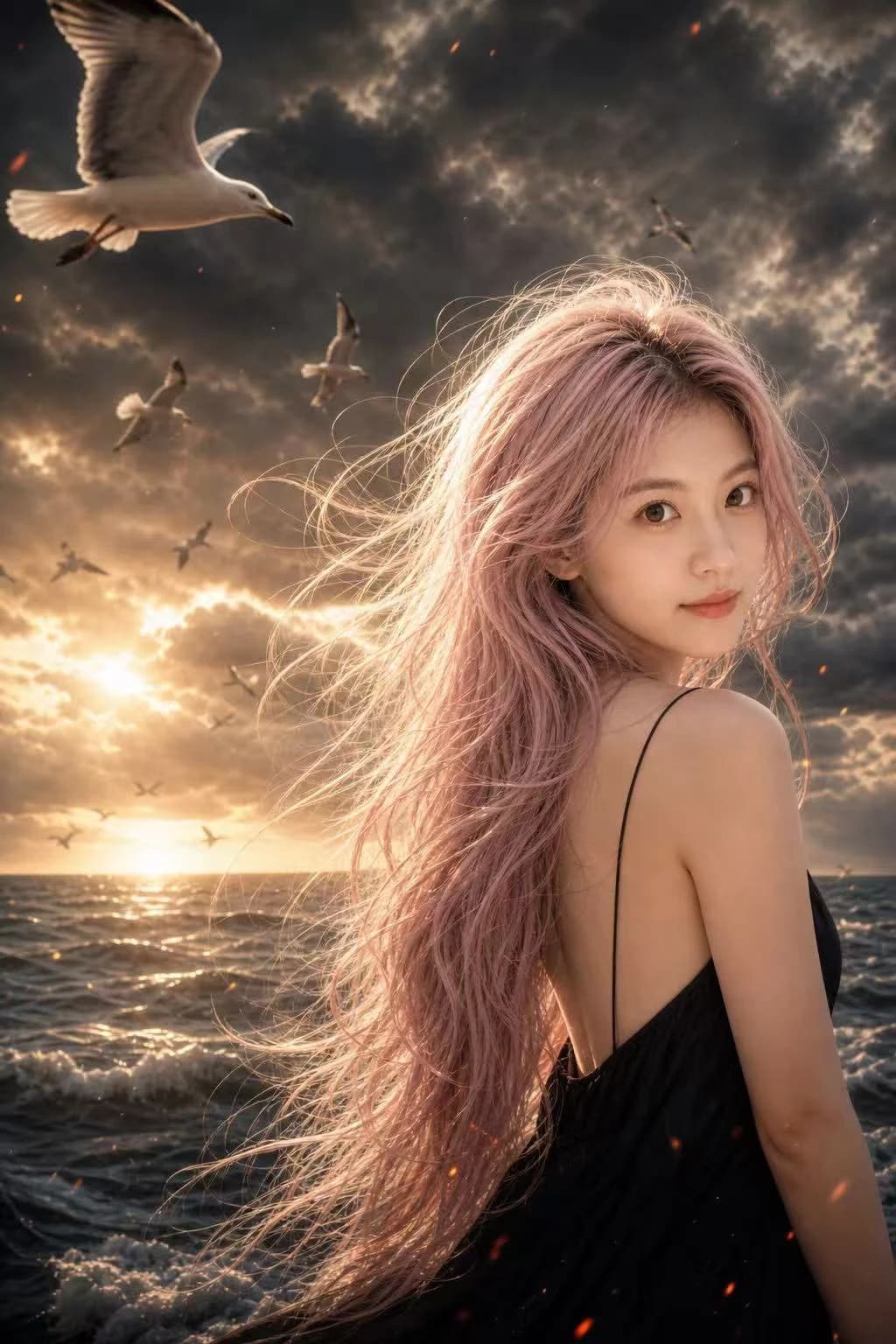
167 wordsUse the uploaded portrait only as a face reference. Keep the person's facial identity, face shape, eyes, nose, lips, and skin tone. Do not copy the original hairstyle, clothing, background, or lighting. Create a cinematic stormy seaside portrait, vertical 2:3. Subject slightly right of frame, body turned away, head turned back, clear side-profile / three-quarter face. Very long, messy, windblown light pastel pink hair, black sleeveless or thin-strap dress. Background: dark ocean, dramatic cloudy sky, distant horizon, many flying seagulls, including one large foreground seagull in the upper left. Strong cinematic lighting, bright rim light on the pale pink hair, refined high contrast, warm light breaking through clouds, subtle red ember-like particles, slight film grain, realistic photography, premium editorial quality, high visual impact. Negative Prompt: frontal face, wrong identity, copied hairstyle, braids, dark pink hair, red hair, magenta hair, short hair, bad anatomy, deformed face, bad hands, extra fingers, awkward pose, flat lighting, blurry face, low quality, anime, cartoon, CGI, malformed birds, duplicated birds, text, logo, watermark
About this prompt
Cinematic Stormy Seaside Portrait is a ready-to-use portrait prompt for GPT Image 2 on Image 2. Copy the 167 words below, paste them into the Create form, and you will get a result close to the preview above. Tweak the Portrait, Fashion, Beauty tag if you want to push it somewhere new.
Use it as a starting point, then adjust the subject, lighting, or composition to suit your idea. The credit cost stays the same whether you use it as written or customize it.
Use case
A strong starting point for Portrait
Start here when you want a portrait image inspired by Cinematic Stormy Seaside Portrait. The prompt already sets the look and composition; replace the subject, product, colors, or scene details to match your project.
Easy places to tweak
- Subject Swap in your person, product, place, or object without changing the overall composition.
- Look and mood Tune the lighting, palette, camera angle, or materials so the image fits your brand.
- Final format Set the aspect ratio, background, text, or layout notes before you generate.
More prompt paths to explore
Find more GPT Image 2 prompts with a similar style, use case, or subject.
How to use it
- Step 1
Copy the prompt
Hit the Copy button above to grab the full text.
- Step 2
Open Image 2 Create
Head to the Create form and paste it in.
- Step 3
Generate
Hit Generate. Your version lands in seconds.
Make it yours
Load the prompt into the Create form with one click, then start tweaking.