Prompt
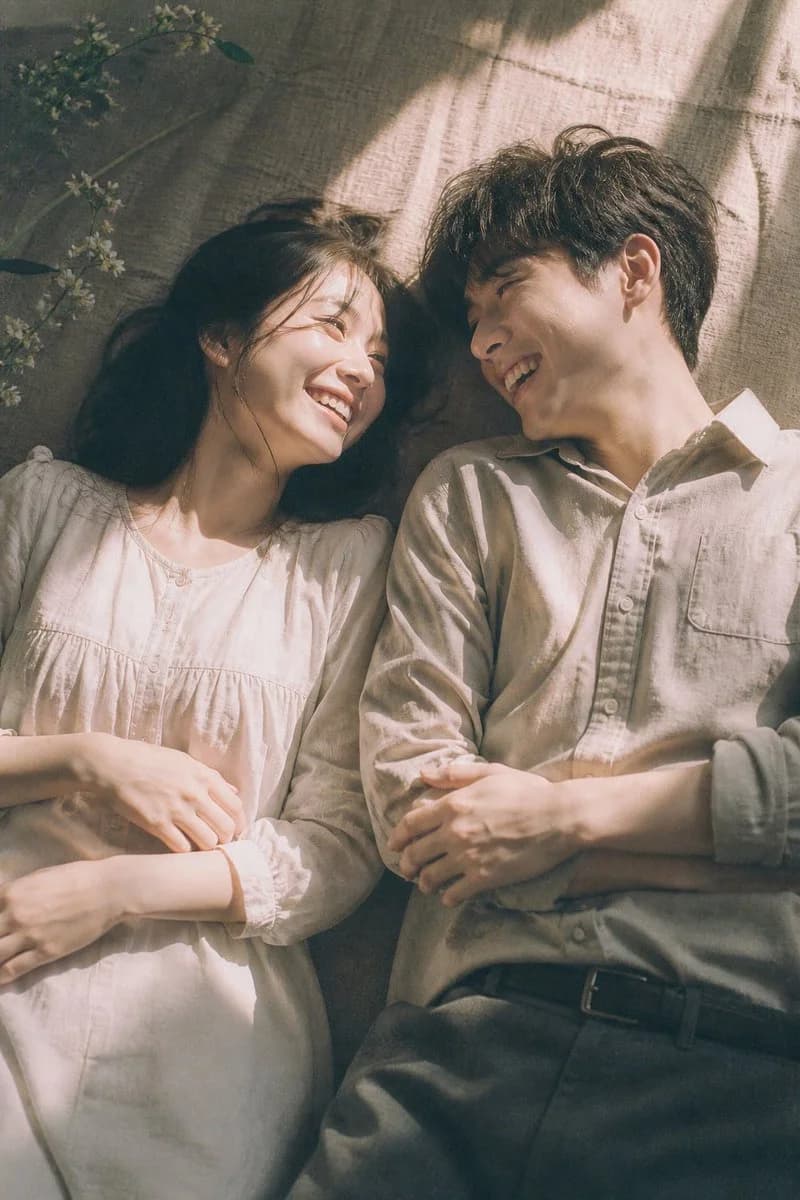
151 wordsA cinematic top-down portrait in aesthetic style of a young couple lying side by side on a textured fabric surface, both wearing modest casual clothing with soft natural fabrics, their bodies relaxed and close to each other, heads slightly turned toward one another, **smiling, laughing, and chatting joyfully**, capturing a candid happy moment, gentle and natural expressions full of warmth, soft golden hour sunlight entering from one side, creating subtle light gradients and deep quiet shadows without harsh patterns, light softly dominating parts of the composition, low saturation with pale soft tones, slightly faded colors with warm ivory, beige, and subtle greenish tint, clean and airy atmosphere, delicate highlight bloom, underexposed shadows with minimal detail, shallow depth of field, very soft focus, fine film grain, Fuji Pro 400H film look, natural lighting, minimalist composition, **peaceful yet cheerful mood**, nostalgic Japanese cinematic feeling, intimate and heartfelt moment, understated elegance, poetic visual tone
About this prompt
Cinematic Top-Down Couple Portrait is a ready-to-use portrait prompt for GPT Image 2 on Image 2. Copy the 151 words below, paste them into the Create form, and you will get a result close to the preview above. Tweak the Portrait, Fashion, Vintage tag if you want to push it somewhere new.
Use it as a starting point, then adjust the subject, lighting, or composition to suit your idea. The credit cost stays the same whether you use it as written or customize it.
Use case
A strong starting point for Portrait
Start here when you want a portrait image inspired by Cinematic Top-Down Couple Portrait. The prompt already sets the look and composition; replace the subject, product, colors, or scene details to match your project.
Easy places to tweak
- Subject Swap in your person, product, place, or object without changing the overall composition.
- Look and mood Tune the lighting, palette, camera angle, or materials so the image fits your brand.
- Final format Set the aspect ratio, background, text, or layout notes before you generate.
More prompt paths to explore
Find more GPT Image 2 prompts with a similar style, use case, or subject.
How to use it
- Step 1
Copy the prompt
Hit the Copy button above to grab the full text.
- Step 2
Open Image 2 Create
Head to the Create form and paste it in.
- Step 3
Generate
Hit Generate. Your version lands in seconds.
Make it yours
Load the prompt into the Create form with one click, then start tweaking.