Prompt
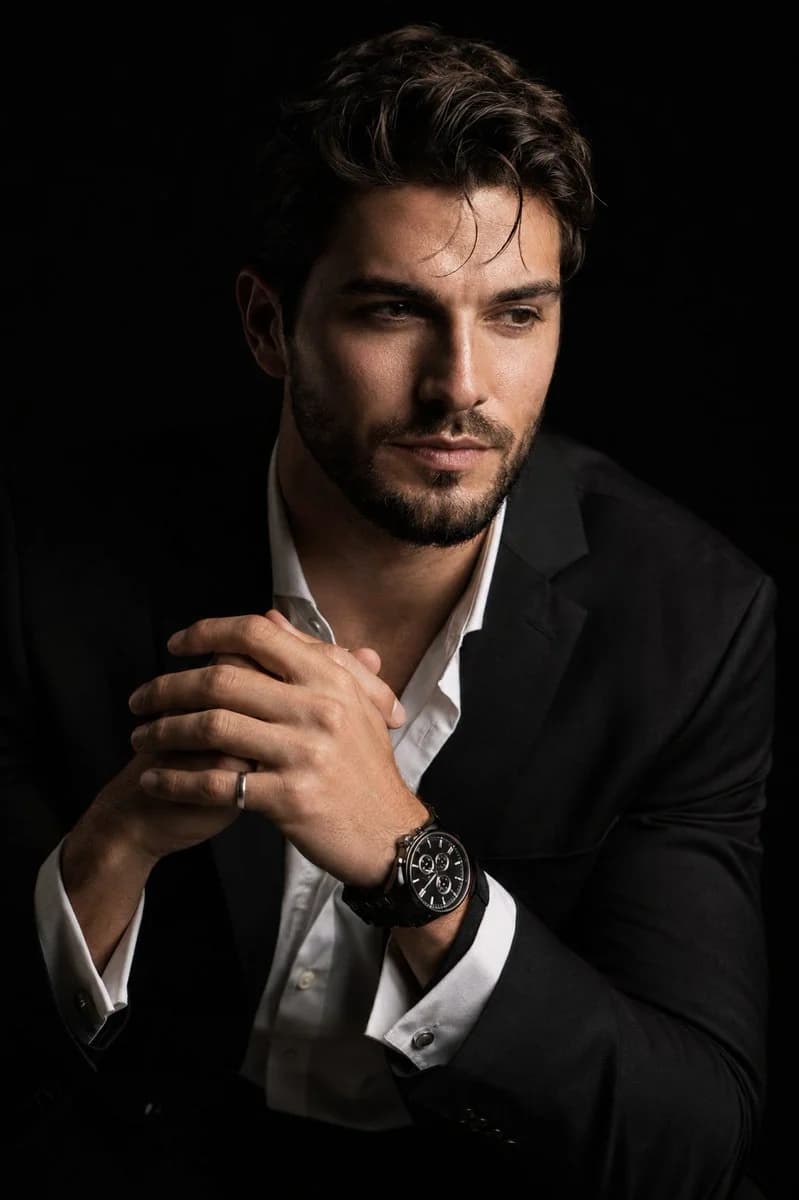
239 paroleCrea un ritratto cinematografico iperrealistico in 8K della persona caricata, in un drammatico stile chiaroscuro. Il soggetto è seduto di tre quarti, leggermente sporto in avanti, con una postura rilassata ma autorevole. Il viso è leggermente girato rispetto alla fotocamera, senza guardare l’obiettivo, con un lato del volto nettamente illuminato e il lato opposto che sfuma in un’ombra nera profonda e vellutata. La sua espressione è contemplativa. Le mani sono vicino al petto in una posa naturale e precisa, con le dita intrecciate delicatamente e correttamente. Un polso mostra chiaramente un orologio cronografo nero di lusso con un bracciale a maglie metalliche dettagliato, e una mano porta un discreto anello d’argento. Indossa una giacca da completo nera impeccabile su una camicia bianca elegante con i primi bottoni aperti, che mostra una texture del tessuto raffinata e pieghe naturali. Lo sfondo è nero pieno e continuo. Usa una forte luce da studio direzionale con un contrasto ricco, una sfumatura d’ombra pulita e una texture della pelle realistica. Metti in risalto i dettagli fini come le ciocche di capelli, i peli della barba, l’umidità degli occhi, la texture del viso, il quadrante dell’orologio, i riflessi del bracciale metallico e l’anello d’argento. Resa da obiettivo da ritratto 85 mm, profondità di campo ridotta, fotografia commerciale premium, messa a fuoco ultra-nitida, transizioni della pelle morbide e naturali, contrasto cinematografico, niente pelle artificiale plastificata, niente dita in più, niente mani deformate, niente anatomia confusa.
Informazioni su questo prompt
Ritratto iperrealistico in chiaroscuro è un prompt ritratto pronto da usare con GPT Image 2 su Image 2. Copia le 239 parole qui sotto, incollale nel form Create e otterrai un risultato vicino all’anteprima. Modifica i tag Annuncio prodotto, Ritratto, Moda se vuoi portarlo in una direzione diversa.
Usalo come base, poi adatta soggetto, luce o composizione al risultato che cerchi. Il costo in crediti resta lo stesso, sia usandolo così com’è sia personalizzandolo.
Caso d’uso
Un buon punto di partenza per Ritratto
Parti da qui se vuoi un’immagine in stile ritratto ispirata a Ritratto iperrealistico in chiaroscuro. Il prompt imposta già stile e struttura; sostituisci soggetto, prodotto, colori o dettagli della scena in base al progetto.
Cosa vale la pena modificare
- Soggetto Sostituisci persona, prodotto, luogo o oggetto principale senza perdere la composizione.
- Stile Regola luce, palette, angolo di ripresa o materiali per allinearlo al brand.
- Formato Definisci formato, sfondo, testo o note di layout prima di generare.
Altre direzioni da esplorare
Trova altri prompt GPT Image 2 con stile, uso o soggetto simile.
Come usarlo
- Passo 1
Copia il prompt
Premi il pulsante Copia qui sopra per ottenere il testo completo.
- Passo 2
Apri Image 2 Create
Vai al form Create e incollalo.
- Passo 3
Genera
Premi Generate. La tua versione arriva in pochi secondi.
Rendilo tuo
Carica il prompt nel form Create con un clic e inizia a modificarlo.