Prompt
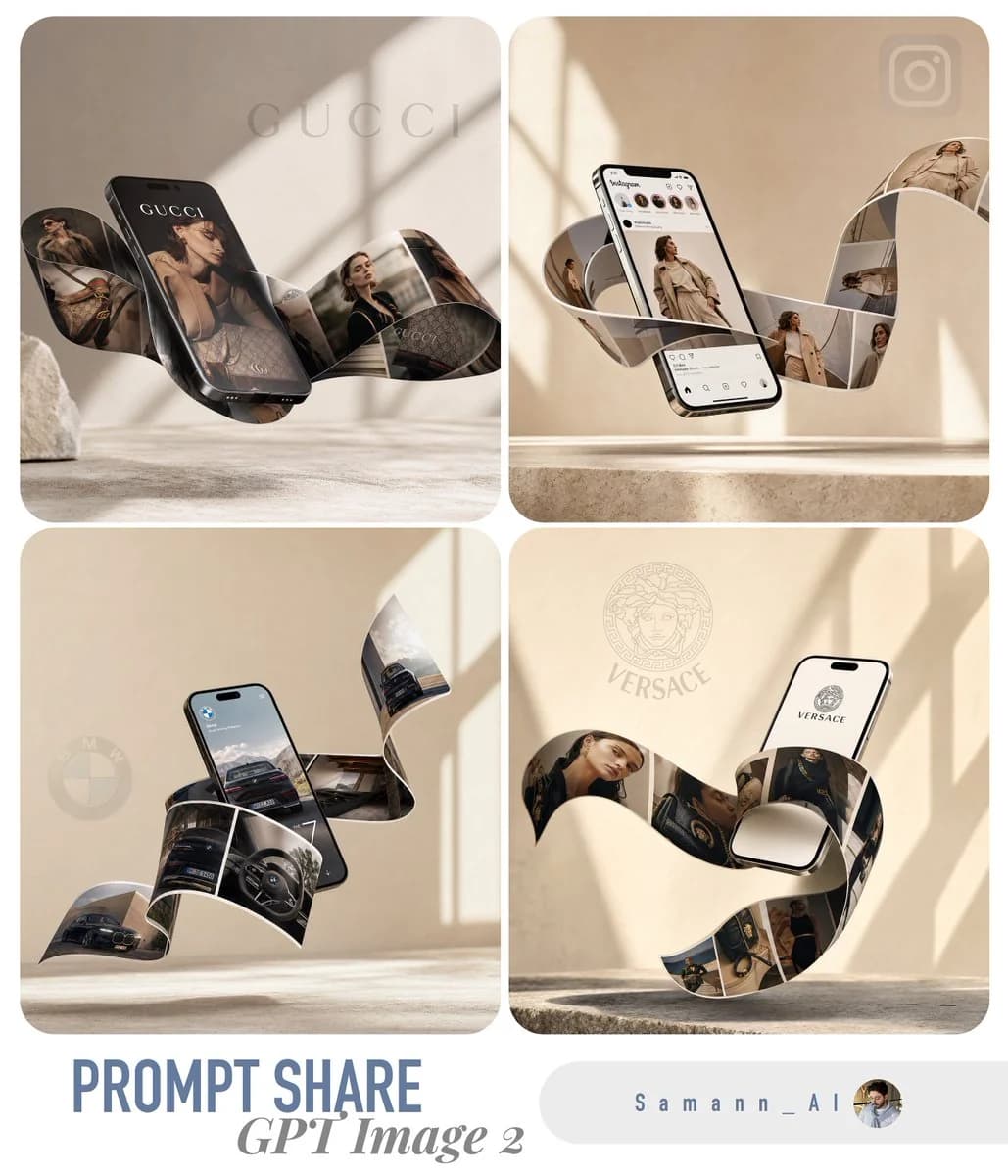
142 wordsA highly realistic, premium 3D product mockup for a [INSERT BUSINESS TYPE HERE, e.g., modern clothing brand]. A sleek, modern smartphone is elegantly levitating at a dynamic angle in mid-air. Emerging seamlessly from the phone's screen is a continuous, wavy, physical ribbon of printed photos that elegantly flows and wraps around the device in a surreal, gravity-defying way. The photos on the flowing ribbon display stunning, high-quality images of [INSERT PRODUCT/SERVICE IMAGES HERE]. The background is a minimalist, warm beige and soft cream environment with a subtle, textured stone floor. The lighting consists of soft, diffused natural sunlight casting an elegant, diagonal window shadow on the back wall, adding depth. Cinematic lighting, shallow depth of field, ultra-photorealistic, 8k resolution, highly detailed, trendy minimal aesthetic, perfect for an engaging and viral social media post, featuring clean negative space at the top for typography.
About this prompt
3D Product Mockup Smartphone is a ready-to-use e-commerce prompt for GPT Image 2 on Image 2. Copy the 142 words below, paste them into the Create form, and you will get a result close to the preview above. Tweak the Product Ad, E-commerce, Social Media tag if you want to push it somewhere new.
Use it as a starting point, then adjust the subject, lighting, or composition to suit your idea. The credit cost stays the same whether you use it as written or customize it.
Use case
A strong starting point for E-commerce
Start here when you want a e-commerce image inspired by 3D Product Mockup Smartphone. The prompt already sets the look and composition; replace the subject, product, colors, or scene details to match your project.
Easy places to tweak
- Subject Swap in your person, product, place, or object without changing the overall composition.
- Look and mood Tune the lighting, palette, camera angle, or materials so the image fits your brand.
- Final format Set the aspect ratio, background, text, or layout notes before you generate.
More prompt paths to explore
Find more GPT Image 2 prompts with a similar style, use case, or subject.
How to use it
- Step 1
Copy the prompt
Hit the Copy button above to grab the full text.
- Step 2
Open Image 2 Create
Head to the Create form and paste it in.
- Step 3
Generate
Hit Generate. Your version lands in seconds.
Make it yours
Load the prompt into the Create form with one click, then start tweaking.