Prompt
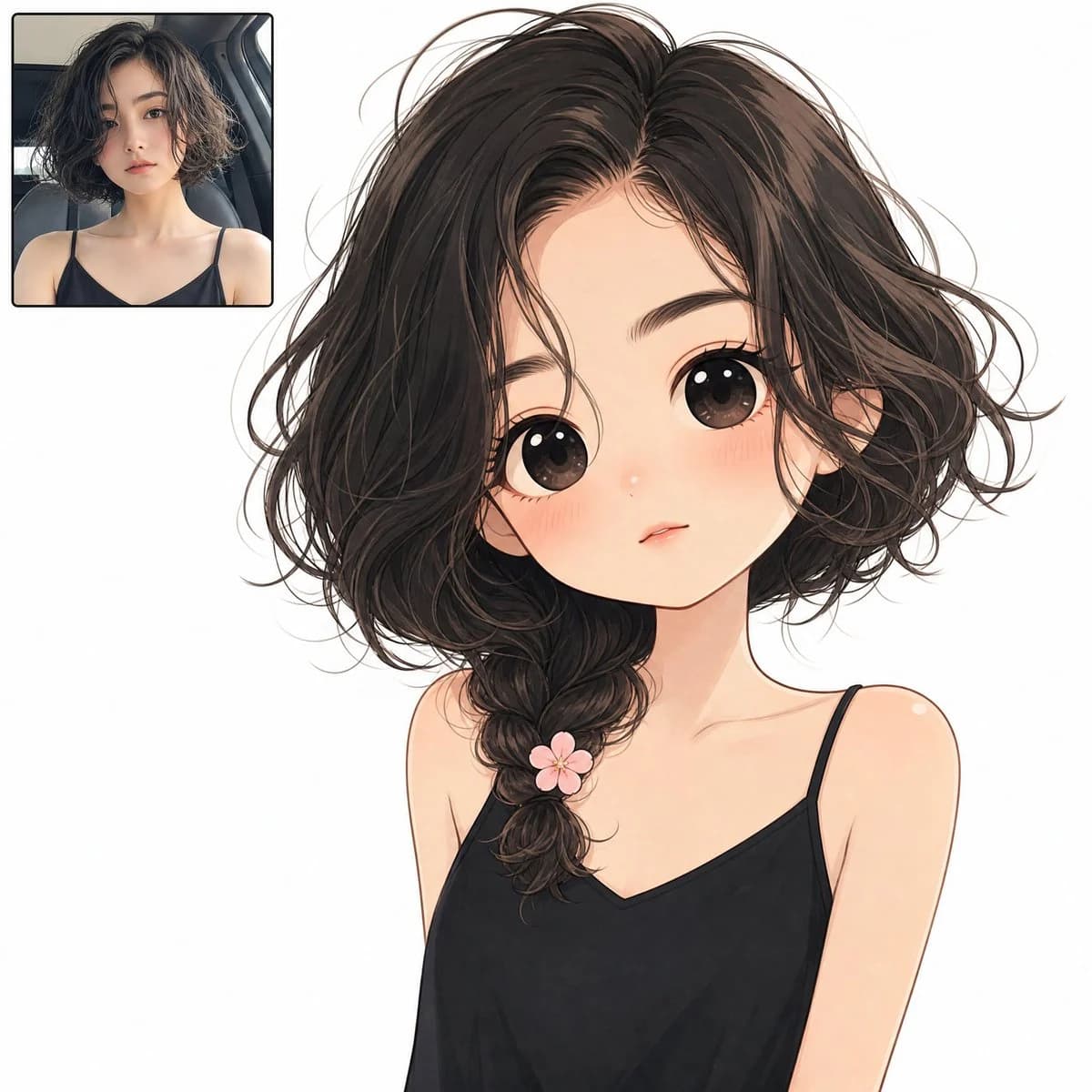
279 wordsCreate a square full-bleed digital illustration on a plain solid white background showing an anime twin transformation layout. The main subject is a cute minimalist chibi anime girl occupying the center and right side of the canvas from head to upper torso, with an oversized head, tiny shoulders, very large glossy dark brown eyes, soft peach skin, rosy blushing cheeks, a small nose highlight, and a tiny slightly parted neutral mouth. She has {argument name="hair color" default="dark brown almost black"} messy short wavy bob hair with loose flyaway strands, parted near the center, with one thick loose side braid falling over her left shoulder. Add exactly 1 small pink five-petal flower clip attached near the lower part of the braid. She wears {argument name="top color" default="black"} minimalist spaghetti-strap camisole top with exactly 2 thin shoulder straps and a shallow V neckline. The expression should feel shy, calm, and doll-like, with delicate clean line art, soft watercolor-like shading, subtle blush gradients, and polished anime rendering. In the upper-left corner, include exactly 1 small rounded-rectangle inset photo frame with a thin dark border, showing a realistic portrait of the same young woman as the source look: short tousled dark wavy hair, natural makeup, black spaghetti-strap top, seated in a car interior, facing the camera with a neutral expression. The inset should be about one quarter of the canvas width, placed with a small margin from the top and left edges. Keep the background completely white, with no text, no watermark, no extra accessories, and no additional characters. Use a clean high-resolution social-media avatar style that makes the realistic inset and the larger anime version visually match in hairstyle, outfit, and mood.About this prompt
Anime Twin Chibi Portrait is a ready-to-use character design prompt for GPT Image 2 on Image 2. Copy the 279 words below, paste them into the Create form, and you will get a result close to the preview above. Tweak the Portrait, Character, Character Design tag if you want to push it somewhere new.
Use it as a starting point, then adjust the subject, lighting, or composition to suit your idea. The credit cost stays the same whether you use it as written or customize it.
Use case
A strong starting point for Character Design
Start here when you want a character design image inspired by Anime Twin Chibi Portrait. The prompt already sets the look and composition; replace the subject, product, colors, or scene details to match your project.
Easy places to tweak
- Subject Swap in your person, product, place, or object without changing the overall composition.
- Look and mood Tune the lighting, palette, camera angle, or materials so the image fits your brand.
- Final format Set the aspect ratio, background, text, or layout notes before you generate.
More prompt paths to explore
Find more GPT Image 2 prompts with a similar style, use case, or subject.
How to use it
- Step 1
Copy the prompt
Hit the Copy button above to grab the full text.
- Step 2
Open Image 2 Create
Head to the Create form and paste it in.
- Step 3
Generate
Hit Generate. Your version lands in seconds.
Make it yours
Load the prompt into the Create form with one click, then start tweaking.