Prompt
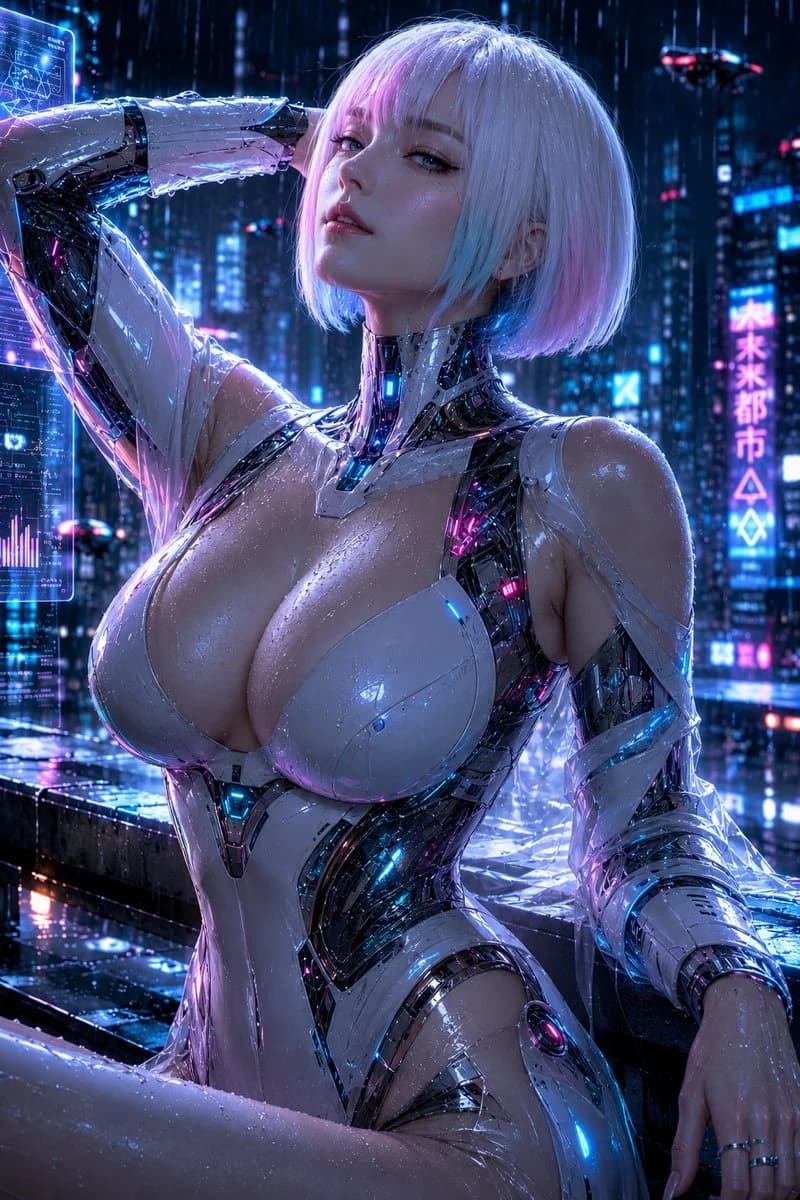
416 wordsSubject: Android in the Rain Person/Expression: A clearly adult female android in her {argument name="age range" default="late 20s"}. {argument name="hairstyle" default="Silver short bob"}, bangs lightly over eyes, with faint pink and cyan reflections on the tips. Raindrops on transparent skin, lips slightly parted. Chin slightly raised, with a cool and composed gaze looking down at the camera. Outfit/Pose: Futuristic bodysuit composed of white glossy armor and a black internal frame. Streamlined white armor wrapping the chest and waist, with black mechanical joints and glowing lines visible from neck to shoulders, armpits, and arms. Glowing colors are cyan and magenta. The person's own right arm is raised behind the head on the left side of the screen, with the wet forearm crossing over the forehead. The left arm is naturally lowered to the bottom right of the screen, with fingertips resting on a wet railing. Sitting on the edge of a rooftop with one knee forward, leaning the upper body slightly back. Background/Light: Futuristic city at midnight in the rain. High-rise building window lights, blue and pink vertical neon signs, wet metal railings, translucent hologram UI on the left of the screen. Abstract unreadable glowing signs in the background. Main light is magenta neon from the front left, auxiliary light is cyan blue from the back right. White rim light on top of the hair, small reflections in raindrops on cheeks and chest. Shadows fall deeply on the black mechanical frame side, neon reflecting long on the wet floor. Composition/Camera: Portrait 2:3. Close-up portrait from upper thighs to above the head. The person is placed large, slightly to the right of center, with the face in the upper third of the screen. Slightly upward angle from a low camera position. Compression typical of a medium-telephoto lens, background city lights lightly blurred. Focus is on eyes and face, fine reflections of raindrops and armor preserved. Texture/Style: Realistic cyberpunk SF visual. Precise depiction of wet skin, black carbon-like frame, transparent water droplets, and neon reflections. High contrast centered on blue-purple and magenta, with raindrops and mist adding depth to the atmosphere. Not an overly stylized anime face, but a texture of skin and metal materials with a photographic feel. Negative: Expressions that look underage, unnatural face or gaze, extra or missing fingers, broken wrists or elbows, fusion of arms and armor, unnatural deformation of chest armor, floating parts, inconsistent wetness, shadows that don't match light sources, garbled readable text, logos, watermarks, unwanted persons, excessive sexual expression, nudity, plastic-like skin.About this prompt
Cyberpunk Rain Android Portrait is a ready-to-use character design prompt for GPT Image 2 on Image 2. Copy the 416 words below, paste them into the Create form, and you will get a result close to the preview above. Tweak the Portrait, Character, Character Design tag if you want to push it somewhere new.
Use it as a starting point, then adjust the subject, lighting, or composition to suit your idea. The credit cost stays the same whether you use it as written or customize it.
Use case
A strong starting point for Character Design
Start here when you want a character design image inspired by Cyberpunk Rain Android Portrait. The prompt already sets the look and composition; replace the subject, product, colors, or scene details to match your project.
Easy places to tweak
- Subject Swap in your person, product, place, or object without changing the overall composition.
- Look and mood Tune the lighting, palette, camera angle, or materials so the image fits your brand.
- Final format Set the aspect ratio, background, text, or layout notes before you generate.
More prompt paths to explore
Find more GPT Image 2 prompts with a similar style, use case, or subject.
How to use it
- Step 1
Copy the prompt
Hit the Copy button above to grab the full text.
- Step 2
Open Image 2 Create
Head to the Create form and paste it in.
- Step 3
Generate
Hit Generate. Your version lands in seconds.
Make it yours
Load the prompt into the Create form with one click, then start tweaking.