Prompt
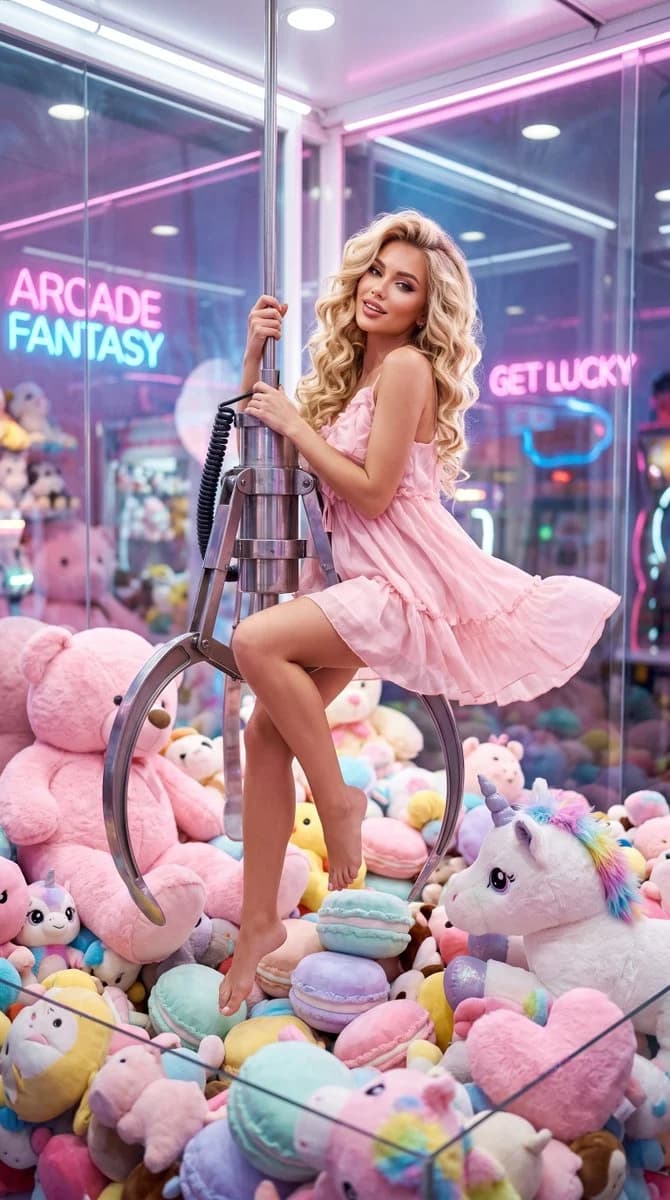
170 wordsSubject: {argument name="subject" default="A beautiful young Western woman with long golden wavy hair, exquisite and glamorous makeup, full lips, and a playful, seductive, and cute expression"}
Clothing: {argument name="clothing" default="A short, flowy light pink summer dress, light and airy, barefoot"}
Pose: Gracefully sitting on the giant metal claw of a claw machine, one hand gripping the hook, legs dangling naturally and swinging slightly, a playful yet elegant pose
Scene: {argument name="scene" default="Inside a giant transparent glass claw machine, surrounded by giant pink teddy bears, pink unicorn plushies, rainbow manes, sparkling horns, various macaron-colored plush toys, and a mountain of plushies, looking like being trapped in an oversized claw machine."}
Atmosphere: Dreamy, girly, cute, fairytale-like, playful, high-fashion vibe; style blends Kawaii (Japanese cute), Glamour Fashion, and Dreamy Surrealism
Lighting: Soft volumetric light, pink neon lights, rim light, dreamy soft focus, cinematic lighting
Photography Style: Realistic photography, fashion magazine cover, dreamy surrealism, cinematic, high-end commercial photography
Quality Requirements: Ultra-high detail, HDR, Masterpiece, Best Quality, Sharp Focus, 8K, High Resolution
Aspect Ratio: 9:16About this prompt
Western Woman in Giant Claw Machine is a ready-to-use social media prompt for GPT Image 2 on Image 2. Copy the 170 words below, paste them into the Create form, and you will get a result close to the preview above. Tweak the Product Ad, Social Media, Poster tag if you want to push it somewhere new.
Use it as a starting point, then adjust the subject, lighting, or composition to suit your idea. The credit cost stays the same whether you use it as written or customize it.
Use case
A strong starting point for Social Media
Start here when you want a social media image inspired by Western Woman in Giant Claw Machine. The prompt already sets the look and composition; replace the subject, product, colors, or scene details to match your project.
Easy places to tweak
- Subject Swap in your person, product, place, or object without changing the overall composition.
- Look and mood Tune the lighting, palette, camera angle, or materials so the image fits your brand.
- Final format Set the aspect ratio, background, text, or layout notes before you generate.
More prompt paths to explore
Find more GPT Image 2 prompts with a similar style, use case, or subject.
How to use it
- Step 1
Copy the prompt
Hit the Copy button above to grab the full text.
- Step 2
Open Image 2 Create
Head to the Create form and paste it in.
- Step 3
Generate
Hit Generate. Your version lands in seconds.
Make it yours
Load the prompt into the Create form with one click, then start tweaking.