Prompt
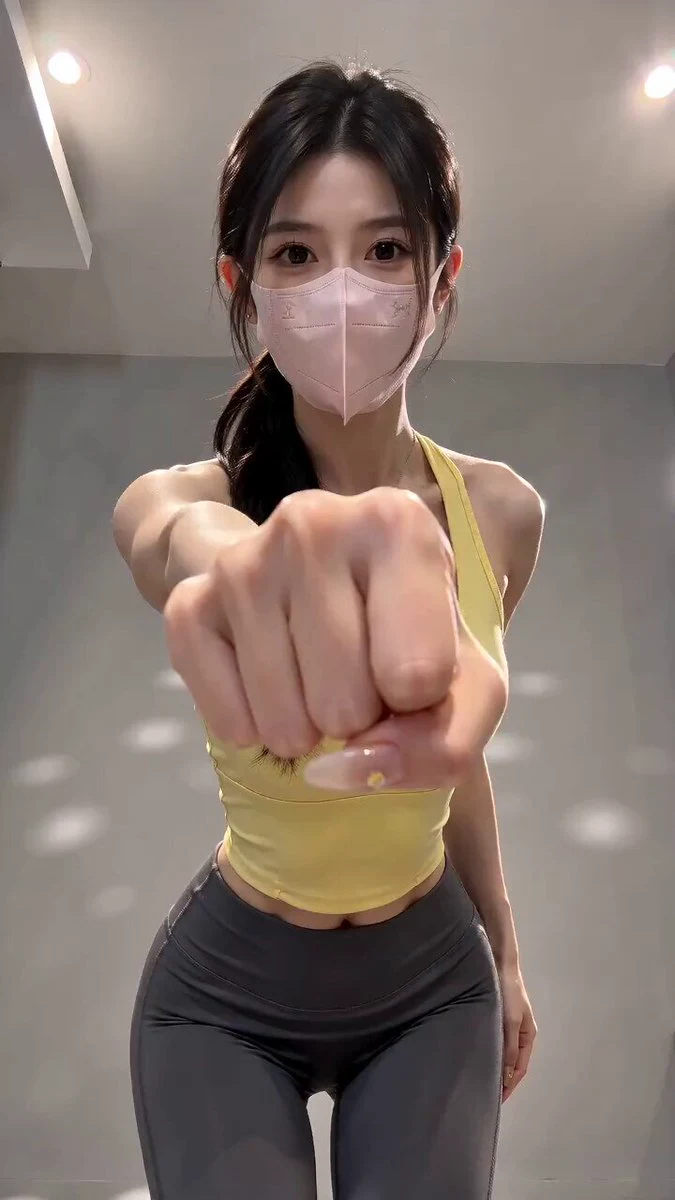
135 wordsDV 16mm handheld tape camcorder POV by CHASE with natural handheld shake, soft tape grain, delayed autofocus, imperfect framing, muted colors, and realistic early-2000s camcorder quality. CHASE, a Korean idol in her 20s with a long black ponytail, wearing a modest long-sleeve athletic top, loose joggers, and white sneakers, finishes her workout and walks to the stretching area. She props the camera on a bench, slowly stretches her legs, back, and shoulders on a yoga mat while smiling naturally, drinks water, rolls up the mat, picks up her gym bag, looks into the camera, and says, "Recovery is just as important as training. See you next time!" before giving a warm wave and ending the recording. The video should look completely photorealistic with natural body movement, consistent facial features, accurate proportions, and no visual glitches.
About this prompt
Vintage Camcorder Gym Vlog is a Dance Seedance 2.0 prompt with 135 words, structured around shot timing, camera direction, motion cues, and remixable scene details.
Use the preview clip when available to understand pacing, then treat the prompt text as a production brief you can adapt for your own subject, brand, or story.
Video prompt structure
Use it for Dance videos
Best for Seedance 2.0 generations that need Dance, Multi-Shot, Dialogue. Replace the subject, setting, product, dialogue, music, and timing before sending it to the generator.
Customize before generating
- Swap the subject. Keep the camera and timing structure, but change the character, product, or environment.
- Tighten the timeline. Shorten or expand shot blocks so they match the duration you want to render.
- Add reference media. Use first frames, last frames, images, video, or audio when the prompt depends on a specific look or rhythm.
More Seedance paths to explore
Browse adjacent styles and techniques from the same Seedance 2.0 prompt library.
How to use it
- Step 1
Copy or start from this prompt
Use the full prompt as a structured draft rather than rewriting the whole video brief.
- Step 2
Open Seedance 2.0
Send the text into the Seedance generator and choose text, image, or reference mode.
- Step 3
Adapt and render
Tune duration, aspect ratio, reference media, camera notes, and dialogue before generating.
Make it a Seedance video
Start from this prompt in the Seedance 2.0 generator, then adjust the scene, duration, aspect ratio, and reference media.