Prompt
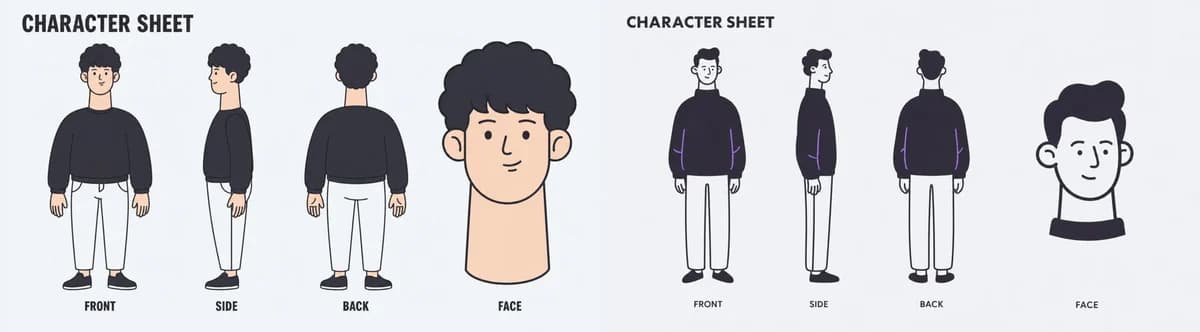
378 wordsGoal: Create a wide minimalist character sheet illustration for {argument name="character name" default="a young man with curly black hair"}, showing two separate character sheet designs side by side on one horizontal canvas.
Canvas: Very wide panoramic aspect ratio, about 4:1, pale light gray background, clean empty margins, no borders, no shadows, no watermark.
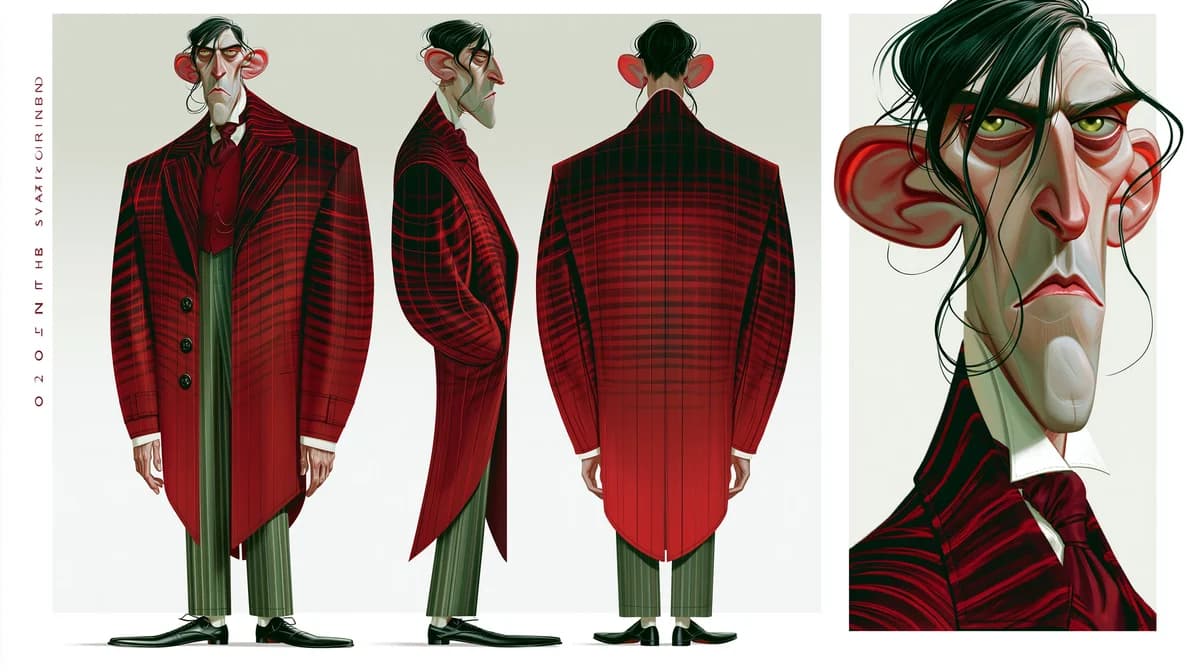
Layout: Split the canvas into two equal halves. Each half is its own character sheet with the same basic layout: a bold title at the top, three full-body turnaround poses arranged left to right, and one larger face/head close-up on the far right. Use exactly 2 character sheet panels total.
Left panel details: Use a soft flat cartoon style with warm skin tone and muted colors. Show exactly 4 character drawings: 1 front full-body view, 1 side full-body view, 1 back full-body view, and 1 large face close-up. The character has rounded curly black hair, a simple friendly face, a long neck in the close-up, a loose dark navy/black sweatshirt, cropped white pants, and black shoes. Place the full-body poses evenly spaced, with the face close-up larger than the body poses.
Right panel details: Use a thinner, more monochrome sketch-like flat style with dark navy outlines and minimal color accents. Show exactly 4 character drawings: 1 front full-body view, 1 side full-body view, 1 back full-body view, and 1 large face close-up. The same character wears a dark oversized sweater, white straight pants, and dark shoes. Add subtle purple accent lines on the sweater sleeves. The face close-up is simplified, with short dark hair, ears visible, and a black collar shape beneath the head.
Text content: Draw only the following text labels, each spelled exactly as written. In the left panel: CHARACTER SHEET, FRONT, SIDE, BACK, FACE. In the right panel: CHARACTER SHEET, FRONT, SIDE, BACK, FACE. Use bold uppercase hand-drawn sans-serif text for the titles and small uppercase labels under each view.
Visual style: Clean vector-like illustration, simple rounded forms, slightly imperfect hand-drawn lines, limited palette of black, dark navy, white, pale peach skin, and light gray background. Keep the composition airy and balanced.
Constraints: Do not add any other letters, symbols, logos, signatures, dates, URLs, watermarks, or decorative text. Keep exactly 8 character drawings total: 6 full-body turnaround views and 2 face close-ups.About this prompt
Wide Minimal Character Sheet is a ready-to-use storyboard prompt for GPT Image 2 on Image 2. Copy the 378 words below, paste them into the Create form, and you will get a result close to the preview above. Tweak the Storyboard, Product, Fashion tag if you want to push it somewhere new.
Use it as a starting point, then adjust the subject, lighting, or composition to suit your idea. The credit cost stays the same whether you use it as written or customize it.
Use case
A strong starting point for Storyboard
Start here when you want a storyboard image inspired by Wide Minimal Character Sheet. The prompt already sets the look and composition; replace the subject, product, colors, or scene details to match your project.
Easy places to tweak
- Subject Swap in your person, product, place, or object without changing the overall composition.
- Look and mood Tune the lighting, palette, camera angle, or materials so the image fits your brand.
- Final format Set the aspect ratio, background, text, or layout notes before you generate.
More prompt paths to explore
Find more GPT Image 2 prompts with a similar style, use case, or subject.
How to use it
- Step 1
Copy the prompt
Hit the Copy button above to grab the full text.
- Step 2
Open Image 2 Create
Head to the Create form and paste it in.
- Step 3
Generate
Hit Generate. Your version lands in seconds.
Make it yours
Load the prompt into the Create form with one click, then start tweaking.