Prompt
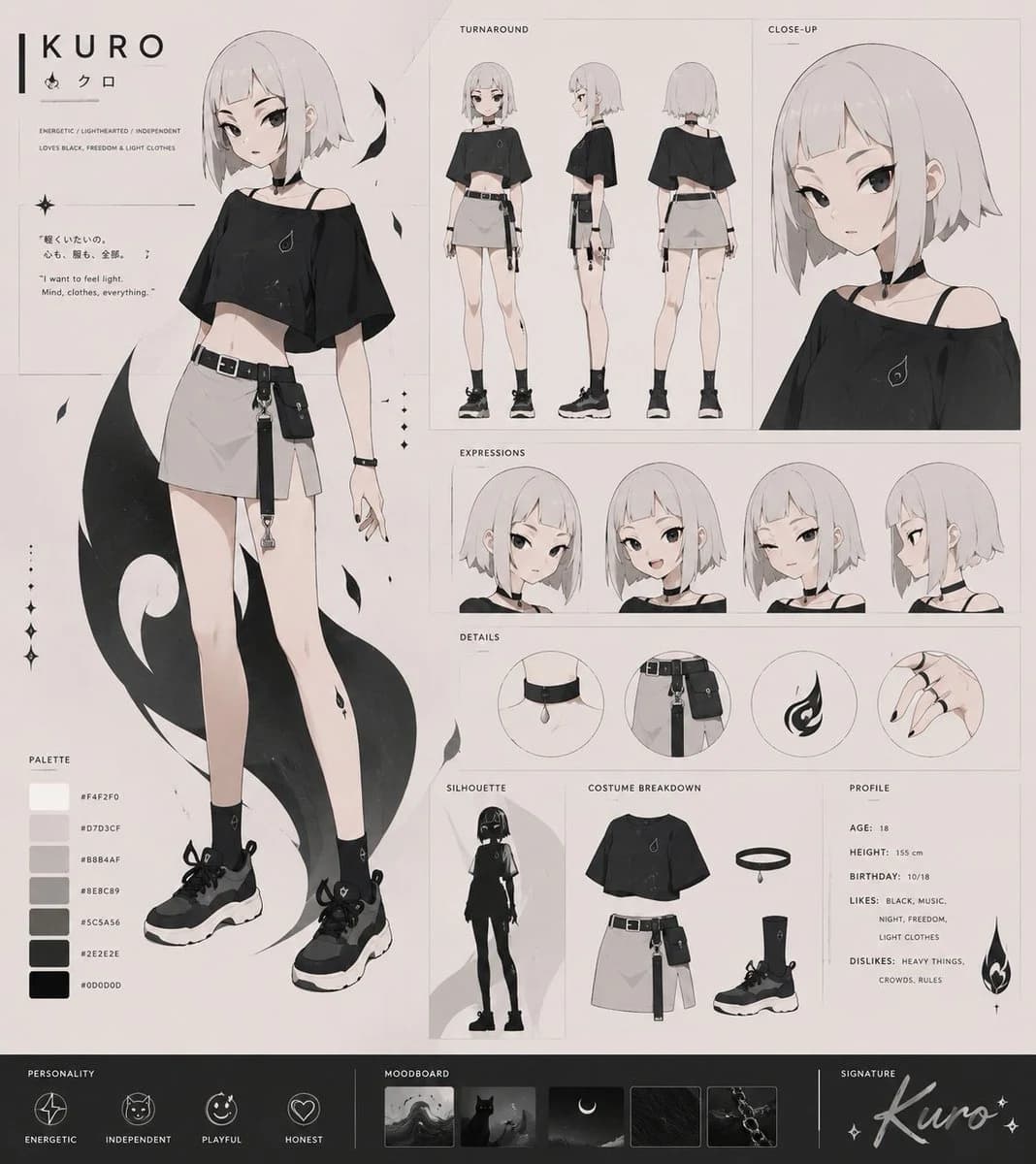
471 wordsUsing REFERENCE_0 as the rough character sketch, clean it up and expand it into a polished full-body anime VTuber character design sheet for {argument name="character name" default="KURO"}. Keep the core concept from the sketch, but redesign it as a sleek monochrome character with flat cel-shading, delicate line art, and a professional character-sheet layout.
Goal: Turn the sketch into a complete character sheet rather than a single illustration.
Canvas and layout: Use a horizontal character design sheet on a warm off-white background with thin panel borders, small labels, and a minimal editorial layout. Place one large full-body front illustration on the left, with multiple reference panels arranged on the right and bottom.
Character redesign: Create a slim teenage anime girl with a short pale bob haircut, a black oversized off-shoulder cropped top, a light gray mini skirt, black belt, side pouch and straps, black socks, chunky black sneakers, black nail polish, and small flame/drop motifs. Add a large abstract black flame or shadow shape behind the main full-body pose. Use a monochrome palette of {argument name="main color palette" default="black, white, warm gray, charcoal"} with soft beige paper tones.
Required sheet sections and exact counts:
- 1 large main full-body front pose on the left.
- 1 title block with the name {argument name="character name" default="KURO"} and small decorative icons.
- 1 short concept tagline area describing the character as energetic, lighthearted, and independent.
- 3 turnaround views labeled TURNAROUND: front, side, and back.
- 1 large close-up bust panel labeled CLOSE-UP.
- 4 expression/head panels labeled EXPRESSIONS: front neutral, front alternate, front alternate with straps visible, and side profile.
- 4 circular detail panels labeled DETAILS: collar/neck strap, belt and pouch accessories, flame emblem, and hand with black nails.
- 1 silhouette panel labeled SILHOUETTE.
- 1 costume breakdown panel labeled COSTUME BREAKDOWN showing the top, halo/neck accessory, skirt with belt and pouch, sock, and sneaker as separated items.
- 1 profile text panel with age, height, birthday, likes, and dislikes.
- 6 palette swatches with hex-style labels.
- 4 personality icons labeled ENERGETIC, INDEPENDENT, PLAYFUL, HONEST.
- 5 moodboard thumbnails using dark night imagery, moon, black cat, texture, and chain/accessory references.
- 1 signature area with a cursive signature of the character name.
Text details: Include a small quote area with {argument name="quote" default="I want to feel light. Mind, clothes, everything."}. Use clean English labels throughout, with tiny Japanese accent text allowed as decorative flavor.
Style: Modern Japanese anime character sheet, VTuber concept art, clean cel shading, thin gray construction lines, muted monochrome fashion design, soft paper texture, elegant minimal graphic design.
Constraints: Preserve the rough sketch’s short-haired girl concept and black flame motif, but fully polish the anatomy, outfit, pose, and sheet presentation. Avoid extra characters, avoid busy backgrounds, and keep the design readable as a professional character reference sheet.About this prompt
Monochrome VTuber Character Sheet is a ready-to-use character design prompt for GPT Image 2 on Image 2. Copy the 471 words below, paste them into the Create form, and you will get a result close to the preview above. Tweak the Infographic, Storyboard, Character tag if you want to push it somewhere new.
Use it as a starting point, then adjust the subject, lighting, or composition to suit your idea. The credit cost stays the same whether you use it as written or customize it.
Use case
A strong starting point for Character Design
Start here when you want a character design image inspired by Monochrome VTuber Character Sheet. The prompt already sets the look and composition; replace the subject, product, colors, or scene details to match your project.
Easy places to tweak
- Subject Swap in your person, product, place, or object without changing the overall composition.
- Look and mood Tune the lighting, palette, camera angle, or materials so the image fits your brand.
- Final format Set the aspect ratio, background, text, or layout notes before you generate.
More prompt paths to explore
Find more GPT Image 2 prompts with a similar style, use case, or subject.
How to use it
- Step 1
Copy the prompt
Hit the Copy button above to grab the full text.
- Step 2
Open Image 2 Create
Head to the Create form and paste it in.
- Step 3
Generate
Hit Generate. Your version lands in seconds.
Make it yours
Load the prompt into the Create form with one click, then start tweaking.