Prompt
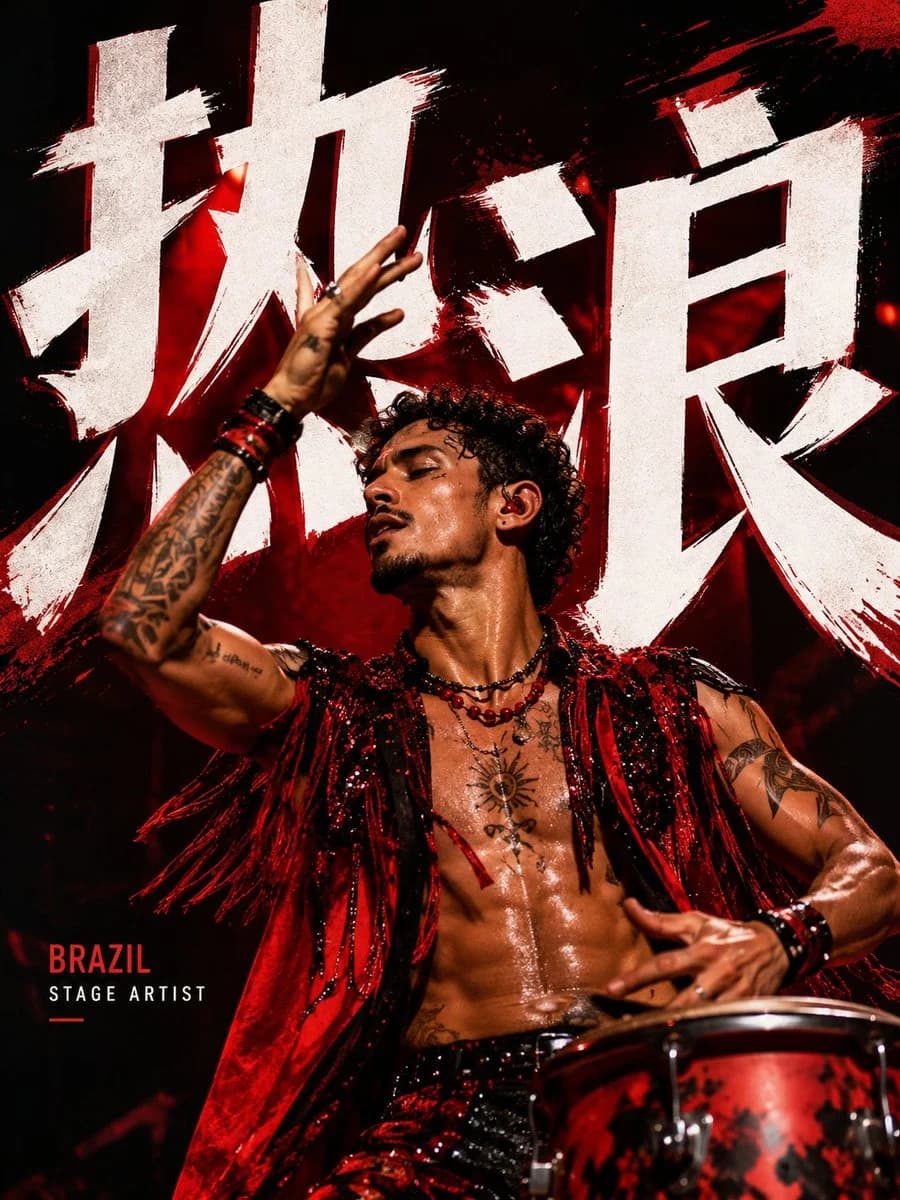
389 wordsGenerate a high-end pop idol typography cover poster.
Theme: {argument name="theme" default="music cover / idol visual / pop editorial / campaign concept"}
Direction: {argument name="style direction" default="Dynamic red typography cover / Red-background focused portrait cover / Dynamic idol stage poster / Headphone pop editorial cover"}
Main Title: {argument name="main title" default="[Fill in main title]"}
Subtitle: [Fill in short subtitle]
Edition Small Text: [Fill in issue number / edition / minor info]
Subject: [Adult young female idol / Adult young male idol / Pop artist / Performer from different countries]
Country Setting: [China / Korea / Japan / Thailand / France / USA / Brazil / Argentina / UK, etc.]
Atmosphere: [bold / stylish / emotional / kinetic / youthful / graphic / editorial]
Color System: [Red / White / Black / Crimson / Soft White]
The overall effect should resemble a high-end pop music visual cover or a fashion magazine poster.
Use oversized typography as part of the visual structure, not just a simple title.
Allow significant interaction between the subject and the text through: occlusion, interweaving, cropping, perspective, spatial layering, partial blurring, and foreground/background relationships.
Layout should be clean and impactful, retaining only a small amount of auxiliary text.
Choose one of the following four directions:
1. Dynamic Red Typography Cover
Use a white or off-white background with oversized bold red text. Feature an adult young female or male idol in a dynamic pose, interacting strongly with the text.
2. Red Background Focused Portrait Cover
Use a rich red background with a close-up or half-body portrait of an idol. Include elegant white serif text with a subtle focus box over the eyes; a dreamy atmosphere with clear eyes.
3. Dynamic Idol Stage Poster
Use strong performance poses and exaggerated perspective (e.g., legs, boots, or arms closer to the lens). Large text is partially cut by the body, creating a stage visual or concert poster feel.
4. Headphone Pop Editorial Cover
Feature an idol wearing headphones in a close-up or half-body shot. Incorporate tall vertical text interacting with the subject's silhouette, paired with 1-2 small label text boxes for a stylish, non-crowded look.
Avoid: Cheap template feel, excessive small text, cluttered composition, weak fonts, fake brand logos, deformed limbs, incorrect fingers, plastic skin, or piled-up sticker elements.
Requirements: Bold, clean, modern, and design-oriented. Generate only one high-quality standalone poster.About this prompt
Pop Idol Typography Cover Art is a ready-to-use social media prompt for GPT Image 2 on Image 2. Copy the 389 words below, paste them into the Create form, and you will get a result close to the preview above. Tweak the Product Ad, Social Media, Poster tag if you want to push it somewhere new.
Use it as a starting point, then adjust the subject, lighting, or composition to suit your idea. The credit cost stays the same whether you use it as written or customize it.
Use case
A strong starting point for Social Media
Start here when you want a social media image inspired by Pop Idol Typography Cover Art. The prompt already sets the look and composition; replace the subject, product, colors, or scene details to match your project.
Easy places to tweak
- Subject Swap in your person, product, place, or object without changing the overall composition.
- Look and mood Tune the lighting, palette, camera angle, or materials so the image fits your brand.
- Final format Set the aspect ratio, background, text, or layout notes before you generate.
More prompt paths to explore
Find more GPT Image 2 prompts with a similar style, use case, or subject.
How to use it
- Step 1
Copy the prompt
Hit the Copy button above to grab the full text.
- Step 2
Open Image 2 Create
Head to the Create form and paste it in.
- Step 3
Generate
Hit Generate. Your version lands in seconds.
Make it yours
Load the prompt into the Create form with one click, then start tweaking.