Prompt
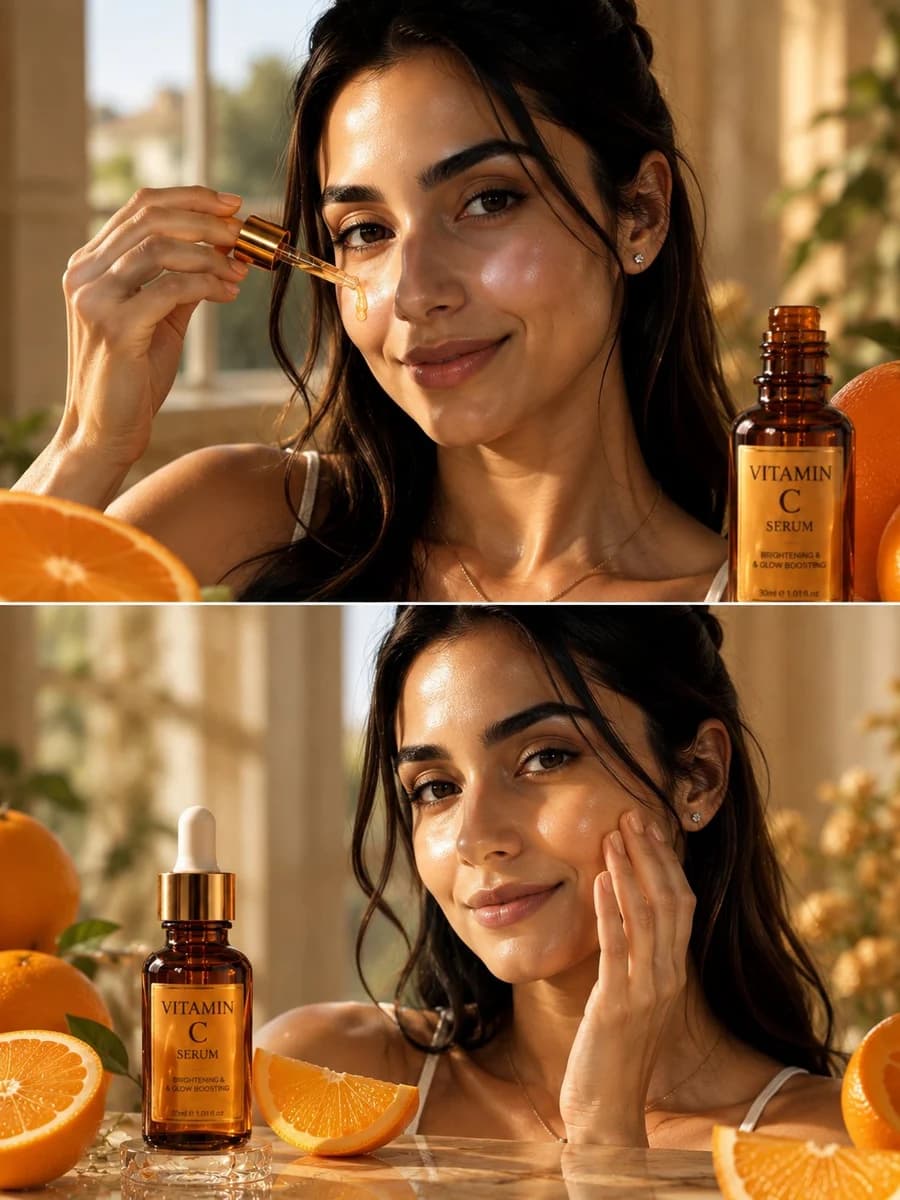
387 wordsGoal: Create a high-end cinematic luxury skincare advertisement for {argument name="product name" default="Vitamin C Serum"}, focused on radiant skin, golden-orange serum, and fresh oranges.
Canvas: Vertical 3:4 image, split into exactly 2 horizontal panels separated by a thin white divider line. Warm golden-hour sunlight, shallow depth of field, glossy reflective surfaces, premium beauty-ad photography.
Subject details: A beautiful young woman with {argument name="hair color" default="long dark brown hair"}, natural glowing skin, soft elegant facial features, thick brows, minimal warm makeup, small stud earrings, a delicate necklace, and a gentle confident smile. She wears a simple white camisole. Her expression is calm, fresh, and natural, looking toward the camera.
Top panel: Close-up beauty shot of the woman holding a glass dropper with a metallic gold cap near her cheek. A single golden-orange serum droplet is visibly hanging from the pipette and gliding onto her skin. Place one amber glass skincare bottle on the right foreground with a gold label reading “VITAMIN C SERUM” and smaller text “BRIGHTENING & GLOW BOOSTING” plus “30ml e 1.01 fl.oz.” Include exactly 2 visible orange elements in this panel: 1 large cut orange half in the lower-left foreground and 1 whole/partial orange behind the bottle on the right. Background: softly blurred sunlit window, beige curtains, indoor greenery.
Bottom panel: Show the same woman gently massaging serum into her right cheek with her fingertips, maintaining a soft confident smile and radiant hydrated skin. Place one amber dropper bottle on a small clear glass pedestal at the left foreground, with the white dropper top visible and the same gold “VITAMIN C SERUM” label. Include exactly 5 visible orange elements in this panel: 1 whole orange on the far left, 1 cut orange half/slice at the lower left, 1 orange wedge near the center foreground, 1 large cut orange slice in the lower-right foreground, and 1 whole/partial orange on the far right. Add a few green leaves around the oranges and warm bokeh highlights in the background.
Visual style: Ultra-realistic commercial beauty photography, luxurious amber and citrus color palette, warm sunlight, natural skin texture, dewy highlights, realistic serum gloss, polished reflections, soft cinematic focus, premium skincare advertising composition.
Constraints: Use exactly 2 stacked panels, exactly 2 product bottle appearances, exactly 1 visible serum droplet in the top panel, and no extra text beyond the product label.About this prompt
Vitamin C Serum Beauty Ad is a ready-to-use e-commerce prompt for GPT Image 2 on Image 2. Copy the 387 words below, paste them into the Create form, and you will get a result close to the preview above. Tweak the Product Ad, E-commerce, Storyboard tag if you want to push it somewhere new.
Use it as a starting point, then adjust the subject, lighting, or composition to suit your idea. The credit cost stays the same whether you use it as written or customize it.
Use case
A strong starting point for E-commerce
Start here when you want a e-commerce image inspired by Vitamin C Serum Beauty Ad. The prompt already sets the look and composition; replace the subject, product, colors, or scene details to match your project.
Easy places to tweak
- Subject Swap in your person, product, place, or object without changing the overall composition.
- Look and mood Tune the lighting, palette, camera angle, or materials so the image fits your brand.
- Final format Set the aspect ratio, background, text, or layout notes before you generate.
More prompt paths to explore
Find more GPT Image 2 prompts with a similar style, use case, or subject.
How to use it
- Step 1
Copy the prompt
Hit the Copy button above to grab the full text.
- Step 2
Open Image 2 Create
Head to the Create form and paste it in.
- Step 3
Generate
Hit Generate. Your version lands in seconds.
Make it yours
Load the prompt into the Create form with one click, then start tweaking.