Prompt
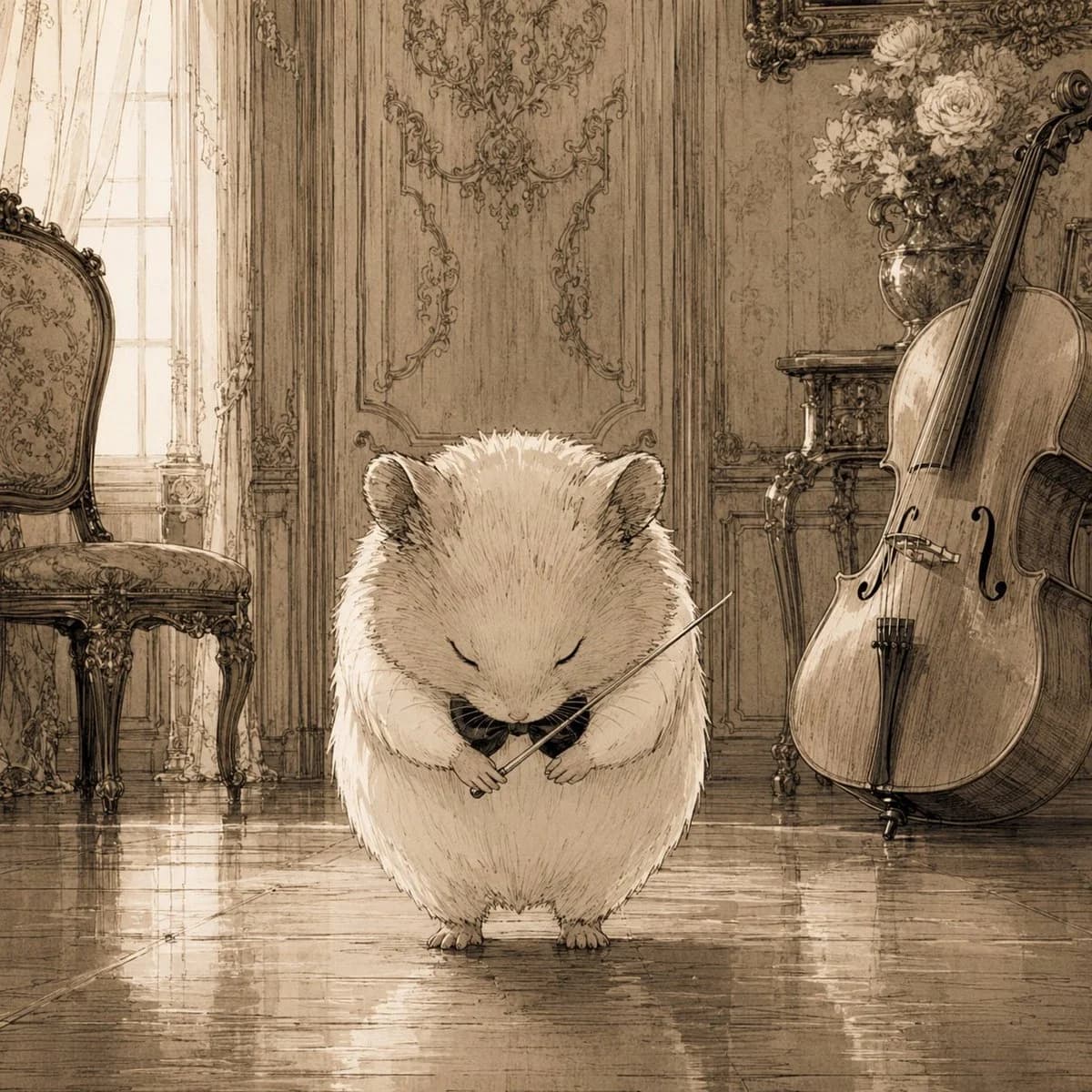
175 wordsCreate a square sepia-toned storybook illustration of {argument name="main character" default="a fluffy cream-colored hamster"} standing in the center of an elegant old European music salon, eyes gently closed and head bowed as if finishing a performance. The hamster is round, soft, and very detailed with fine ink hatching, tiny paws, small ears, and a calm solemn expression, holding a delicate violin bow across its chest with a tiny dark violin or instrument tucked near its paws. The setting is a richly decorated classical room with polished reflective wooden floors, tall paneled walls covered in ornate rococo carvings, a bright window with sheer curtains on the left, and antique furniture. Include exactly 3 prominent background objects: an ornate upholstered chair on the left, a large cello leaning upright on the right, and a vase of pale flowers on a small carved table behind the cello. Use warm monochrome beige, brown, and cream tones, like an antique pencil-and-ink wash drawing with soft backlighting, subtle floor reflections, intricate linework, nostalgic atmosphere, and no visible text or modern objects.About this prompt
Sepia Hamster Violinist Salon is a ready-to-use character design prompt for GPT Image 2 on Image 2. Copy the 175 words below, paste them into the Create form, and you will get a result close to the preview above. Tweak the Character Design, Architecture, Vintage tag if you want to push it somewhere new.
Use it as a starting point, then adjust the subject, lighting, or composition to suit your idea. The credit cost stays the same whether you use it as written or customize it.
Use case
A strong starting point for Character Design
Start here when you want a character design image inspired by Sepia Hamster Violinist Salon. The prompt already sets the look and composition; replace the subject, product, colors, or scene details to match your project.
Easy places to tweak
- Subject Swap in your person, product, place, or object without changing the overall composition.
- Look and mood Tune the lighting, palette, camera angle, or materials so the image fits your brand.
- Final format Set the aspect ratio, background, text, or layout notes before you generate.
More prompt paths to explore
Find more GPT Image 2 prompts with a similar style, use case, or subject.
How to use it
- Step 1
Copy the prompt
Hit the Copy button above to grab the full text.
- Step 2
Open Image 2 Create
Head to the Create form and paste it in.
- Step 3
Generate
Hit Generate. Your version lands in seconds.
Make it yours
Load the prompt into the Create form with one click, then start tweaking.