Prompt
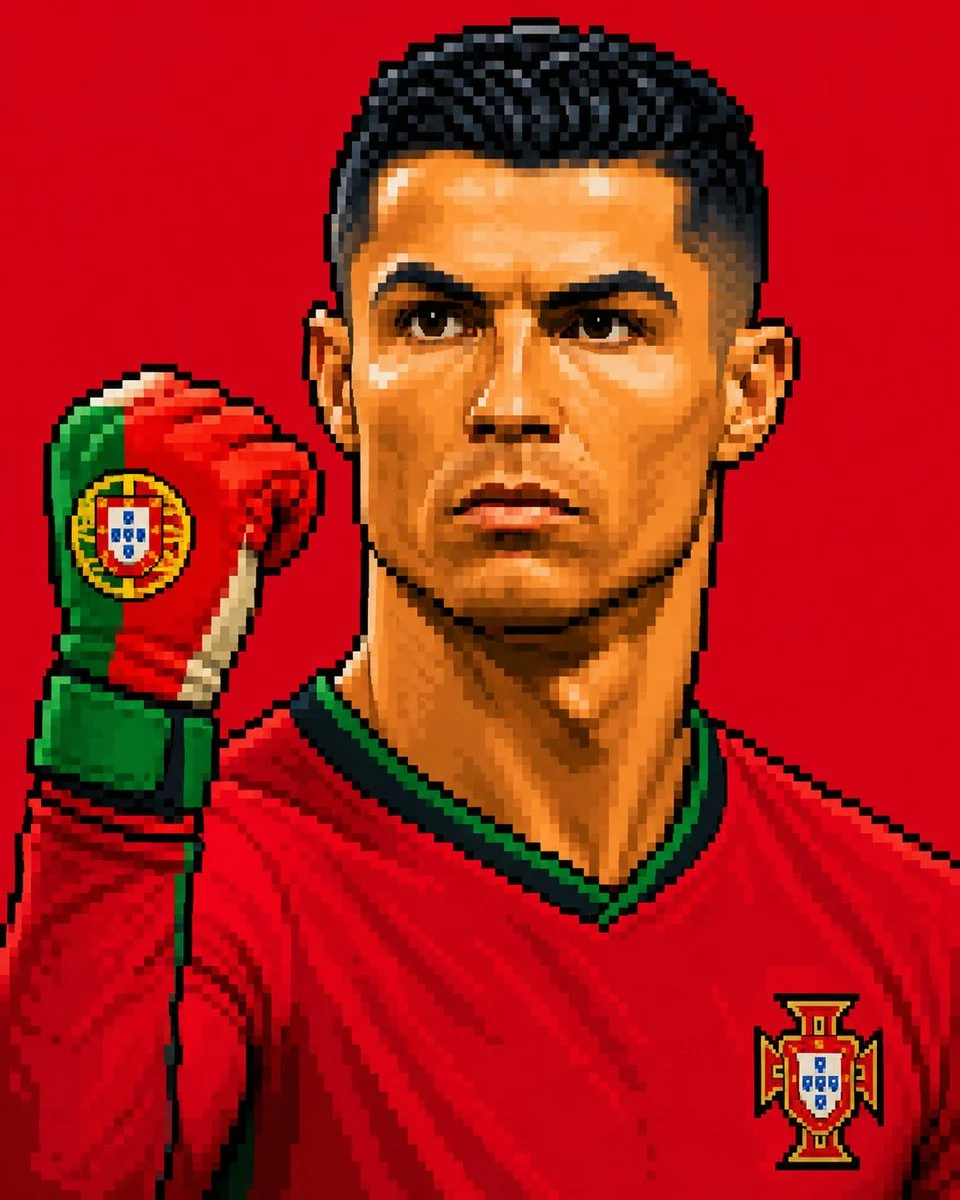
150 wordsCreate a square-inspired FIFA World Cup 2026 profile portrait in a 4:5 aspect ratio using the uploaded image as the exact reference for pose, composition, identity, and pixel art style. Create the subject in a detailed {argument name="art style" default="retro pixel art style"} with large visible pixels, defined stair-stepped edges, strong dark outlines, dramatic pixelated shading, vibrant colors, and a crisp 16-bit/32-bit arcade sprite appearance. Use only a flat solid background color representing the {argument name="country" default="selected country’s primary national color"}. The raised goalkeeper glove must feature the {argument name="national symbols" default="selected country’s national flag"} or official national colors. No gradients, textures, text, logos, extra objects, or photorealism. Subtly incorporate the FIFA World Cup 2026 theme and atmosphere while preserving the exact pose and composition from the reference. Maintain the raised glove, facial features, framing, and overall visual style exactly as shown in the reference image. Output aspect ratio: 4:5.About this prompt
Retro World Cup Pixel Sprite is a ready-to-use character design prompt for GPT Image 2 on Image 2. Copy the 150 words below, paste them into the Create form, and you will get a result close to the preview above. Tweak the Portrait, Character Design, Sports tag if you want to push it somewhere new.
Use it as a starting point, then adjust the subject, lighting, or composition to suit your idea. The credit cost stays the same whether you use it as written or customize it.
Use case
A strong starting point for Character Design
Start here when you want a character design image inspired by Retro World Cup Pixel Sprite. The prompt already sets the look and composition; replace the subject, product, colors, or scene details to match your project.
Easy places to tweak
- Subject Swap in your person, product, place, or object without changing the overall composition.
- Look and mood Tune the lighting, palette, camera angle, or materials so the image fits your brand.
- Final format Set the aspect ratio, background, text, or layout notes before you generate.
More prompt paths to explore
Find more GPT Image 2 prompts with a similar style, use case, or subject.
How to use it
- Step 1
Copy the prompt
Hit the Copy button above to grab the full text.
- Step 2
Open Image 2 Create
Head to the Create form and paste it in.
- Step 3
Generate
Hit Generate. Your version lands in seconds.
Make it yours
Load the prompt into the Create form with one click, then start tweaking.