Prompt
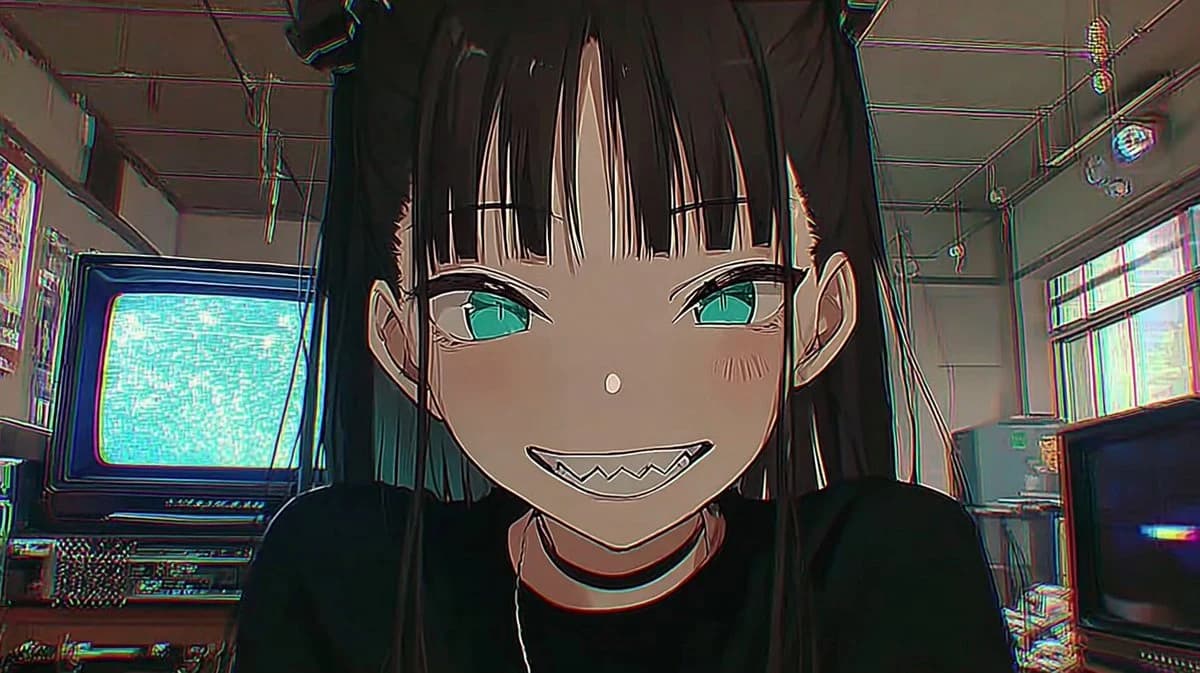
204 wordsCreate a retro 2.5D anime thumbnail in a cinematic 16:9 frame, showing a close-up of {argument name="character name" default="a mischievous gothic anime girl"} leaning toward the camera in a cluttered analog electronics room. She has long straight {argument name="hair color" default="black hair"} with blunt bangs, teal-green eyes, pale skin, small blush marks, pointed ears, and a wide unsettling grin with sharp triangular teeth. She wears a black top and a thin black choker, with her face centered and dominating the composition, shoulders cropped at the bottom, direct eye contact, playful but eerie expression. The background is a dim retro tech studio with exactly two visible CRT televisions: one large CRT on the left displaying bright cyan static and one darker CRT on the lower right with a small blue glow; include shelves, cables, ceiling pipes, hanging wires, old equipment, and a high window with washed-out daylight. Use a NORINORI CORE-inspired retro 2.5D aesthetic: cel-shaded anime character over a semi-realistic grungy room, thick ink outlines, muted olive-gray shadows, teal and magenta chromatic aberration along edges, VHS scanline noise, slight fisheye wide-angle distortion, low-light atmosphere, crisp face details, gritty analog texture, 1990s cyberpunk anime mood. Keep the image text-free, no logos, no watermark, no extra characters.About this prompt
Retro 2.5D Anime CRT Girl is a ready-to-use social media prompt for GPT Image 2 on Image 2. Copy the 204 words below, paste them into the Create form, and you will get a result close to the preview above. Tweak the Ad Creative, Social Media, Architecture tag if you want to push it somewhere new.
Use it as a starting point, then adjust the subject, lighting, or composition to suit your idea. The credit cost stays the same whether you use it as written or customize it.
Use case
A strong starting point for Social Media
Start here when you want a social media image inspired by Retro 2.5D Anime CRT Girl. The prompt already sets the look and composition; replace the subject, product, colors, or scene details to match your project.
Easy places to tweak
- Subject Swap in your person, product, place, or object without changing the overall composition.
- Look and mood Tune the lighting, palette, camera angle, or materials so the image fits your brand.
- Final format Set the aspect ratio, background, text, or layout notes before you generate.
More prompt paths to explore
Find more GPT Image 2 prompts with a similar style, use case, or subject.
How to use it
- Step 1
Copy the prompt
Hit the Copy button above to grab the full text.
- Step 2
Open Image 2 Create
Head to the Create form and paste it in.
- Step 3
Generate
Hit Generate. Your version lands in seconds.
Make it yours
Load the prompt into the Create form with one click, then start tweaking.