Prompt
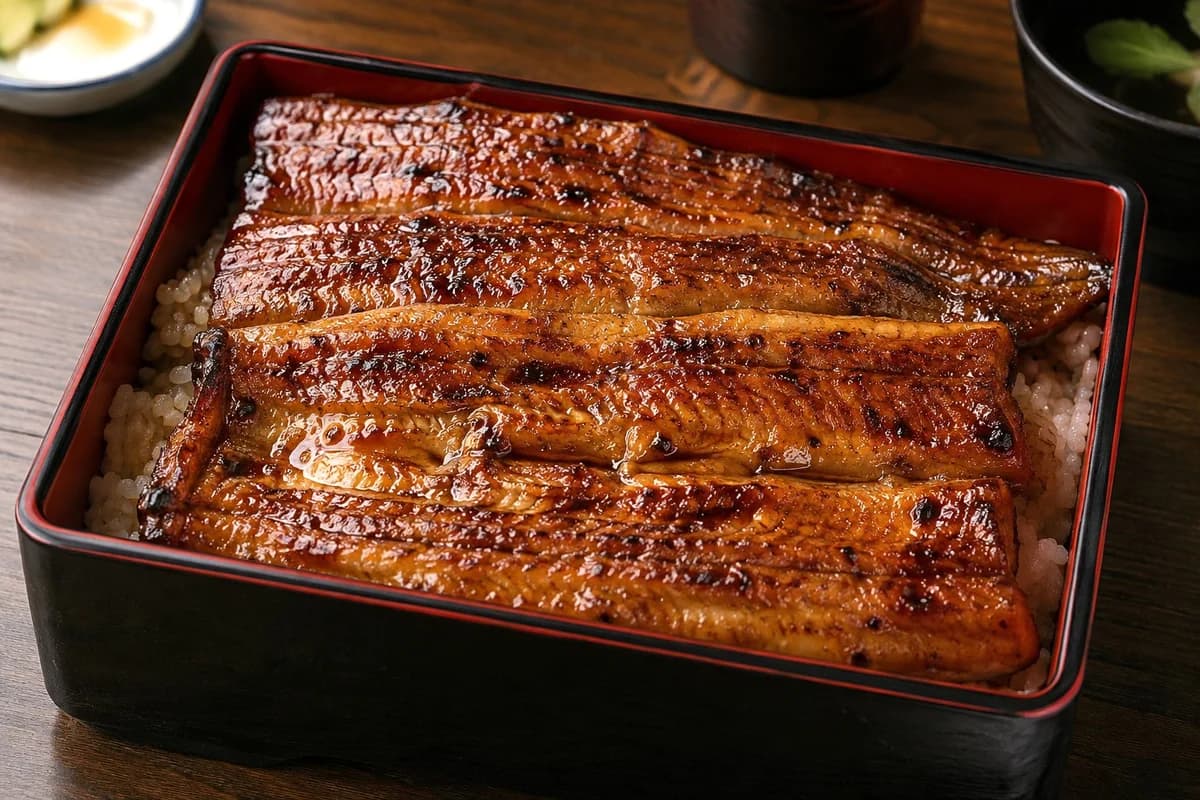
188 wordsCreate a realistic high-resolution food photography image of {argument name="dish name" default="unaju, Japanese grilled eel over rice"} served in a rectangular black lacquered bento box with a thin red inner rim, placed on a warm dark wooden restaurant table. The box is filled with white rice and topped edge-to-edge with exactly 4 long grilled eel fillets arranged horizontally in parallel, slightly overlapping, coated in a glossy caramel-brown tare sauce with visible char marks, tiny blistered skin texture, subtle grill lines, and faint skewer marks. The eel should look moist, oily, and sizzling, with bright specular highlights and appetizing lacquered reflections. Use a close-up three-quarter overhead angle, shallow depth of field, natural warm restaurant lighting, and rich contrast. In the softly blurred background include exactly 3 supporting table items: a small white side dish at the upper left with pale pickles or garnish, a dark cylindrical cup near the upper center, and a black soup bowl at the upper right containing clear broth and a small green herb leaf. Keep the focus sharply on the eel and lacquer box, with no people, no utensils, no text, and no watermark.About this prompt
Realistic Unaju Grilled Eel Box is a ready-to-use e-commerce prompt for GPT Image 2 on Image 2. Copy the 188 words below, paste them into the Create form, and you will get a result close to the preview above. Tweak the Product Ad, E-commerce, Product tag if you want to push it somewhere new.
Use it as a starting point, then adjust the subject, lighting, or composition to suit your idea. The credit cost stays the same whether you use it as written or customize it.
Use case
A strong starting point for E-commerce
Start here when you want a e-commerce image inspired by Realistic Unaju Grilled Eel Box. The prompt already sets the look and composition; replace the subject, product, colors, or scene details to match your project.
Easy places to tweak
- Subject Swap in your person, product, place, or object without changing the overall composition.
- Look and mood Tune the lighting, palette, camera angle, or materials so the image fits your brand.
- Final format Set the aspect ratio, background, text, or layout notes before you generate.
More prompt paths to explore
Find more GPT Image 2 prompts with a similar style, use case, or subject.
How to use it
- Step 1
Copy the prompt
Hit the Copy button above to grab the full text.
- Step 2
Open Image 2 Create
Head to the Create form and paste it in.
- Step 3
Generate
Hit Generate. Your version lands in seconds.
Make it yours
Load the prompt into the Create form with one click, then start tweaking.