Prompt
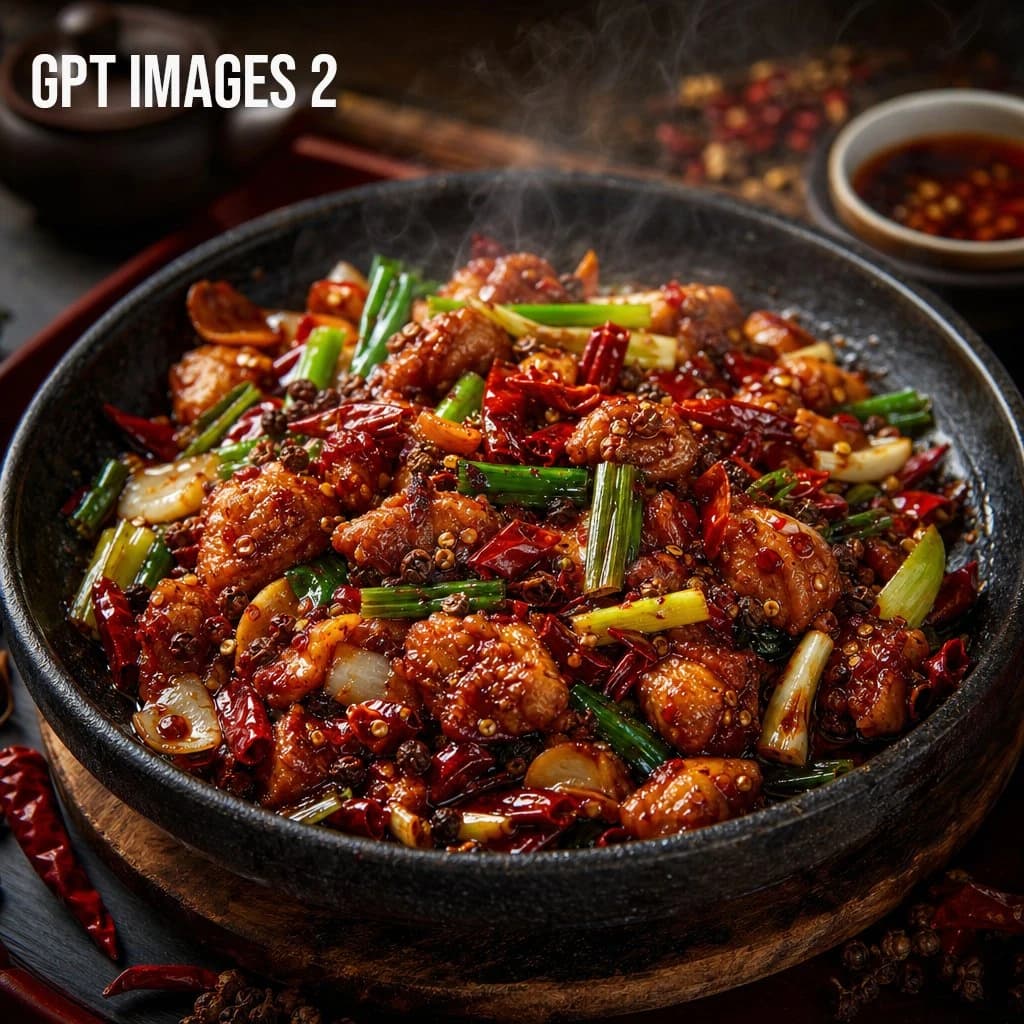
172 wordsCreate a square [ASPECT RATIO] premium food photography image of a steaming [FOOD] served in a dark black stone bowl or cast-iron skillet on a wooden board. The dish should look hot, glossy, spicy, and freshly served, with bite-sized pieces of browned protein, dried red chilies, green scallions, white onion, garlic, chili flakes, and visible Sichuan peppercorns coated in a deep red, oily Szechuan sauce. Use a slightly elevated close-up camera angle with shallow depth of field. Make the food the clear hero of the image, centered and richly detailed. Add visible steam rising naturally from the dish. Surround the bowl with subtle restaurant-style props like a dark red tray, scattered dried chilies, peppercorns, a small sauce bowl, or a blurred teapot in the background. Lighting should feel warm, moody, and editorial, like a high-end restaurant food shoot. Emphasize realistic textures and keep the image appetizing, realistic, cinematic, and polished. Avoid text, logos, hands, people, utensils covering the food, cartoon styling, fake plastic textures, excessive symmetry, or an overly clean stock-photo look.
About this prompt
Premium food photography template is a ready-to-use e-commerce prompt for GPT Image 2 on Image 2. Copy the 172 words below, paste them into the Create form, and you will get a result close to the preview above. Tweak the Product Ad, E-commerce, Product tag if you want to push it somewhere new.
Use it as a starting point, then adjust the subject, lighting, or composition to suit your idea. The credit cost stays the same whether you use it as written or customize it.
Use case
A strong starting point for E-commerce
Start here when you want a e-commerce image inspired by Premium food photography template. The prompt already sets the look and composition; replace the subject, product, colors, or scene details to match your project.
Easy places to tweak
- Subject Swap in your person, product, place, or object without changing the overall composition.
- Look and mood Tune the lighting, palette, camera angle, or materials so the image fits your brand.
- Final format Set the aspect ratio, background, text, or layout notes before you generate.
More prompt paths to explore
Find more GPT Image 2 prompts with a similar style, use case, or subject.
How to use it
- Step 1
Copy the prompt
Hit the Copy button above to grab the full text.
- Step 2
Open Image 2 Create
Head to the Create form and paste it in.
- Step 3
Generate
Hit Generate. Your version lands in seconds.
Make it yours
Load the prompt into the Create form with one click, then start tweaking.