Prompt
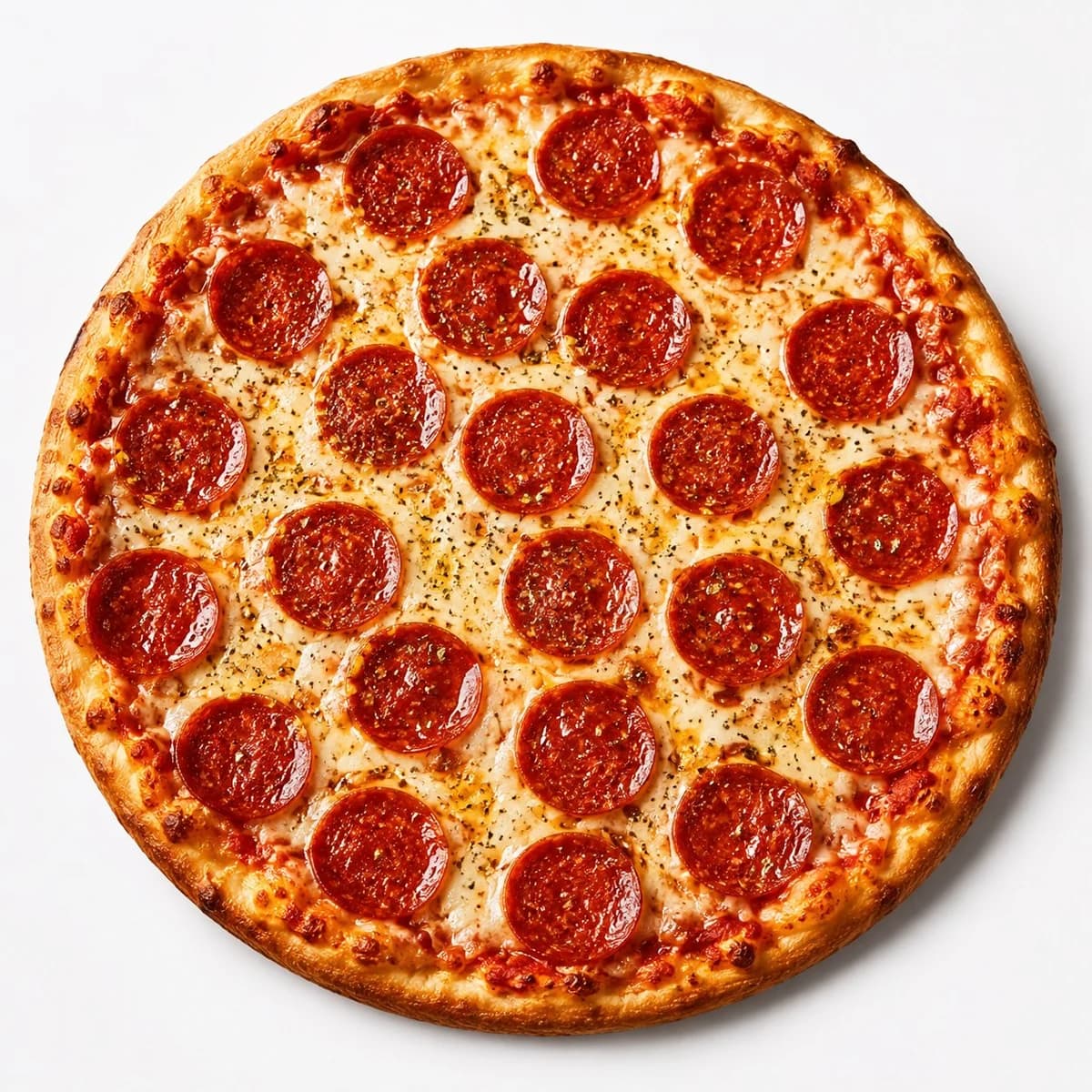
145 wordsCreate a high-quality professional overhead product photograph of a whole pepperoni pizza centered on a clean bright white seamless studio background. The pizza should be perfectly round and fill most of the square frame, photographed from directly above with soft studio lighting and a subtle natural shadow around the crust. Show a thin-to-medium golden-brown crust with darker toasted bubbles around the rim, rich red tomato sauce visible near the edges, glossy melted mozzarella cheese with lightly browned spots, fine dried herb seasoning scattered across the cheese, and exactly 21 round pepperoni slices arranged evenly across the surface in a balanced pattern from edge to center. Make the pepperoni deep red-orange, shiny with rendered oil, slightly curled at the edges, and speckled with seasoning. Keep the composition appetizing, realistic, crisp, and commercial-food-photography quality, with no plate, no text, no hands, no props, and no background clutter.
About this prompt
Overhead Pepperoni Pizza Photo is a ready-to-use e-commerce prompt for GPT Image 2 on Image 2. Copy the 145 words below, paste them into the Create form, and you will get a result close to the preview above. Tweak the Product Ad, E-commerce, Product tag if you want to push it somewhere new.
Use it as a starting point, then adjust the subject, lighting, or composition to suit your idea. The credit cost stays the same whether you use it as written or customize it.
Use case
A strong starting point for E-commerce
Start here when you want a e-commerce image inspired by Overhead Pepperoni Pizza Photo. The prompt already sets the look and composition; replace the subject, product, colors, or scene details to match your project.
Easy places to tweak
- Subject Swap in your person, product, place, or object without changing the overall composition.
- Look and mood Tune the lighting, palette, camera angle, or materials so the image fits your brand.
- Final format Set the aspect ratio, background, text, or layout notes before you generate.
More prompt paths to explore
Find more GPT Image 2 prompts with a similar style, use case, or subject.
How to use it
- Step 1
Copy the prompt
Hit the Copy button above to grab the full text.
- Step 2
Open Image 2 Create
Head to the Create form and paste it in.
- Step 3
Generate
Hit Generate. Your version lands in seconds.
Make it yours
Load the prompt into the Create form with one click, then start tweaking.