Prompt
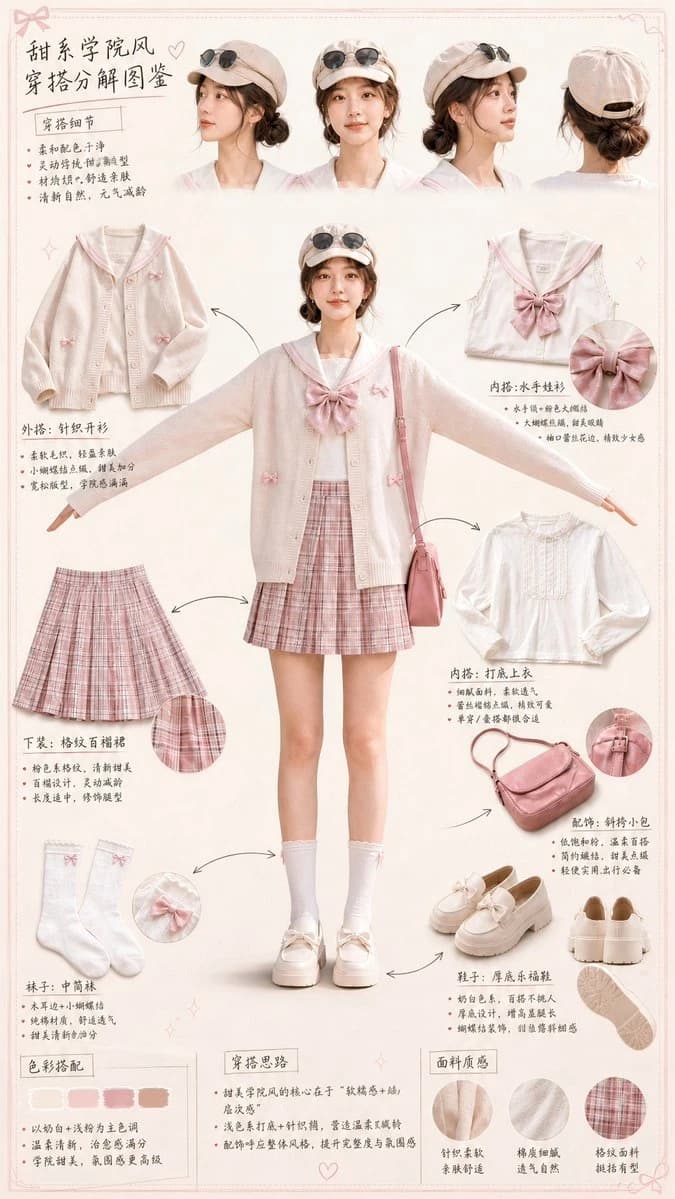
180 wordsCreate a clean vertical fashion infographic from the uploaded portrait. Preserve the same face identity, hairstyle, body shape, and overall outfit style. Place the full-body character in the center in a relaxed T-pose, facing forward. Surround the character with realistic photo-style outfit breakdown elements, connected by thin arrows. Include separate cutout sections for: head details, cardigan, sailor top, inner blouse, plaid skirt, bag, socks, loafers, color palette, styling notes, and fabric texture. Add 3–4 head close-ups from different angles at the top. Use short English handwritten-style labels and concise bullet points. Visual style: soft pastel cream and blush-pink background, clean fashion board layout, elegant magazine-style composition, sweet preppy aesthetic, realistic fabric textures, delicate borders, small bow and heart doodles, airy and polished design. Keep the text short, readable, and fully in English. Original vertical aspect ratio. Negative Prompt: Chinese text, long text, messy layout, old parchment background, yellow aged paper, blurry details, distorted face, changed identity, extra limbs, bad hands, duplicated body, unrealistic fabric, cartoon style, anime style, 3D render, watermark, logo, unreadable typography, overcrowded design, harsh colors, low resolution.
About this prompt
Outfit Breakdown Chart is a ready-to-use ui mockup prompt for GPT Image 2 on Image 2. Copy the 180 words below, paste them into the Create form, and you will get a result close to the preview above. Tweak the Infographic, UI, Mockup tag if you want to push it somewhere new.
Use it as a starting point, then adjust the subject, lighting, or composition to suit your idea. The credit cost stays the same whether you use it as written or customize it.
Use case
A strong starting point for UI Mockup
Start here when you want a ui mockup image inspired by Outfit Breakdown Chart. The prompt already sets the look and composition; replace the subject, product, colors, or scene details to match your project.
Easy places to tweak
- Subject Swap in your person, product, place, or object without changing the overall composition.
- Look and mood Tune the lighting, palette, camera angle, or materials so the image fits your brand.
- Final format Set the aspect ratio, background, text, or layout notes before you generate.
More prompt paths to explore
Find more GPT Image 2 prompts with a similar style, use case, or subject.
How to use it
- Step 1
Copy the prompt
Hit the Copy button above to grab the full text.
- Step 2
Open Image 2 Create
Head to the Create form and paste it in.
- Step 3
Generate
Hit Generate. Your version lands in seconds.
Make it yours
Load the prompt into the Create form with one click, then start tweaking.