Prompt
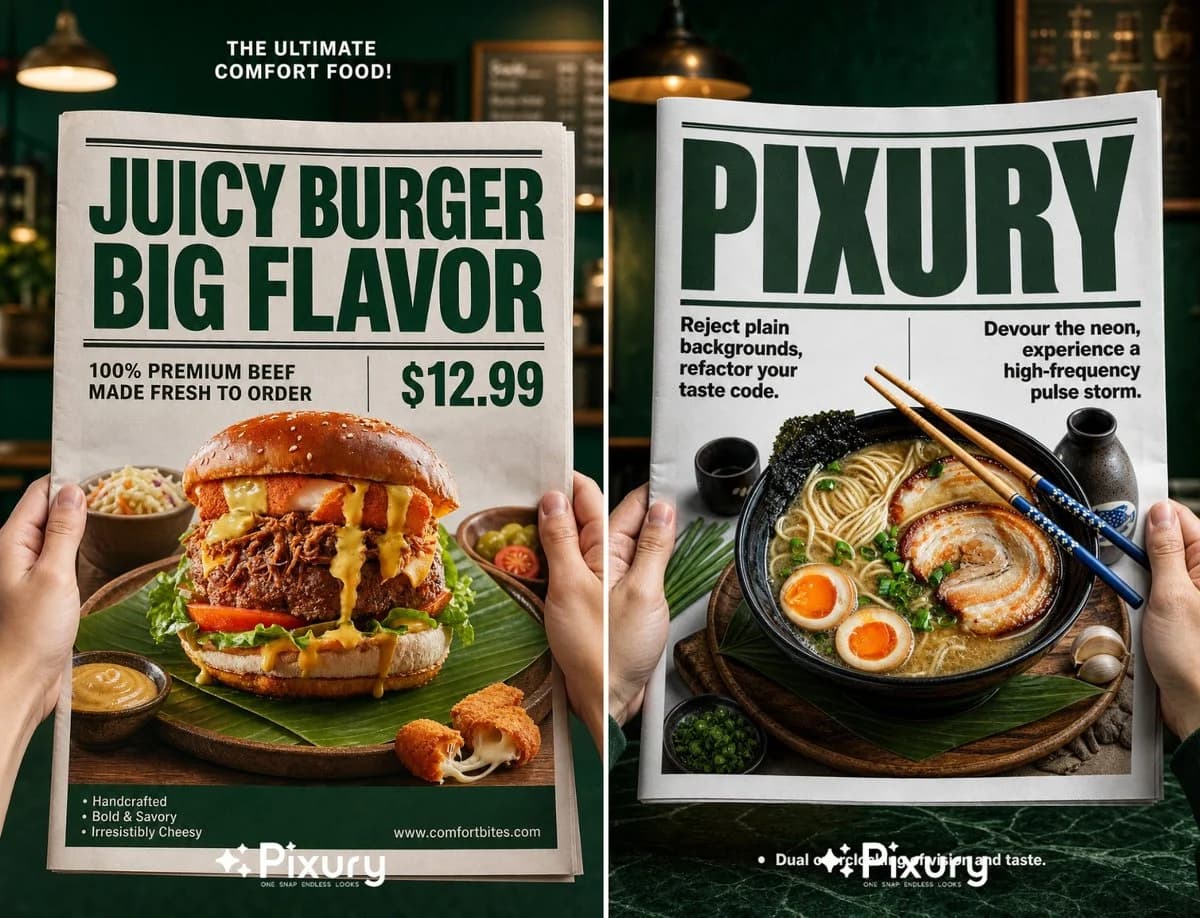
258 wordsPhotorealistic high-end commercial food product photography, adjustable aspect ratio according to target setting, first-person POV shot, two fair-skinned human hands holding the left and right edges of a large crisp white newspaper. At the center of the newspaper, a {argument name="product" default="hyper-realistic glossy 3D pop-out display of the exact uploaded featured item"}, the product is placed on a {argument name="serving style" default="rustic wooden plate paved with green leaf decorations"}, matched with small side dishes and delicate garnishes. The {argument name="background" default="background behind the newspaper is a softly blurred dark emerald green cafe interior environment"}. Strict standardized typography layout rules: 1. Small bold white text wrapped in "" placed at top center of dark green background area; 2. Two-line ultra-bold dark green thick sans-serif headline text wrapped in "" at the top of newspaper page, decorated with horizontal dividing lines above and below the headline; 3. Medium-weight black sans-serif text wrapped in "" on the left lower part of the newspaper, separated by a thin vertical line from large bold green price text wrapped in "" on the right side; 4. Small white bullet point text wrapped in "" on the left bottom of green background, small white URL text wrapped in "" on the right bottom of green background. Bright directional studio soft lighting, sharp focal point locked on newspaper and the popped-out product, clear layered depth of field, 8K ultra high resolution, exquisite material texture rendering, cinematic color grading, neat and standardized typography hierarchical layout, clean commercial advertising aesthetic, no redundant messy elements, no distorted product shape.About this prompt
Newspaper Layout Food Poster Template is a ready-to-use e-commerce prompt for GPT Image 2 on Image 2. Copy the 258 words below, paste them into the Create form, and you will get a result close to the preview above. Tweak the Product Ad, E-commerce, Product tag if you want to push it somewhere new.
Use it as a starting point, then adjust the subject, lighting, or composition to suit your idea. The credit cost stays the same whether you use it as written or customize it.
Use case
A strong starting point for E-commerce
Start here when you want a e-commerce image inspired by Newspaper Layout Food Poster Template. The prompt already sets the look and composition; replace the subject, product, colors, or scene details to match your project.
Easy places to tweak
- Subject Swap in your person, product, place, or object without changing the overall composition.
- Look and mood Tune the lighting, palette, camera angle, or materials so the image fits your brand.
- Final format Set the aspect ratio, background, text, or layout notes before you generate.
More prompt paths to explore
Find more GPT Image 2 prompts with a similar style, use case, or subject.
How to use it
- Step 1
Copy the prompt
Hit the Copy button above to grab the full text.
- Step 2
Open Image 2 Create
Head to the Create form and paste it in.
- Step 3
Generate
Hit Generate. Your version lands in seconds.
Make it yours
Load the prompt into the Create form with one click, then start tweaking.