Prompt
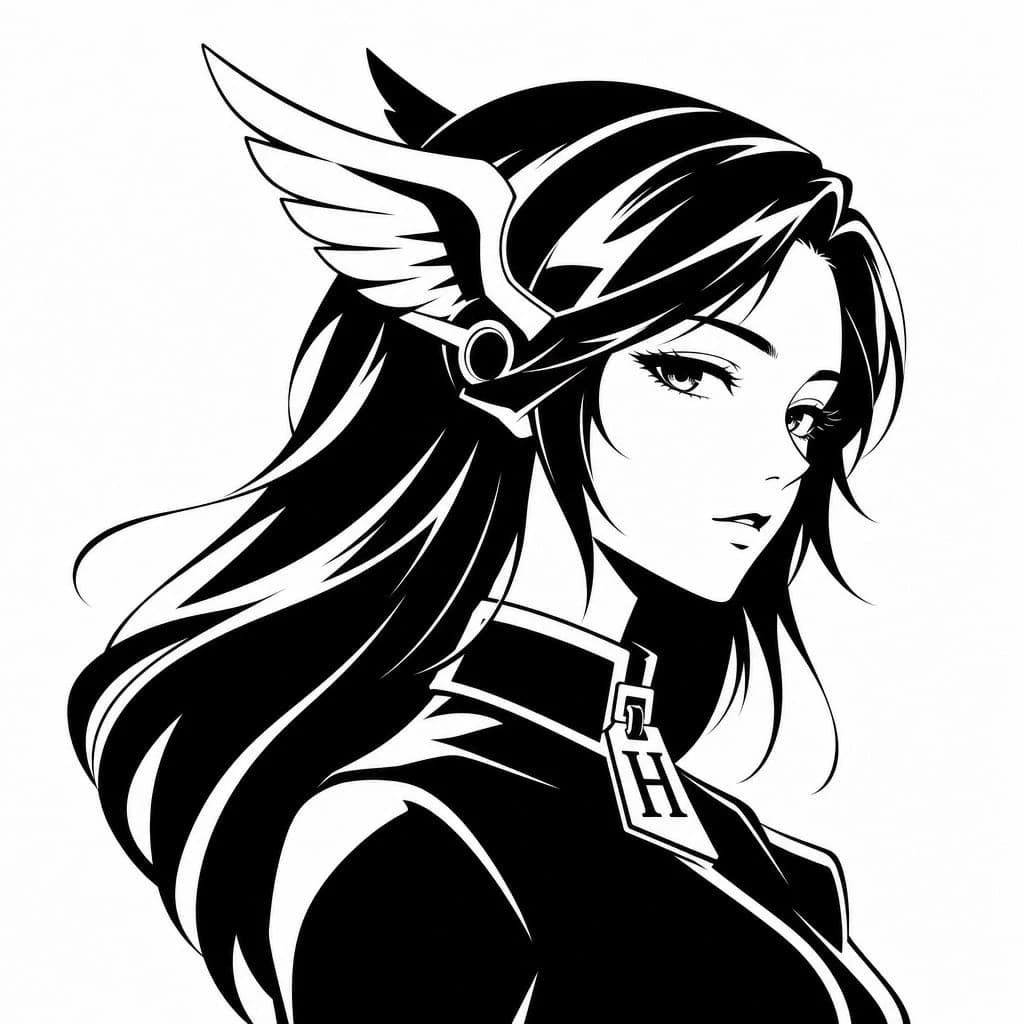
173 wordsCreate a minimalist black-and-white vector avatar logo of a mythic anime woman shown in elegant side profile facing right, cropped from the chest up on a plain white background. Give her long flowing {argument name="hair color" default="black"} hair with bold white highlight streaks and smooth graphic shapes, rendered as high-contrast ink silhouette art with clean sharp edges. She wears a winged headpiece reminiscent of Hermes or a messenger god helmet, with one large white feathered wing visible on the side of her head and a circular metallic earpiece detail. Dress her in a sleek high-collar garment with a luxury-fashion feel, and hang a prominent pendant or zipper pull shaped like the letter {argument name="monogram letter" default="H"} at the center of the collar. The face is intentionally obscured by a centered soft gray rectangular blur block covering most facial features, creating a censored anonymous profile-image effect. Overall style: luxury brand avatar, fashion logo, anime-inspired goddess silhouette, monochrome vector emblem, smooth negative-space highlights, balanced composition, modern and iconic, suitable for a social media profile picture.About this prompt
Monochrome Hermes-Inspired Avatar is a ready-to-use portrait prompt for GPT Image 2 on Image 2. Copy the 173 words below, paste them into the Create form, and you will get a result close to the preview above. Tweak the Social Media, Portrait, Fashion tag if you want to push it somewhere new.
Use it as a starting point, then adjust the subject, lighting, or composition to suit your idea. The credit cost stays the same whether you use it as written or customize it.
Use case
A strong starting point for Portrait
Start here when you want a portrait image inspired by Monochrome Hermes-Inspired Avatar. The prompt already sets the look and composition; replace the subject, product, colors, or scene details to match your project.
Easy places to tweak
- Subject Swap in your person, product, place, or object without changing the overall composition.
- Look and mood Tune the lighting, palette, camera angle, or materials so the image fits your brand.
- Final format Set the aspect ratio, background, text, or layout notes before you generate.
More prompt paths to explore
Find more GPT Image 2 prompts with a similar style, use case, or subject.
How to use it
- Step 1
Copy the prompt
Hit the Copy button above to grab the full text.
- Step 2
Open Image 2 Create
Head to the Create form and paste it in.
- Step 3
Generate
Hit Generate. Your version lands in seconds.
Make it yours
Load the prompt into the Create form with one click, then start tweaking.