Prompt
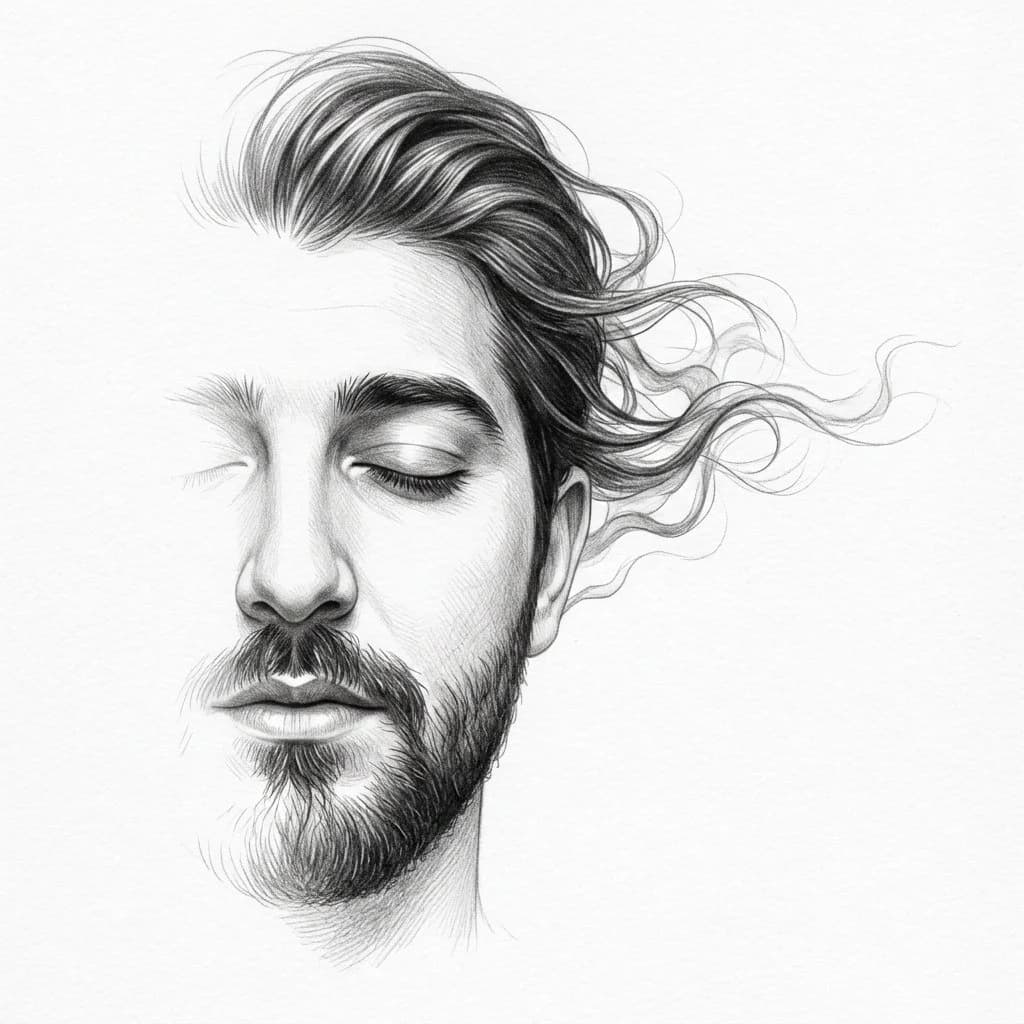
161 wordsUse the uploaded image as the ONLY facial reference with strict identity preservation. Create an ultra-realistic {argument name="style" default="graphite pencil sketch"} showing only one half of the face, positioned slightly off-center with the rest naturally fading into a clean {argument name="background color" default="white background"}. Preserve the subject's exact facial structure, proportions, skin tone, lips, nose, eyelashes, and unique identity. The visible eye is gently closed, the lips are slightly parted, and the facial edges dissolve softly into the paper. The hair flows dramatically into elegant smoke-like wisps and airy graphite strands, extending upward and outward with graceful movement, blending seamlessly into the white space. Use ultra-fine pencil strokes, realistic graphite texture, smooth tonal gradients, delicate cross-hatching, and deep black values in the hair for strong contrast. Maintain a minimalist fine-art composition with abundant negative space, no background elements, no accessories, no text, no color, and no frame. The artwork should feel dreamy, ethereal, emotional, and unfinished in a refined gallery-quality style.About this prompt
Minimalist Half-Face Graphite Sketch is a ready-to-use portrait prompt for GPT Image 2 on Image 2. Copy the 161 words below, paste them into the Create form, and you will get a result close to the preview above. Tweak the Portrait, Illustration, Minimalist tag if you want to push it somewhere new.
Use it as a starting point, then adjust the subject, lighting, or composition to suit your idea. The credit cost stays the same whether you use it as written or customize it.
Use case
A strong starting point for Portrait
Start here when you want a portrait image inspired by Minimalist Half-Face Graphite Sketch. The prompt already sets the look and composition; replace the subject, product, colors, or scene details to match your project.
Easy places to tweak
- Subject Swap in your person, product, place, or object without changing the overall composition.
- Look and mood Tune the lighting, palette, camera angle, or materials so the image fits your brand.
- Final format Set the aspect ratio, background, text, or layout notes before you generate.
More prompt paths to explore
Find more GPT Image 2 prompts with a similar style, use case, or subject.
How to use it
- Step 1
Copy the prompt
Hit the Copy button above to grab the full text.
- Step 2
Open Image 2 Create
Head to the Create form and paste it in.
- Step 3
Generate
Hit Generate. Your version lands in seconds.
Make it yours
Load the prompt into the Create form with one click, then start tweaking.