Prompt
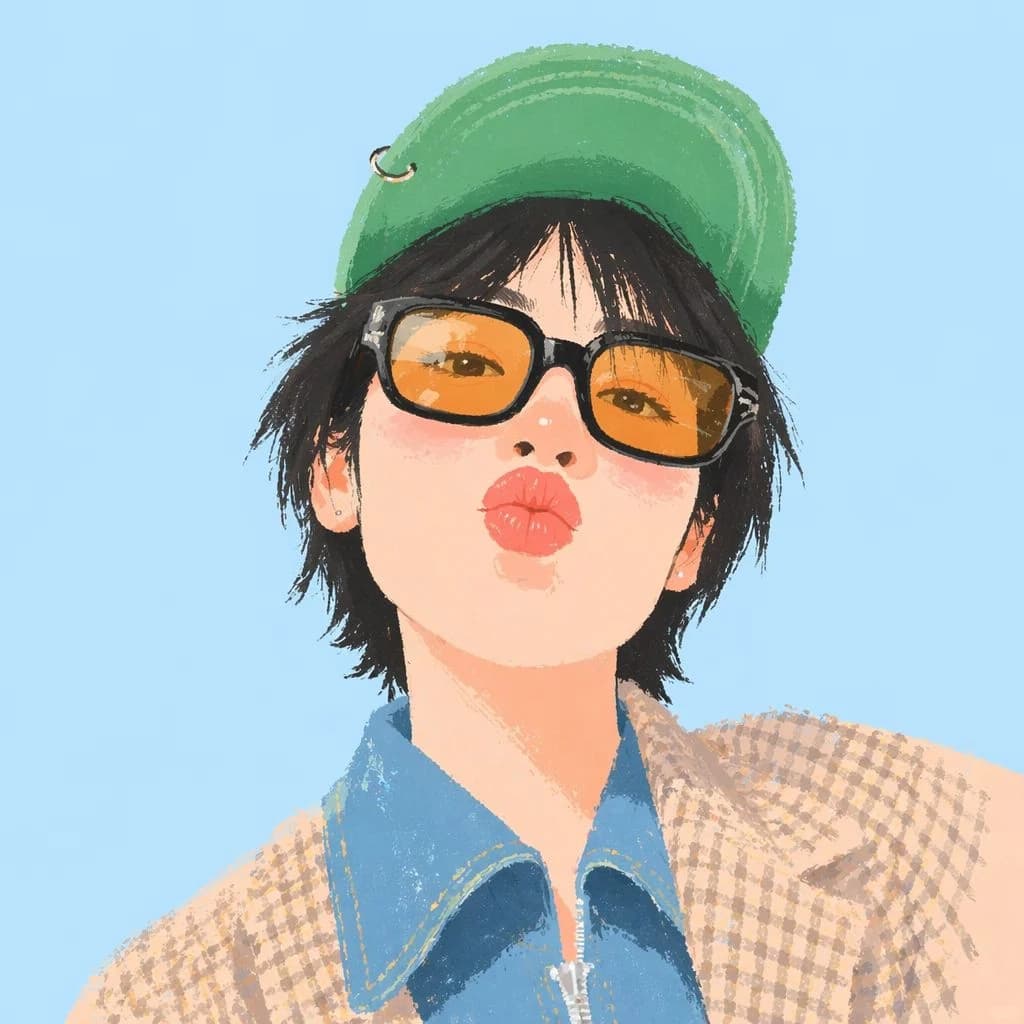
147 wordsCreate a naive digital selfie avatar illustration of {argument name="character name" default="a young person"} from the shoulders up, centered and facing the viewer with a simple direct smile. Use a square 1:1 canvas with a plain pastel sky-blue background. The character has {argument name="hair color" default="messy black"} medium-length shaggy hair peeking out from under a {argument name="hat color" default="green"} backward baseball cap with a small metal ring detail on the left side. Dress them in a blue denim collared zip shirt layered under a beige-and-brown checkered jacket. Render in a playful naive digital painting style with rough crayon-like texture, visible brush strokes, soft flat colors, simplified anatomy, minimal facial detail, warm peach skin tones, and an everyday casual selfie composition. Keep the crop close, with the head large in frame and the shoulders filling the lower third. Avoid photorealism, hard outlines, text, logos, or complex background details.About this prompt
Naive Digital Selfie Avatar is a ready-to-use portrait prompt for GPT Image 2 on Image 2. Copy the 147 words below, paste them into the Create form, and you will get a result close to the preview above. Tweak the Portrait, Fashion, 3D tag if you want to push it somewhere new.
Use it as a starting point, then adjust the subject, lighting, or composition to suit your idea. The credit cost stays the same whether you use it as written or customize it.
Use case
A strong starting point for Portrait
Start here when you want a portrait image inspired by Naive Digital Selfie Avatar. The prompt already sets the look and composition; replace the subject, product, colors, or scene details to match your project.
Easy places to tweak
- Subject Swap in your person, product, place, or object without changing the overall composition.
- Look and mood Tune the lighting, palette, camera angle, or materials so the image fits your brand.
- Final format Set the aspect ratio, background, text, or layout notes before you generate.
More prompt paths to explore
Find more GPT Image 2 prompts with a similar style, use case, or subject.
How to use it
- Step 1
Copy the prompt
Hit the Copy button above to grab the full text.
- Step 2
Open Image 2 Create
Head to the Create form and paste it in.
- Step 3
Generate
Hit Generate. Your version lands in seconds.
Make it yours
Load the prompt into the Create form with one click, then start tweaking.