Prompt
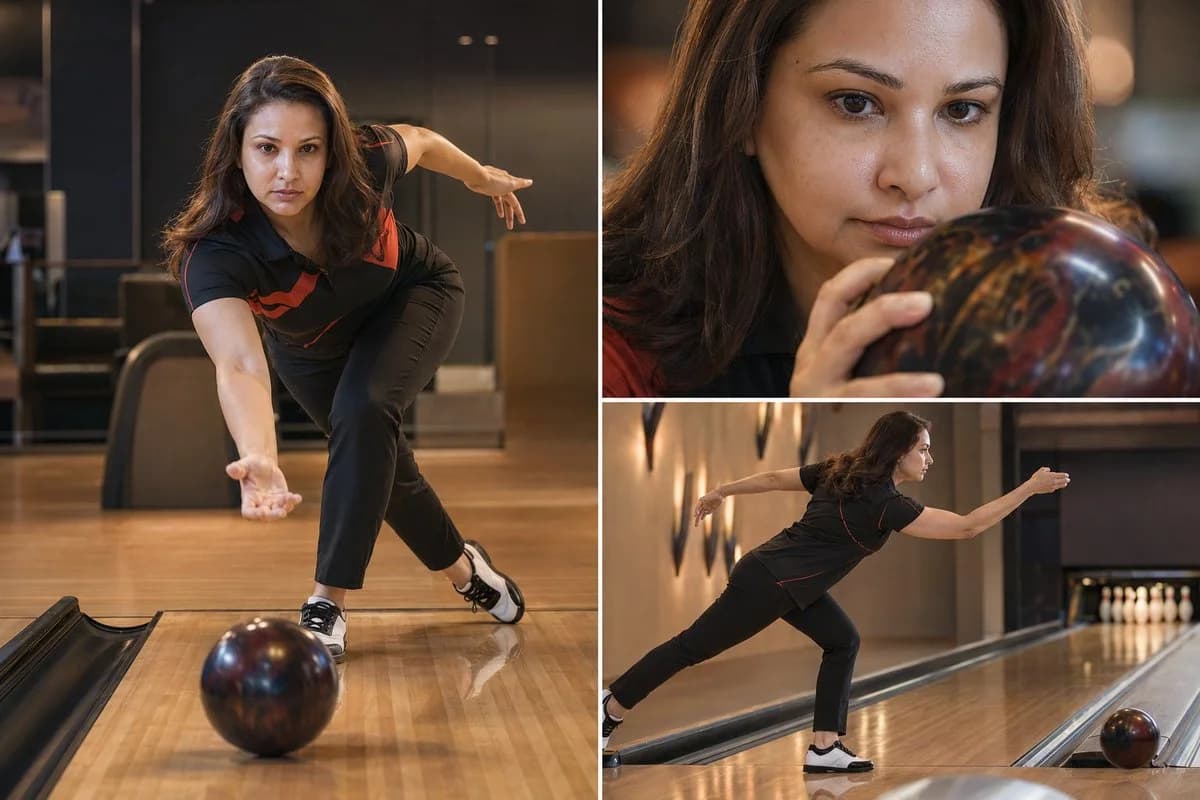
241 wordsThree-image luxury bowling editorial collage featuring a professional female bowler based on the uploaded reference photo, on a pristine bowling alley with polished wooden lanes and perfectly set pins, soft natural and artificial alley lighting, minimalistic and high-end sports photography style, ultra-realistic, cinematic color grading, clean composition, no text, no logos. Use the exact woman from the provided reference image — accurately replicate her facial features, skin tone, hair, eyes, and expression — but make her slim with an athletic, toned build and dress her in proper bowling attire: a fitted collared bowling polo shirt, stylish slim-fit performance pants, and professional bowling shoes. Layout: asymmetrical grid (one large frame + two smaller frames) Frame 1 (Left – Hero Wide Shot): Full-body low-angle shot of the bowler in the classic bowling approach, powerfully releasing the bowling ball down the lane, pins visible in the distance, strong leading lines on the polished wooden lane, balanced composition, calm and intensely focused posture, modern bowling center background Frame 2 (Top Right – Close-Up Detail): Extreme close-up of her face and hands gripping the bowling ball, intense concentration, visible skin texture and slight natural sweat glow, shallow depth of field, beautifully blurred background Frame 3 (Bottom Right – Action Shot): Side angle of the bowler completing the smooth follow-through after releasing the ball, bowling ball rolling down the lane toward the pins, natural motion feel, soft shadows, realistic lighting Style Keywords: luxury sports campaign, editorial photography
About this prompt
Luxury Bowling Editorial Collage is a ready-to-use poster prompt for GPT Image 2 on Image 2. Copy the 241 words below, paste them into the Create form, and you will get a result close to the preview above. Tweak the Product Ad, Poster, Product tag if you want to push it somewhere new.
Use it as a starting point, then adjust the subject, lighting, or composition to suit your idea. The credit cost stays the same whether you use it as written or customize it.
Use case
A strong starting point for Poster
Start here when you want a poster image inspired by Luxury Bowling Editorial Collage. The prompt already sets the look and composition; replace the subject, product, colors, or scene details to match your project.
Easy places to tweak
- Subject Swap in your person, product, place, or object without changing the overall composition.
- Look and mood Tune the lighting, palette, camera angle, or materials so the image fits your brand.
- Final format Set the aspect ratio, background, text, or layout notes before you generate.
More prompt paths to explore
Find more GPT Image 2 prompts with a similar style, use case, or subject.
How to use it
- Step 1
Copy the prompt
Hit the Copy button above to grab the full text.
- Step 2
Open Image 2 Create
Head to the Create form and paste it in.
- Step 3
Generate
Hit Generate. Your version lands in seconds.
Make it yours
Load the prompt into the Create form with one click, then start tweaking.