Prompt
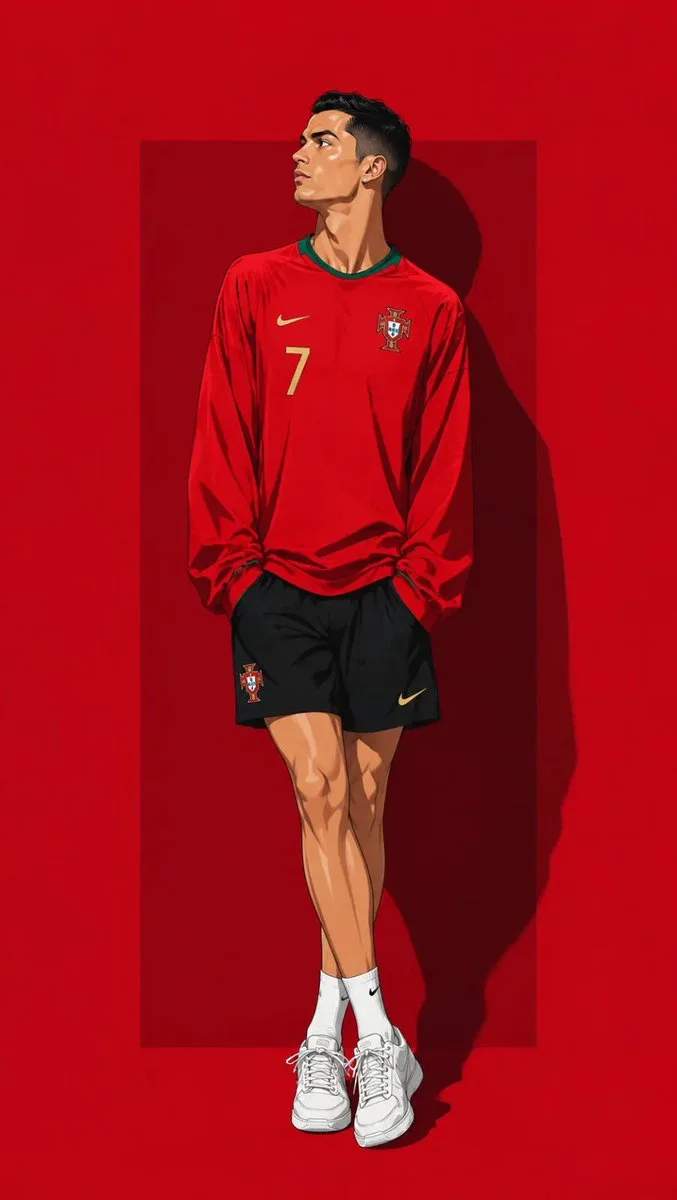
93 wordsUltra detailed contemporary anime illustration of ({argument name="subject" default="Soccer Players"})
standing casually in a relaxed fashion pose with legs crossed naturally, shoulders relaxed, both hands hidden inside oversized sleeves, head tilted slightly upward looking to the left, calm confident expression.
Wearing ({argument name="clothing" default="National Jersey kit"}), (aksessoris Players) white sneakers asics tiger.
Background: {argument name="background" default="solid crimson red background"} with a darker red rectangular panel behind the character and dramatic hard shadow.
Full body, centered composition, editorial fashion illustration, clean line art, cel shading, premium digital painting, ultra detailed, vibrant colors, high resolution.About this prompt
Anime Soccer Player Editorial Illustration is a ready-to-use poster prompt for GPT Image 2 on Image 2. Copy the 93 words below, paste them into the Create form, and you will get a result close to the preview above. Tweak the Poster, Comic, Storyboard tag if you want to push it somewhere new.
Use it as a starting point, then adjust the subject, lighting, or composition to suit your idea. The credit cost stays the same whether you use it as written or customize it.
Use case
A strong starting point for Poster
Start here when you want a poster image inspired by Anime Soccer Player Editorial Illustration. The prompt already sets the look and composition; replace the subject, product, colors, or scene details to match your project.
Easy places to tweak
- Subject Swap in your person, product, place, or object without changing the overall composition.
- Look and mood Tune the lighting, palette, camera angle, or materials so the image fits your brand.
- Final format Set the aspect ratio, background, text, or layout notes before you generate.
More prompt paths to explore
Find more GPT Image 2 prompts with a similar style, use case, or subject.
How to use it
- Step 1
Copy the prompt
Hit the Copy button above to grab the full text.
- Step 2
Open Image 2 Create
Head to the Create form and paste it in.
- Step 3
Generate
Hit Generate. Your version lands in seconds.
Make it yours
Load the prompt into the Create form with one click, then start tweaking.