Prompt
212 wordscreate image 4:5
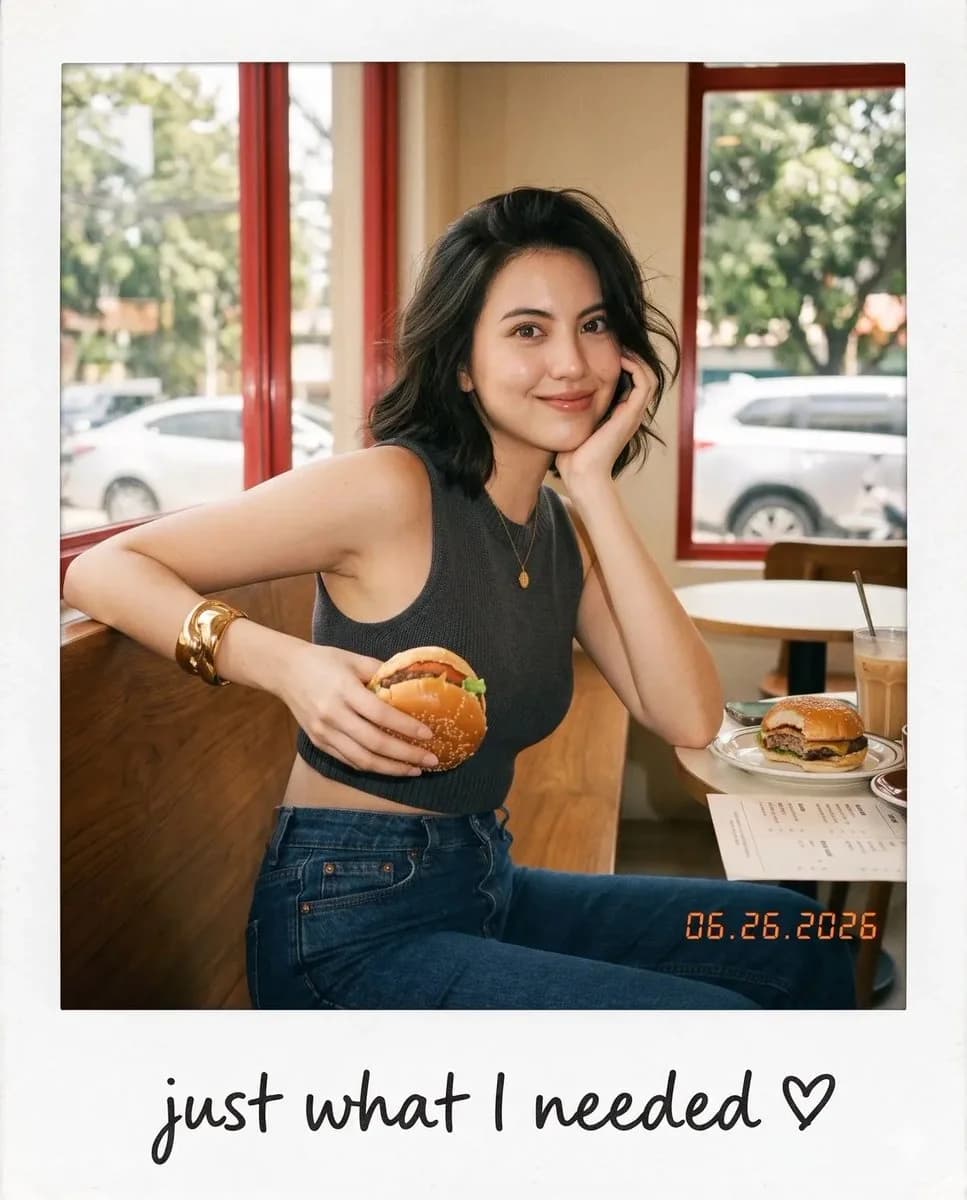
Aesthetic candid café snapshot presented as a realistic vintage Polaroid instant photo, featuring a {argument name="subject" default="young woman"} is sitting on a wooden chair in front of a dining table beside a large café window, wearing a {argument name="outfit" default="fitted sleeveless dark charcoal knit crop top, high-waisted dark blue jeans"}, and a chunky gold cuff bracelet. She naturally holds a burger with both hands at chest level, her body facing the table while her head turns toward the camera with slightly widened eyes and softly parted lips, as if caught off guard by someone taking the picture. Short layered wavy bob with messy windblown strands partially covering one eye, natural editorial makeup with glossy natural lips. Warm vintage café interior with dark green walls, deep red window frame, bright overexposed window, blurred trees and cars outside, drinks, plates, and condiments on the wooden dining table, soft background blur creating depth. Eye-level candid handheld composition, warm cinematic daylight, delicate rim light, subtle film grain, matte instant-film texture, nostalgic earthy tones. Printed as an authentic Polaroid with a clean white border and a thicker bottom margin. Handwritten black ink text on the bottom border reads: "my favorite view ♡". Small vintage date stamp in the lower right corner: "{argument name="date" default="06.26.2026"}"About this prompt
Vintage Polaroid Café Snapshot is a ready-to-use portrait prompt for GPT Image 2 on Image 2. Copy the 212 words below, paste them into the Create form, and you will get a result close to the preview above. Tweak the Portrait, Food, Fashion tag if you want to push it somewhere new.
Use it as a starting point, then adjust the subject, lighting, or composition to suit your idea. The credit cost stays the same whether you use it as written or customize it.
Use case
A strong starting point for Portrait
Start here when you want a portrait image inspired by Vintage Polaroid Café Snapshot. The prompt already sets the look and composition; replace the subject, product, colors, or scene details to match your project.
Easy places to tweak
- Subject Swap in your person, product, place, or object without changing the overall composition.
- Look and mood Tune the lighting, palette, camera angle, or materials so the image fits your brand.
- Final format Set the aspect ratio, background, text, or layout notes before you generate.
More prompt paths to explore
Find more GPT Image 2 prompts with a similar style, use case, or subject.
How to use it
- Step 1
Copy the prompt
Hit the Copy button above to grab the full text.
- Step 2
Open Image 2 Create
Head to the Create form and paste it in.
- Step 3
Generate
Hit Generate. Your version lands in seconds.
Make it yours
Load the prompt into the Create form with one click, then start tweaking.