Prompt
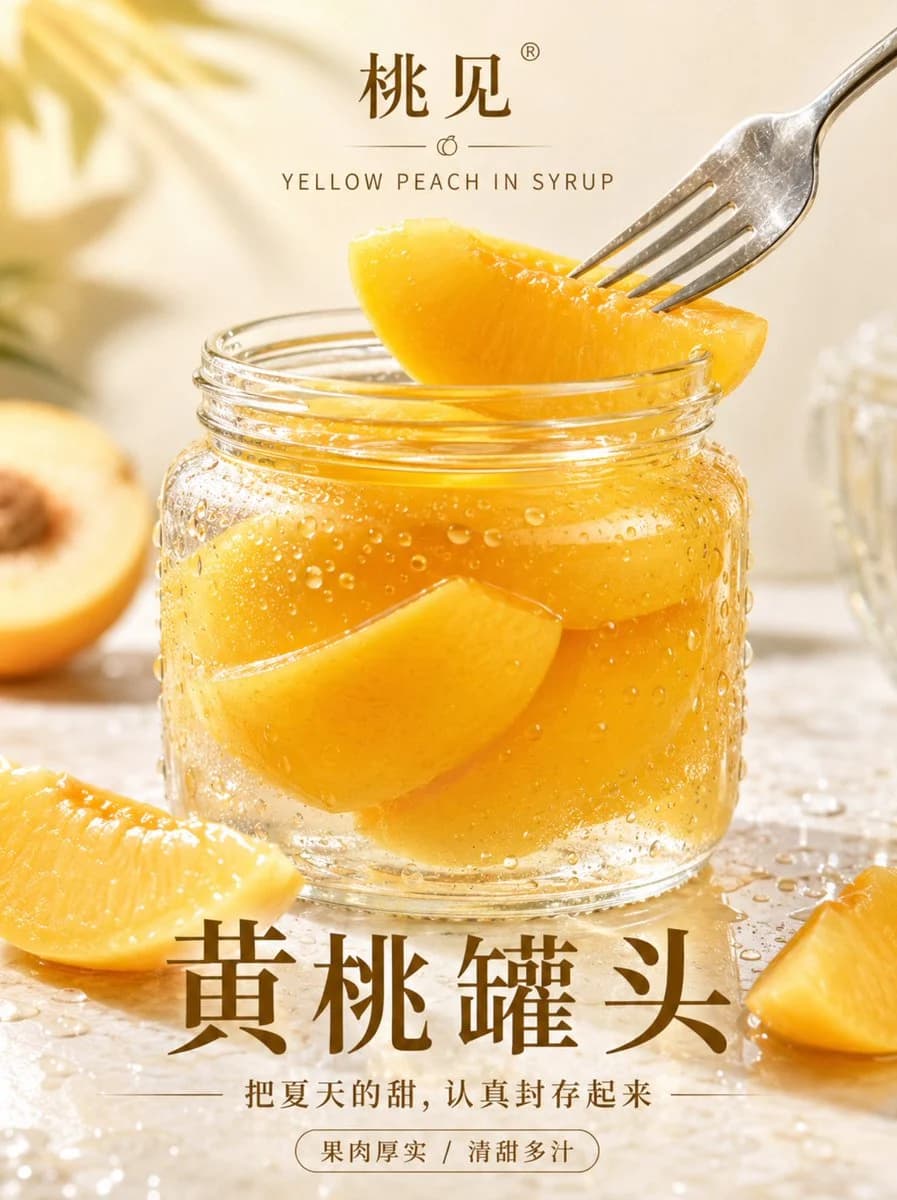
203 wordsHigh-end realistic fruit dessert poster, themed with {argument name="product name" default="canned yellow peaches"}. A transparent glass jar is placed in the center of a light gold and cream background. The peach flesh in the jar is plump and thick, the syrup is clear and translucent, and fine condensation water droplets hang on the glass surface. In the foreground, a slice of yellow peach is gently picked up by a silver fork, surrounded only by a small amount of fresh yellow peach slices, water marks, and soft summer light. The overall look is bright but restrained, like a high-end fruit canning advertisement, with real glass refraction, real fruit flesh texture, and real liquid layers, vertical 3:4.
Add Chinese and English poster text to the poster, the content is:
Brand name: {argument name="brand name" default="Taojian"}
Product name: {argument name="product display name" default="Canned Yellow Peach"}
English subtitle: YELLOW PEACH IN SYRUP
Slogan: {argument name="slogan" default="Carefully preserve the sweetness of summer"}
Short tags: Thick flesh / Sweet and juicy
Layout requirements: The brand name and English are placed at the top, the product name is in the main visual area below, the slogan and short tags are smaller, the layout is refreshing, like a high-end fruit poster.About this prompt
High-End Realistic Peach Canned Food Poster is a ready-to-use ad creative prompt for GPT Image 2 on Image 2. Copy the 203 words below, paste them into the Create form, and you will get a result close to the preview above. Tweak the Product Ad, Ad Creative, Product tag if you want to push it somewhere new.
Use it as a starting point, then adjust the subject, lighting, or composition to suit your idea. The credit cost stays the same whether you use it as written or customize it.
Use case
A strong starting point for Ad Creative
Start here when you want a ad creative image inspired by High-End Realistic Peach Canned Food Poster. The prompt already sets the look and composition; replace the subject, product, colors, or scene details to match your project.
Easy places to tweak
- Subject Swap in your person, product, place, or object without changing the overall composition.
- Look and mood Tune the lighting, palette, camera angle, or materials so the image fits your brand.
- Final format Set the aspect ratio, background, text, or layout notes before you generate.
More prompt paths to explore
Find more GPT Image 2 prompts with a similar style, use case, or subject.
How to use it
- Step 1
Copy the prompt
Hit the Copy button above to grab the full text.
- Step 2
Open Image 2 Create
Head to the Create form and paste it in.
- Step 3
Generate
Hit Generate. Your version lands in seconds.
Make it yours
Load the prompt into the Create form with one click, then start tweaking.