Prompt
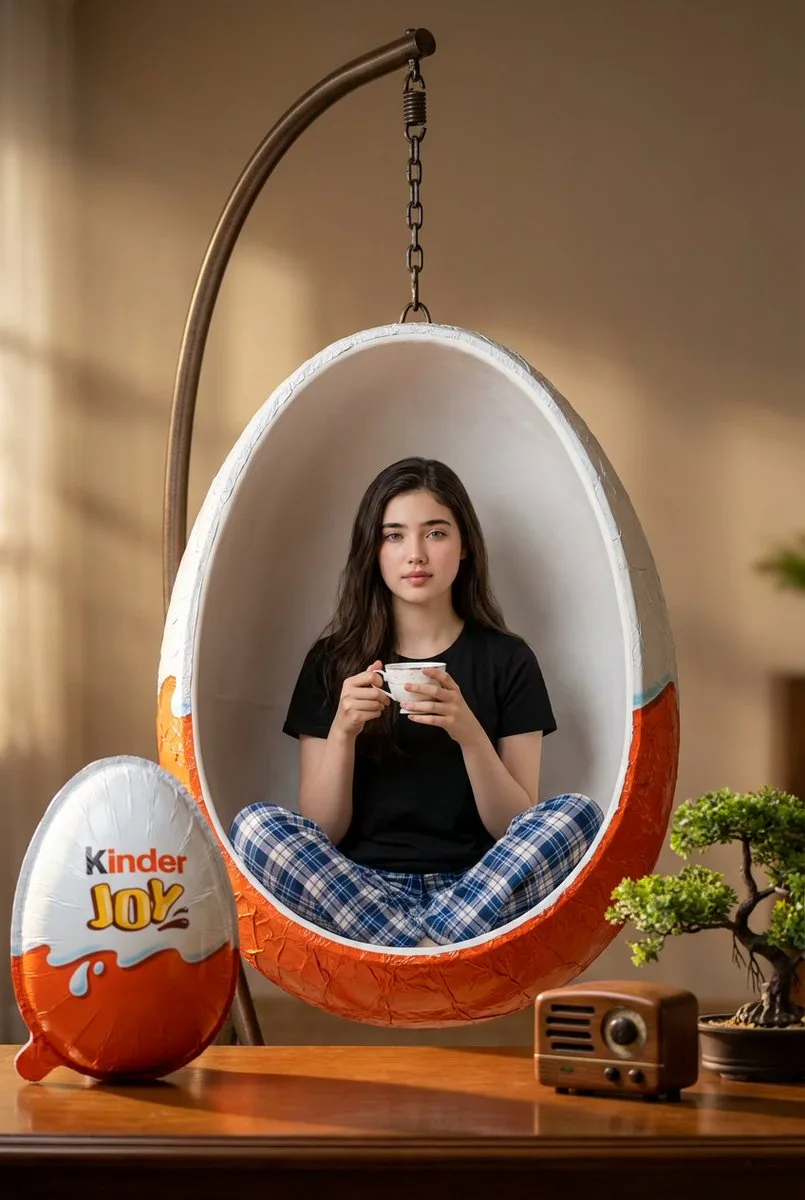
177 wordsHyper-realistic 8k medium shot photograph with shallow depth of field, surreal indoor scene with cinematic lighting. A normal-sized woman sits cross-legged inside a massive, highly detailed Kinder Joy egg that's been converted into a swing chair. The egg is split open, its white interior forming the seat and orange textured exterior visible, suspended by dark metal chains from a curved metal stand. She wears a black t-shirt and blue-and-white plaid pajama pants, holding a small white teacup with both hands, gazing directly at the viewer with a calm, relaxed expression. Use uploaded face as reference. On a polished wooden table to the left foreground: another gigantic fully wrapped Kinder Joy egg with intricate foil texture and branding details. To the right of the swing base: a vintage-style wooden radio with white dials, and a tiny bonsai tree in a small pot. Soft warm directional lighting from the left casts subtle shadows, highlighting the detailed egg wrapper textures, clothing, and wooden surface. Background is a softly blurred warm-toned interior wall with pleasing bokeh. Standard lens, shot from mid-height.
About this prompt
Kinder Joy Swing Chair Scene is a ready-to-use ad creative prompt for GPT Image 2 on Image 2. Copy the 177 words below, paste them into the Create form, and you will get a result close to the preview above. Tweak the Product Ad, Ad Creative, Product tag if you want to push it somewhere new.
Use it as a starting point, then adjust the subject, lighting, or composition to suit your idea. The credit cost stays the same whether you use it as written or customize it.
Use case
A strong starting point for Ad Creative
Start here when you want a ad creative image inspired by Kinder Joy Swing Chair Scene. The prompt already sets the look and composition; replace the subject, product, colors, or scene details to match your project.
Easy places to tweak
- Subject Swap in your person, product, place, or object without changing the overall composition.
- Look and mood Tune the lighting, palette, camera angle, or materials so the image fits your brand.
- Final format Set the aspect ratio, background, text, or layout notes before you generate.
More prompt paths to explore
Find more GPT Image 2 prompts with a similar style, use case, or subject.
How to use it
- Step 1
Copy the prompt
Hit the Copy button above to grab the full text.
- Step 2
Open Image 2 Create
Head to the Create form and paste it in.
- Step 3
Generate
Hit Generate. Your version lands in seconds.
Make it yours
Load the prompt into the Create form with one click, then start tweaking.