Prompt
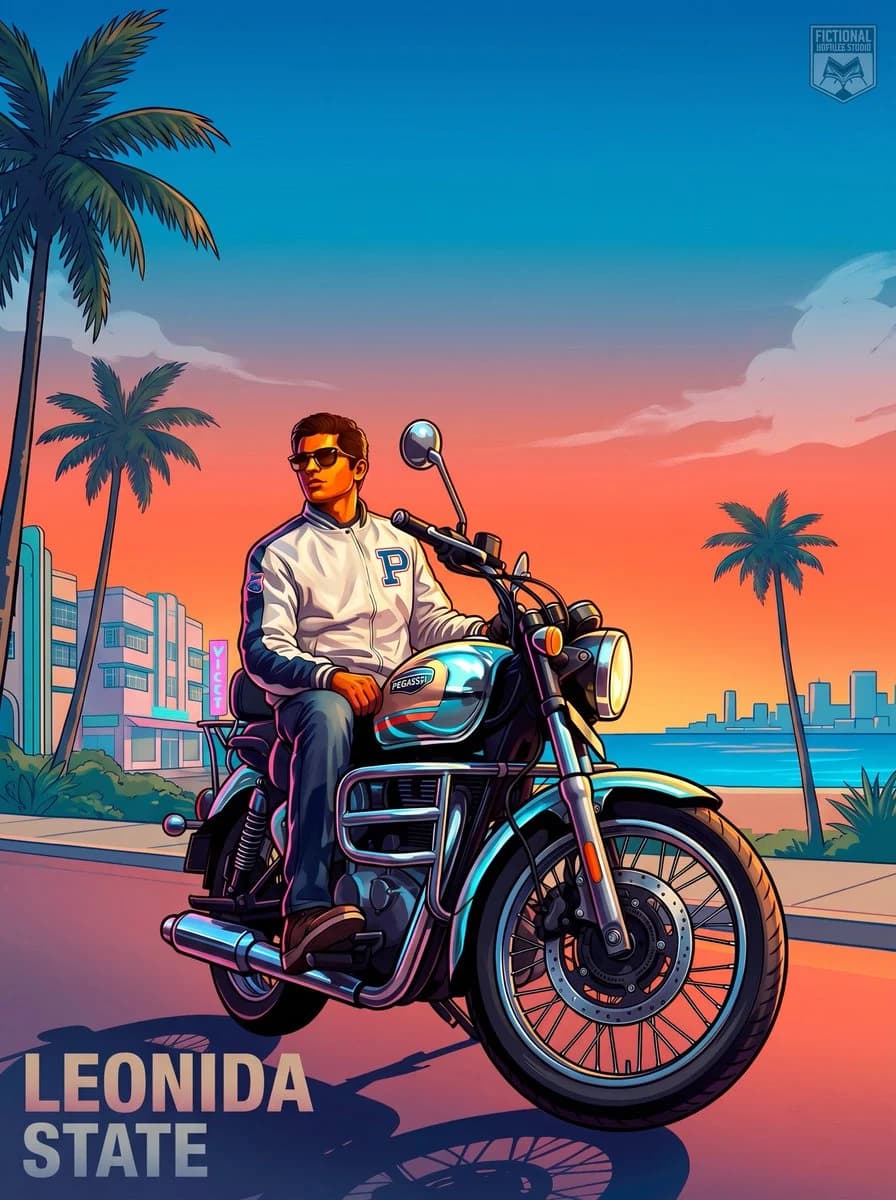
195 wordsUsing the provided reference image, transform the person on the motorcycle into a Grand Theft Auto VI / Vice City inspired illustrated poster. Preserve the rider’s recognizable identity, pose, sunglasses, white jacket with the large “P” patch, jeans, shoes, and the motorcycle as the main subject, but stylize everything as polished game key art with bold outlines, glossy highlights, saturated neon colors, and dramatic cel-shaded rendering.
Change the setting from the forest roadside to a tropical coastal city at sunset: add a wide boulevard, palm trees, pastel art-deco buildings, ocean water, a distant skyline, and a warm pink-orange-to-blue gradient sky with soft clouds. Make the motorcycle look slightly more heroic and pristine with reflective chrome and teal/pink neon rim lighting. Use a low-angle poster composition with the rider and bike large in the foreground, facing slightly right.
Add exactly 2 visible text/logo elements: 1) large block title text in the bottom-left reading {argument name="location title" default="LEONIDA STATE"}; 2) a small semi-transparent badge/logo in the top-right reading {argument name="studio badge text" default="FICTIONAL LIFESTYLE STUDIO"}. Keep the overall mood cinematic, tropical, stylish, and like official open-world crime game promotional artwork. No photorealism, no extra people, no clutter.About this prompt
GTA VI Motorcycle Character Poster is a ready-to-use game asset prompt for GPT Image 2 on Image 2. Copy the 195 words below, paste them into the Create form, and you will get a result close to the preview above. Tweak the Product, Fashion, Architecture tag if you want to push it somewhere new.
Use it as a starting point, then adjust the subject, lighting, or composition to suit your idea. The credit cost stays the same whether you use it as written or customize it.
Use case
A strong starting point for Game Asset
Start here when you want a game asset image inspired by GTA VI Motorcycle Character Poster. The prompt already sets the look and composition; replace the subject, product, colors, or scene details to match your project.
Easy places to tweak
- Subject Swap in your person, product, place, or object without changing the overall composition.
- Look and mood Tune the lighting, palette, camera angle, or materials so the image fits your brand.
- Final format Set the aspect ratio, background, text, or layout notes before you generate.
More prompt paths to explore
Find more GPT Image 2 prompts with a similar style, use case, or subject.
How to use it
- Step 1
Copy the prompt
Hit the Copy button above to grab the full text.
- Step 2
Open Image 2 Create
Head to the Create form and paste it in.
- Step 3
Generate
Hit Generate. Your version lands in seconds.
Make it yours
Load the prompt into the Create form with one click, then start tweaking.