Prompt
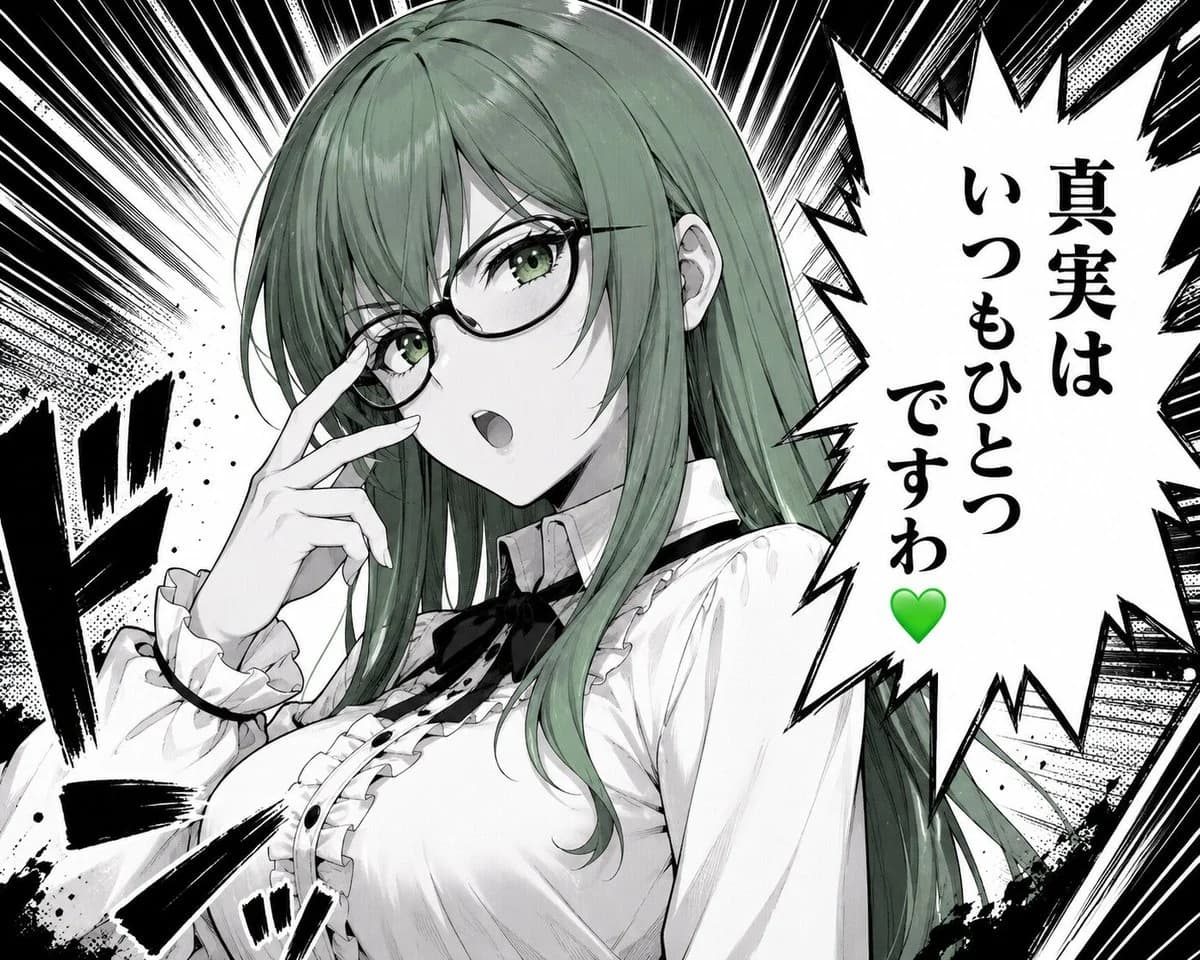
234 wordsCreate a dramatic monochrome manga/anime close-up illustration of {argument name="character name" default="Misaki, the Green Lady"}, a beautiful young woman with long straight {argument name="hair color" default="muted sage green"} hair and green eyes, wearing thin black oval glasses. She is shown from the chest up in a confident three-quarter pose, touching the bridge of her glasses with two fingers as if adjusting them, mouth slightly open mid-speech, expression composed and sharp. Her outfit is a refined white Victorian-inspired blouse with ruffled cuffs, ruffled front placket, small black buttons, a black ribbon bow at the collar, and a high neck detail; include exactly 6 visible outfit/accessory elements: glasses, black collar ribbon, ruffled cuffs, ruffled chest trim, black front buttons, and white blouse. Use a high-contrast black-and-white manga page style with selective green color only in the hair, eyes, and a green heart. Background: explosive radial speed lines, halftone textures, ink splatter, heavy black impact strokes, and manga sound-effect marks on the left and lower foreground. On the right side, place one large jagged speech bubble with vertical Japanese text reading {argument name="speech bubble text" default="真実は\nいつもひとつ\nですわ\n💚"}; keep the green heart at the bottom of the text. Composition should be dynamic and intense, with the character occupying the left and center, the speech bubble occupying the right third, crisp line art, screentone shading, glossy hair highlights, and no extra characters, no watermark, no borders beyond the manga-style effects.About this prompt
Green-Haired Manga Lady Speech Bubble is a ready-to-use character design prompt for GPT Image 2 on Image 2. Copy the 234 words below, paste them into the Create form, and you will get a result close to the preview above. Tweak the Comic, Character, Character Design tag if you want to push it somewhere new.
Use it as a starting point, then adjust the subject, lighting, or composition to suit your idea. The credit cost stays the same whether you use it as written or customize it.
Use case
A strong starting point for Character Design
Start here when you want a character design image inspired by Green-Haired Manga Lady Speech Bubble. The prompt already sets the look and composition; replace the subject, product, colors, or scene details to match your project.
Easy places to tweak
- Subject Swap in your person, product, place, or object without changing the overall composition.
- Look and mood Tune the lighting, palette, camera angle, or materials so the image fits your brand.
- Final format Set the aspect ratio, background, text, or layout notes before you generate.
More prompt paths to explore
Find more GPT Image 2 prompts with a similar style, use case, or subject.
How to use it
- Step 1
Copy the prompt
Hit the Copy button above to grab the full text.
- Step 2
Open Image 2 Create
Head to the Create form and paste it in.
- Step 3
Generate
Hit Generate. Your version lands in seconds.
Make it yours
Load the prompt into the Create form with one click, then start tweaking.