Prompt
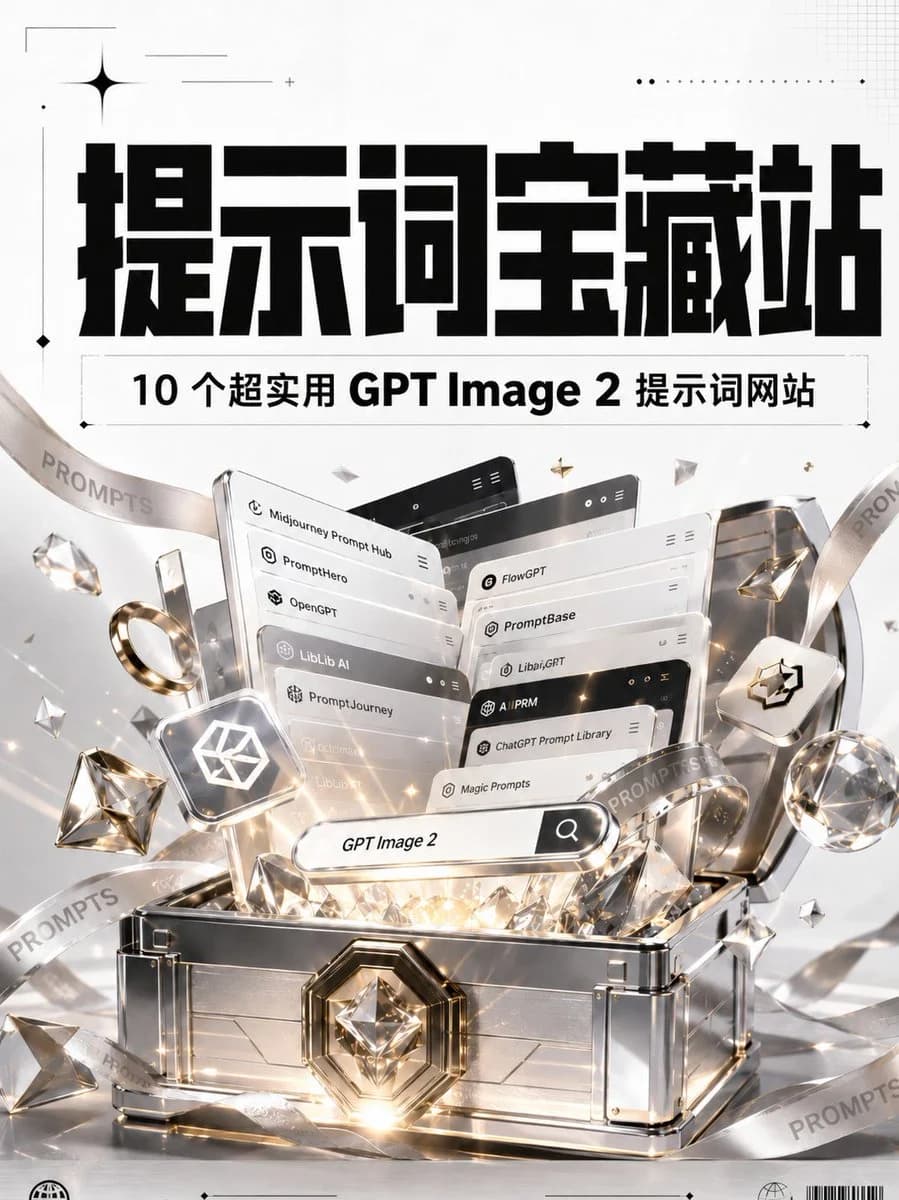
467 wordsGoal: Create a luxurious vertical poster announcing a collection of useful GPT Image 2 prompt websites, styled like a premium treasure discovery.
Canvas: Portrait 3:4 poster, bright white and light silver background, high-resolution commercial 3D render mixed with bold graphic typography. Use a clean editorial layout with subtle grid marks, thin crop lines, dotted ornaments, small sparkle icons, and bottom micro-print details.
Top typography: Place a huge, heavy, blocky black Chinese headline centered near the top reading {argument name="main headline" default="提示词宝藏站"}. Above and around it add minimal black decorative marks: one large four-point star at upper left, thin horizontal lines, a dotted line near upper right, and tiny diamond markers.
Subtitle bar: Directly under the headline, add a thin outlined rectangular label containing bold black text reading {argument name="subtitle text" default="10 个超实用 GPT Image 2 提示词网站"}. Keep the subtitle centered with generous letter spacing and a crisp print-design feel.
Main subject: In the lower two-thirds, show an open futuristic silver treasure chest with polished metal panels, transparent glass-like edges, chrome trim, gold accents, and a large faceted diamond emblem on the front lock. The chest is overflowing with glowing prompt-library interface cards, gems, diamonds, and warm golden light beams. Add white, gold, and crystal reflections, lens flares, and sparkling particles.
Website cards: Show exactly 10 stacked floating UI cards emerging from the chest, arranged in layered perspective like browser panels. Each card should have rounded corners, small app icons, minimal menu dots, and one visible label. The 10 visible labels are: 1) Midjourney Prompt Hub, 2) Prompthero, 3) OpenGPT, 4) LibLib AI, 5) PromptJourney, 6) FlowGPT, 7) PromptBase, 8) Libai.GPT, 9) ChatGPT Prompt Library, 10) Magic Prompts. Use a mix of white, silver, and black card headers.
Search element: In front of the cards, place a pill-shaped search bar angled slightly upward, glowing softly, with the text {argument name="search query" default="GPT Image 2"} and a black search icon button on the right.
Decorative objects: Include exactly 2 translucent ribbon bands looping diagonally through the composition, both printed repeatedly with the word {argument name="ribbon word" default="PROMPTS"}. Add exactly 1 gold ring on the left, exactly 2 large faceted diamonds near the left and right sides, exactly 1 small floating rounded-square tile with a white geometric cube logo on the left, and exactly 1 matching rounded-square tile with a black cube logo on the right. Scatter smaller crystal shards and gold star particles around the chest.
Visual style: Premium tech treasure aesthetic, glossy 3D rendering, white/silver/gold palette, cinematic reflections, realistic glass and metal materials, sharp typography, high contrast black headline, elegant minimal infographic poster styling.
Constraints: Keep the design vertically centered and symmetrical, preserve the exact count of 10 website cards, avoid adding extra website names, avoid people or characters, no watermark, no social media UI, no QR code.About this prompt
GPT Image 2 Prompt Treasure Poster is a ready-to-use ad creative prompt for GPT Image 2 on Image 2. Copy the 467 words below, paste them into the Create form, and you will get a result close to the preview above. Tweak the Product Ad, Ad Creative, Social Media tag if you want to push it somewhere new.
Use it as a starting point, then adjust the subject, lighting, or composition to suit your idea. The credit cost stays the same whether you use it as written or customize it.
Use case
A strong starting point for Ad Creative
Start here when you want a ad creative image inspired by GPT Image 2 Prompt Treasure Poster. The prompt already sets the look and composition; replace the subject, product, colors, or scene details to match your project.
Easy places to tweak
- Subject Swap in your person, product, place, or object without changing the overall composition.
- Look and mood Tune the lighting, palette, camera angle, or materials so the image fits your brand.
- Final format Set the aspect ratio, background, text, or layout notes before you generate.
More prompt paths to explore
Find more GPT Image 2 prompts with a similar style, use case, or subject.
How to use it
- Step 1
Copy the prompt
Hit the Copy button above to grab the full text.
- Step 2
Open Image 2 Create
Head to the Create form and paste it in.
- Step 3
Generate
Hit Generate. Your version lands in seconds.
Make it yours
Load the prompt into the Create form with one click, then start tweaking.