Prompt
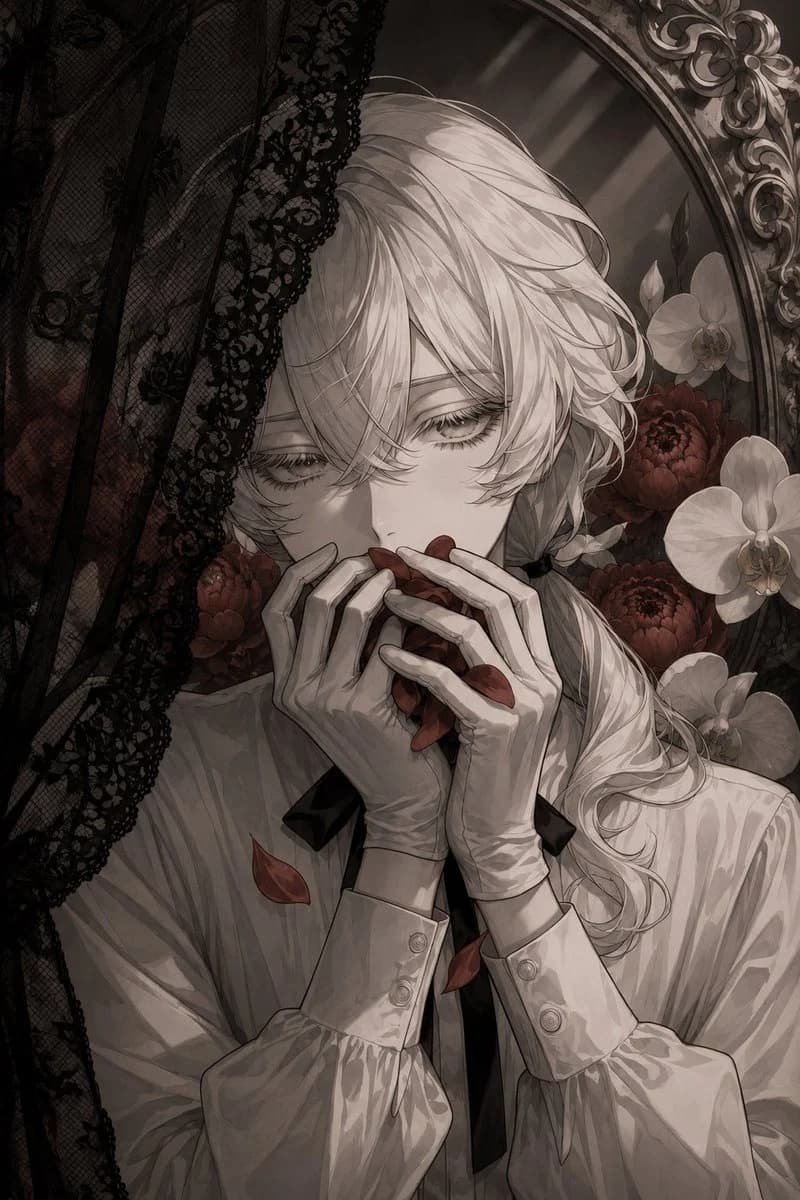
213 wordsCreate a vertical dark romantic gothic anime portrait of an androgynous young man with {argument name="hair color" default="silver-white"} long layered hair, soft bangs covering part of the face, and a loose low side ponytail tied with a black ribbon. He has pale skin, delicate features, downcast tired eyes with long eyelashes, and a melancholic, dreamy expression. Show him in a close waist-up composition, wearing a refined white Victorian blouse with billowy sleeves, buttoned cuffs, and a narrow black necktie. His slender gloved hands are raised to his mouth, gently holding and partly biting a cluster of deep {argument name="petal color" default="blood-red"} flower petals; include exactly three loose red petals falling or resting on his clothing. Place him behind a sheer black lace veil entering from the left side, with ornate floral lace texture partially obscuring his face and torso. The background is an antique oval mirror or carved frame with baroque ornamentation, surrounded by flowers: exactly three white orchids on the right side and multiple dark red peony-like blossoms behind him. Use a muted monochrome sepia-gray palette with selective deep red accents on the petals and flowers, soft diffused lighting, high-detail linework, elegant manga illustration style, delicate shading, moody gothic atmosphere, intricate fabric folds, ornate frame details, shallow depth, no text, no watermark.About this prompt
Gothic Lace Anime Portrait is a ready-to-use portrait prompt for GPT Image 2 on Image 2. Copy the 213 words below, paste them into the Create form, and you will get a result close to the preview above. Tweak the Portrait, Fashion, Vintage tag if you want to push it somewhere new.
Use it as a starting point, then adjust the subject, lighting, or composition to suit your idea. The credit cost stays the same whether you use it as written or customize it.
Use case
A strong starting point for Portrait
Start here when you want a portrait image inspired by Gothic Lace Anime Portrait. The prompt already sets the look and composition; replace the subject, product, colors, or scene details to match your project.
Easy places to tweak
- Subject Swap in your person, product, place, or object without changing the overall composition.
- Look and mood Tune the lighting, palette, camera angle, or materials so the image fits your brand.
- Final format Set the aspect ratio, background, text, or layout notes before you generate.
More prompt paths to explore
Find more GPT Image 2 prompts with a similar style, use case, or subject.
How to use it
- Step 1
Copy the prompt
Hit the Copy button above to grab the full text.
- Step 2
Open Image 2 Create
Head to the Create form and paste it in.
- Step 3
Generate
Hit Generate. Your version lands in seconds.
Make it yours
Load the prompt into the Create form with one click, then start tweaking.