Prompt
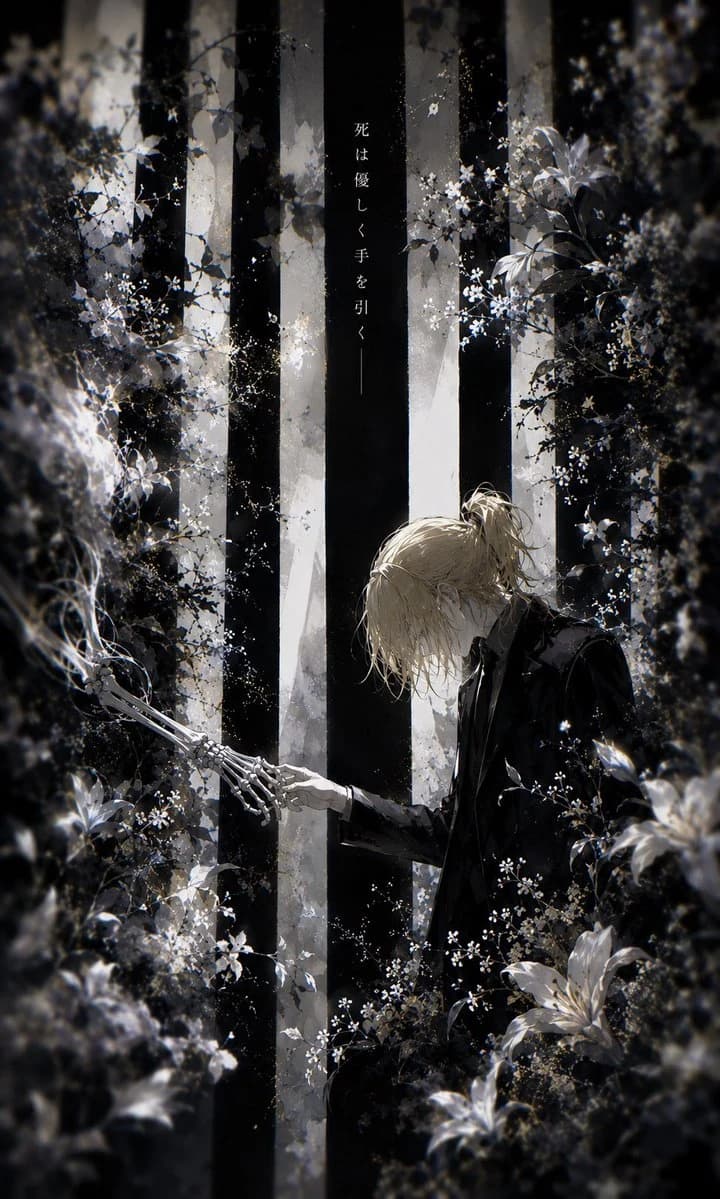
201 wordsCreate a vertical 2:3 dark gothic anime illustration in a monochrome black, white, and muted silver palette. In a dense, dreamlike forest, show {argument name="character name" default="a pale young man"} with {argument name="hair color" default="messy blond hair tied in a loose low ponytail"}, wearing a black formal suit and white shirt, kneeling or bending forward at the lower right. His head is bowed in sorrow and tenderness as he extends one human hand to gently touch one skeletal hand reaching in from the lower left, making exactly two central hands: one living hand and one exposed bone hand. Surround them with thick shadowed foliage, mist, tiny white blossoms, and several large white lilies in the foreground, with a soft vignette and painterly bokeh blur around the edges. Behind them, place tall vertical black-and-white tree trunks like solemn pillars, with cold backlight filtering through fog. Add a single narrow vertical Japanese inscription near the upper center on a dark trunk reading {argument name="vertical text" default="死は優しく手を引く——"}. The mood should be elegiac, poetic, and quiet, like a funeral garden at night; use fine ink-like linework, delicate floral detail, high contrast chiaroscuro lighting, subtle film grain, and no modern objects, no extra characters, no watermark.About this prompt
Gothic Anime Forest Farewell is a ready-to-use storyboard prompt for GPT Image 2 on Image 2. Copy the 201 words below, paste them into the Create form, and you will get a result close to the preview above. Tweak the Comic, Storyboard, Vintage tag if you want to push it somewhere new.
Use it as a starting point, then adjust the subject, lighting, or composition to suit your idea. The credit cost stays the same whether you use it as written or customize it.
Use case
A strong starting point for Storyboard
Start here when you want a storyboard image inspired by Gothic Anime Forest Farewell. The prompt already sets the look and composition; replace the subject, product, colors, or scene details to match your project.
Easy places to tweak
- Subject Swap in your person, product, place, or object without changing the overall composition.
- Look and mood Tune the lighting, palette, camera angle, or materials so the image fits your brand.
- Final format Set the aspect ratio, background, text, or layout notes before you generate.
More prompt paths to explore
Find more GPT Image 2 prompts with a similar style, use case, or subject.
How to use it
- Step 1
Copy the prompt
Hit the Copy button above to grab the full text.
- Step 2
Open Image 2 Create
Head to the Create form and paste it in.
- Step 3
Generate
Hit Generate. Your version lands in seconds.
Make it yours
Load the prompt into the Create form with one click, then start tweaking.