Prompt
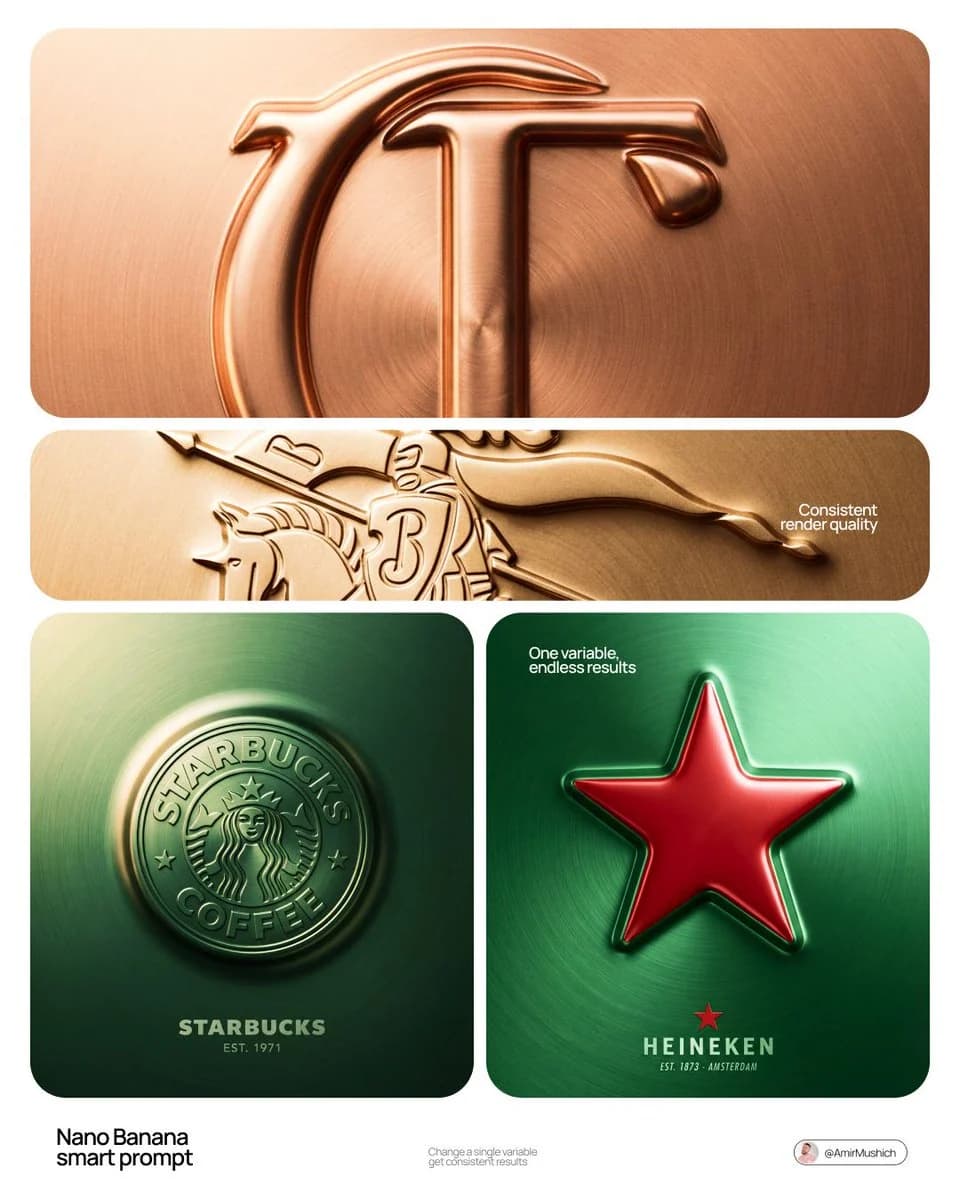
264 wordsReplace [BRAND NAME] with your brand and [COLOR] with your preferred metal tone. Act as a Senior CGI Artist. Create a premium bas-relief logo visualization where the brand mark appears embossed outward from a metallic surface, like a coin, hallmark stamp, or luxury seal. The logo rises as a unified raised form from the surface itself. Surface: One continuous material plane filling the entire canvas. Use the metal tone from [COLOR]: silver/grey becomes brushed steel, gold becomes warm brushed metal, black becomes anodized aluminum, white becomes matte ceramic, saturated colors become anodized colored metal. Apply radial brushed grain and fine film grain for tactility. Emboss: The brand's primary logo mark rises as a full bas-relief, like a coin die-stamp. The entire filled silhouette pushes outward as one solid mass at uniform height. Top face is slightly convex, catching key light. Smooth beveled edge transitions from flat surface to raised form. Interior negative spaces recess back to surface level. Substantial raised height like a thick coin. Lighting: Primary soft area light from upper-left (10-11 o'clock), broad and diffused. Light temperature matches [COLOR]: cool white for silver/grey/blue, warm amber for gold/copper, neutral for white/black. Subtle fill light from lower-right at 10-15% intensity. No hard shadows. Typography: Below the embossed mark, minimal lockup on the same surface. Small flat brand icon, brand name in spaced geometric caps, one light italic descriptor line (founding year, category, or tagline). Centered, vertically stacked. Render: Ray tracing enabled for self-shadowing. Full sharpness edge to edge. Uniform film grain. No chromatic aberration. The mark must read as PUSHED OUTWARD from the surface.
About this prompt
Embossed Metal Logo Bas-Relief is a ready-to-use ad creative prompt for GPT Image 2 on Image 2. Copy the 264 words below, paste them into the Create form, and you will get a result close to the preview above. Tweak the Product Ad, Ad Creative, Architecture tag if you want to push it somewhere new.
Use it as a starting point, then adjust the subject, lighting, or composition to suit your idea. The credit cost stays the same whether you use it as written or customize it.
Use case
A strong starting point for Ad Creative
Start here when you want a ad creative image inspired by Embossed Metal Logo Bas-Relief. The prompt already sets the look and composition; replace the subject, product, colors, or scene details to match your project.
Easy places to tweak
- Subject Swap in your person, product, place, or object without changing the overall composition.
- Look and mood Tune the lighting, palette, camera angle, or materials so the image fits your brand.
- Final format Set the aspect ratio, background, text, or layout notes before you generate.
More prompt paths to explore
Find more GPT Image 2 prompts with a similar style, use case, or subject.
How to use it
- Step 1
Copy the prompt
Hit the Copy button above to grab the full text.
- Step 2
Open Image 2 Create
Head to the Create form and paste it in.
- Step 3
Generate
Hit Generate. Your version lands in seconds.
Make it yours
Load the prompt into the Create form with one click, then start tweaking.