Prompt
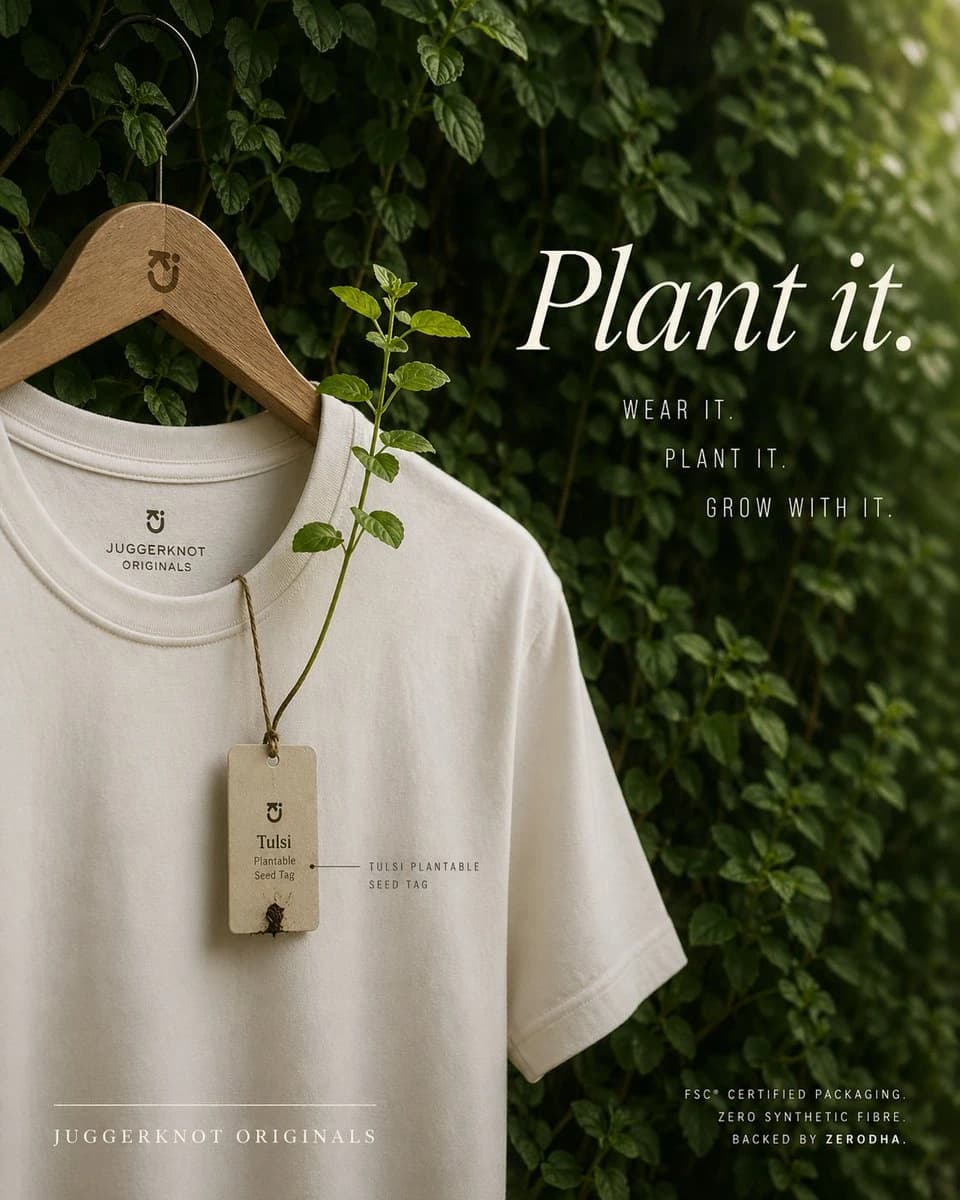
295 wordsA premium eco-conscious fashion advertisement, shot as a refined editorial product photo. A single off-white or natural cream crew-neck T-shirt hangs on a smooth wooden hanger with a black metal hook, placed against a lush wall of dense green leaves and climbing vines. The hanger has a small minimalist brand monogram engraved near the neck. The shirt is shown from the upper torso down to part of the hem, slightly angled, with soft natural folds and high-quality cotton texture. Printed inside the collar is a minimalist brand mark and the text "JUGGERKNOT ORIGINALS". Hanging from the neckline is 1 rectangular recycled-paper seed tag tied with rustic brown twine; the tag reads "Tulsi" and "Plantable Seed Tag" with a tiny sprouting seed detail near the bottom. From the tag, 1 real tulsi plant stem grows upward across the front of the shirt, with several fresh green leaves, visually demonstrating that the tag is plantable. Add a small fine-label annotation near the tag reading "TULSI PLANTABLE SEED TAG". On the right side, large elegant white serif typography says {argument name="headline text" default="Plant it."}. Beneath it, place 3 stacked lines of narrow uppercase sans-serif copy: "WEAR IT.", "PLANT IT.", and "GROW WITH IT.". At the lower left, add the brand name in spaced uppercase serif text: {argument name="brand name" default="JUGGERKNOT ORIGINALS"}, with a thin horizontal line above it. At the lower right, add 3 lines of small uppercase sans-serif text: "FSC® CERTIFIED PACKAGING.", "ZERO SYNTHETIC FIBRE", and "BACKED BY ZERODHA.". Use soft diffused daylight, shallow depth of field, moody green-and-cream color grading, luxury sustainable-brand aesthetics, clean composition, vertical poster layout, subtle shadows, and a calm organic atmosphere. Keep the design minimal, premium, and photorealistic, with the shirt occupying the left half and the typography balanced on the right.About this prompt
E-commerce Main Image - Sustainable T-Shirt Plantable Tag Ad is a ready-to-use e-commerce prompt for GPT Image 2 on Image 2. Copy the 295 words below, paste them into the Create form, and you will get a result close to the preview above. Tweak the Product Ad, E-commerce, Product tag if you want to push it somewhere new.
Use it as a starting point, then adjust the subject, lighting, or composition to suit your idea. The credit cost stays the same whether you use it as written or customize it.
Use case
A strong starting point for E-commerce
Start here when you want a e-commerce image inspired by E-commerce Main Image - Sustainable T-Shirt Plantable Tag Ad. The prompt already sets the look and composition; replace the subject, product, colors, or scene details to match your project.
Easy places to tweak
- Subject Swap in your person, product, place, or object without changing the overall composition.
- Look and mood Tune the lighting, palette, camera angle, or materials so the image fits your brand.
- Final format Set the aspect ratio, background, text, or layout notes before you generate.
More prompt paths to explore
Find more GPT Image 2 prompts with a similar style, use case, or subject.
How to use it
- Step 1
Copy the prompt
Hit the Copy button above to grab the full text.
- Step 2
Open Image 2 Create
Head to the Create form and paste it in.
- Step 3
Generate
Hit Generate. Your version lands in seconds.
Make it yours
Load the prompt into the Create form with one click, then start tweaking.