Prompt
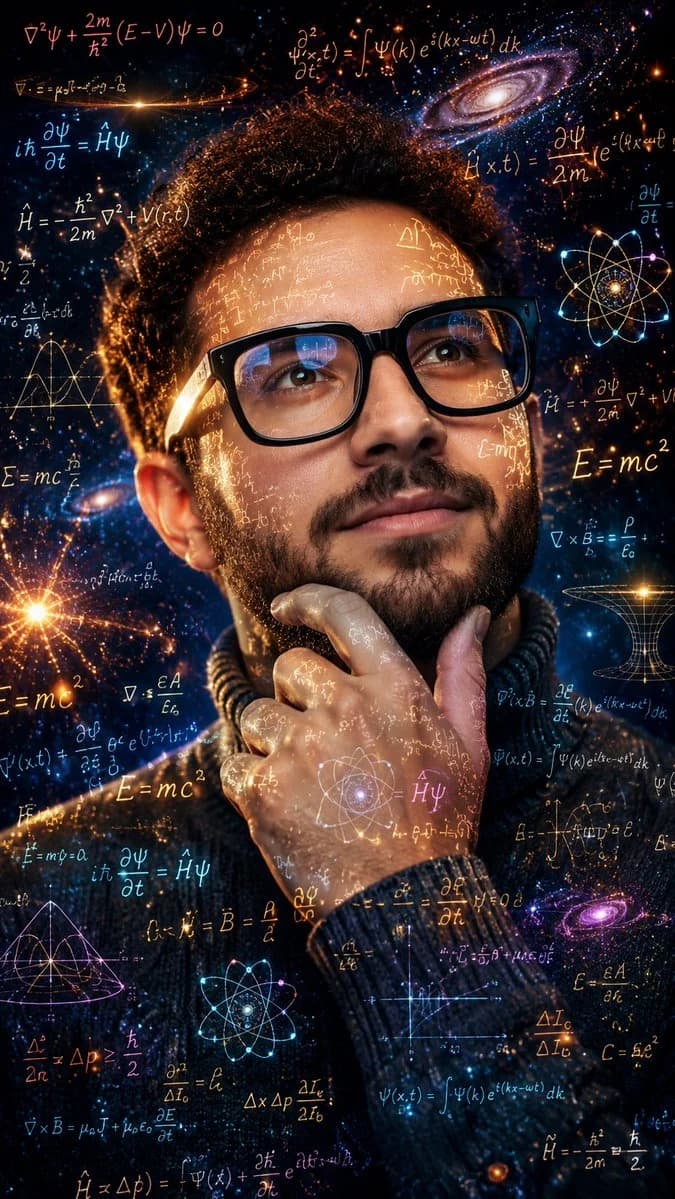
163 words{argument name="style" default="Ultra-detailed cinematic color portrait"} of the {argument name="subject" default="same young man"} from the uploaded reference image, wearing {argument name="accessories" default="black square glasses and a dark knitted turtleneck"}, in a thoughtful pose with one hand resting on his chin while gazing slightly upward and to the side with an intense intellectual expression. Vibrant double exposure effect featuring glowing handwritten scientific equations, advanced physics formulas, calculus notations, quantum mechanics symbols, geometric diagrams, atomic structures, wave functions, E=mc², tensor equations, and mathematical symbols projected across his face, glasses, hand, and clothing. Rich cosmic background filled with luminous galaxies, colorful nebulae, sparkling stars, energy waves, auroras, glowing particles, and celestial dust in brilliant shades of electric blue, cyan, purple, magenta, orange, gold, teal, and violet. Dramatic cinematic lighting with warm golden rim light and cool blue highlights, volumetric light rays, subtle lens flares, realistic skin texture, crystal-clear eyes, ultra-sharp details, premium sci-fi aesthetic, futuristic genius atmosphere, photorealistic, HDR, masterpiece quality, Unreal Engine, Octane Render, 8K.About this prompt
Double Exposure Physics Portrait is a ready-to-use portrait prompt for GPT Image 2 on Image 2. Copy the 163 words below, paste them into the Create form, and you will get a result close to the preview above. Tweak the Portrait, Product, Fashion tag if you want to push it somewhere new.
Use it as a starting point, then adjust the subject, lighting, or composition to suit your idea. The credit cost stays the same whether you use it as written or customize it.
Use case
A strong starting point for Portrait
Start here when you want a portrait image inspired by Double Exposure Physics Portrait. The prompt already sets the look and composition; replace the subject, product, colors, or scene details to match your project.
Easy places to tweak
- Subject Swap in your person, product, place, or object without changing the overall composition.
- Look and mood Tune the lighting, palette, camera angle, or materials so the image fits your brand.
- Final format Set the aspect ratio, background, text, or layout notes before you generate.
More prompt paths to explore
Find more GPT Image 2 prompts with a similar style, use case, or subject.
How to use it
- Step 1
Copy the prompt
Hit the Copy button above to grab the full text.
- Step 2
Open Image 2 Create
Head to the Create form and paste it in.
- Step 3
Generate
Hit Generate. Your version lands in seconds.
Make it yours
Load the prompt into the Create form with one click, then start tweaking.