Prompt
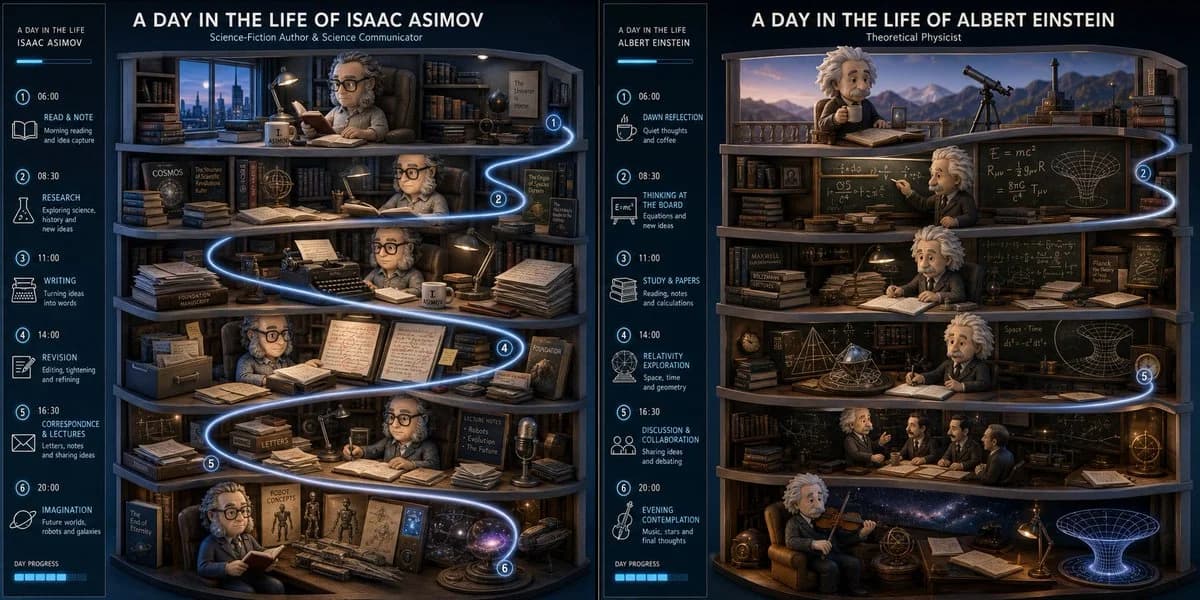
125 words2:1 grid, do this for Asimov and Einstein-> A premium editorial poster titled "a day in the life of [$PROFESSION]". A split-level 3D architectural cross-section diorama of a [$PROFESSION]'s daily environments floating on a matte charcoal base::4 The individual in mod_designer_toy format in their environment::3.2 The Flow: A cascading timeline ribbon weaves through 6 micro-scenes, each containing hyper-detailed miniature tools, screens, and workflow artifacts specific to [$PROFESSION]::5 The Atmosphere: Cool dawn blue transitioning to focused task lighting, then warm evening ambient glow. Subtle motion blur on transitional elements to imply rhythm::3 The UI: Sleek vertical sidebar with time-stamped blocks, minimalist line icons, and a subtle progress bar. Clean sans-serif typography hierarchy::3 Avoid: Cartoonish proportions, flat illustrations, cluttered desks, stock photo aesthetics, visible hands, text artifacts::-2
About this prompt
Day in the Life Diorama Grid is a ready-to-use poster prompt for GPT Image 2 on Image 2. Copy the 125 words below, paste them into the Create form, and you will get a result close to the preview above. Tweak the Poster, Architecture, 3D tag if you want to push it somewhere new.
Use it as a starting point, then adjust the subject, lighting, or composition to suit your idea. The credit cost stays the same whether you use it as written or customize it.
Use case
A strong starting point for Poster
Start here when you want a poster image inspired by Day in the Life Diorama Grid. The prompt already sets the look and composition; replace the subject, product, colors, or scene details to match your project.
Easy places to tweak
- Subject Swap in your person, product, place, or object without changing the overall composition.
- Look and mood Tune the lighting, palette, camera angle, or materials so the image fits your brand.
- Final format Set the aspect ratio, background, text, or layout notes before you generate.
More prompt paths to explore
Find more GPT Image 2 prompts with a similar style, use case, or subject.
How to use it
- Step 1
Copy the prompt
Hit the Copy button above to grab the full text.
- Step 2
Open Image 2 Create
Head to the Create form and paste it in.
- Step 3
Generate
Hit Generate. Your version lands in seconds.
Make it yours
Load the prompt into the Create form with one click, then start tweaking.