Prompt
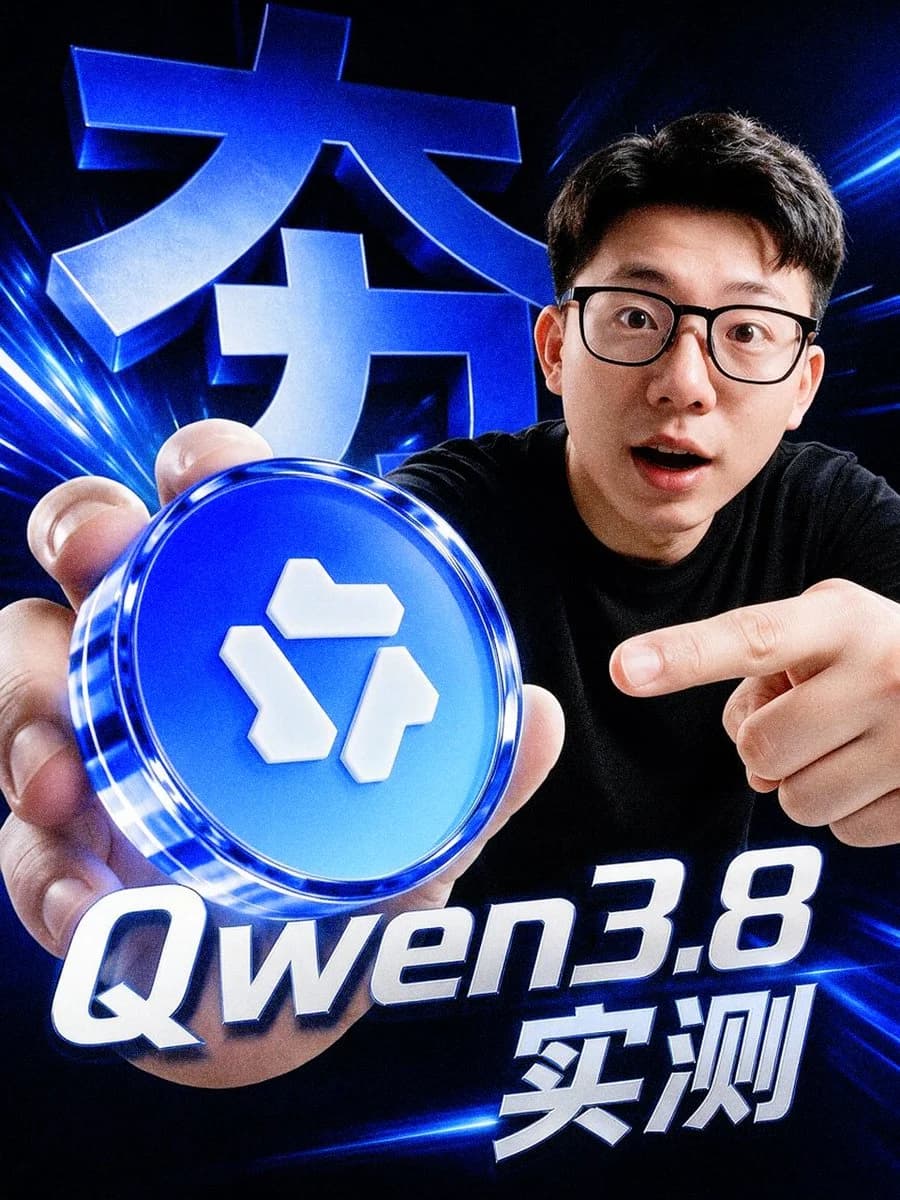
216 wordsCreate a dramatic vertical 4:5 tech influencer poster in a glossy cyber-blue style. A young East Asian man with short black hair, black rectangular glasses, and a surprised open-mouth expression leans toward the camera from the right side, wearing a plain black T-shirt. He holds a large glowing circular blue token close to the lens with his left hand in the lower-left foreground, making it appear oversized; the token has a transparent glassy rim, neon blue highlights, and a raised white geometric logo made of three separate block shapes on its face. His right hand points at the token from the right. Use an extreme wide-angle selfie perspective, strong depth distortion, crisp high-contrast lighting, and a dark black background filled with electric blue light streaks, lens flares, and motion lines. Add exactly 3 visible text elements: a huge 3D metallic-blue Chinese headline in the upper-left background reading {argument name="background Chinese headline" default="大力"}, a large italic white-and-blue title across the bottom reading {argument name="model title" default="Qwen3.8"}, and bold white Chinese text at the lower right reading {argument name="test label" default="实测"}. Make all typography extruded, glossy, beveled, and glowing with blue rim light. The composition should feel like a high-energy YouTube thumbnail or social media tech review announcement, ultra sharp, cinematic, slightly surreal, no extra text, no watermark.About this prompt
Cyber Blue Qwen Tech Review Poster is a ready-to-use social media prompt for GPT Image 2 on Image 2. Copy the 216 words below, paste them into the Create form, and you will get a result close to the preview above. Tweak the Social Media, Product, 3D tag if you want to push it somewhere new.
Use it as a starting point, then adjust the subject, lighting, or composition to suit your idea. The credit cost stays the same whether you use it as written or customize it.
Use case
A strong starting point for Social Media
Start here when you want a social media image inspired by Cyber Blue Qwen Tech Review Poster. The prompt already sets the look and composition; replace the subject, product, colors, or scene details to match your project.
Easy places to tweak
- Subject Swap in your person, product, place, or object without changing the overall composition.
- Look and mood Tune the lighting, palette, camera angle, or materials so the image fits your brand.
- Final format Set the aspect ratio, background, text, or layout notes before you generate.
More prompt paths to explore
Find more GPT Image 2 prompts with a similar style, use case, or subject.
How to use it
- Step 1
Copy the prompt
Hit the Copy button above to grab the full text.
- Step 2
Open Image 2 Create
Head to the Create form and paste it in.
- Step 3
Generate
Hit Generate. Your version lands in seconds.
Make it yours
Load the prompt into the Create form with one click, then start tweaking.