Prompt
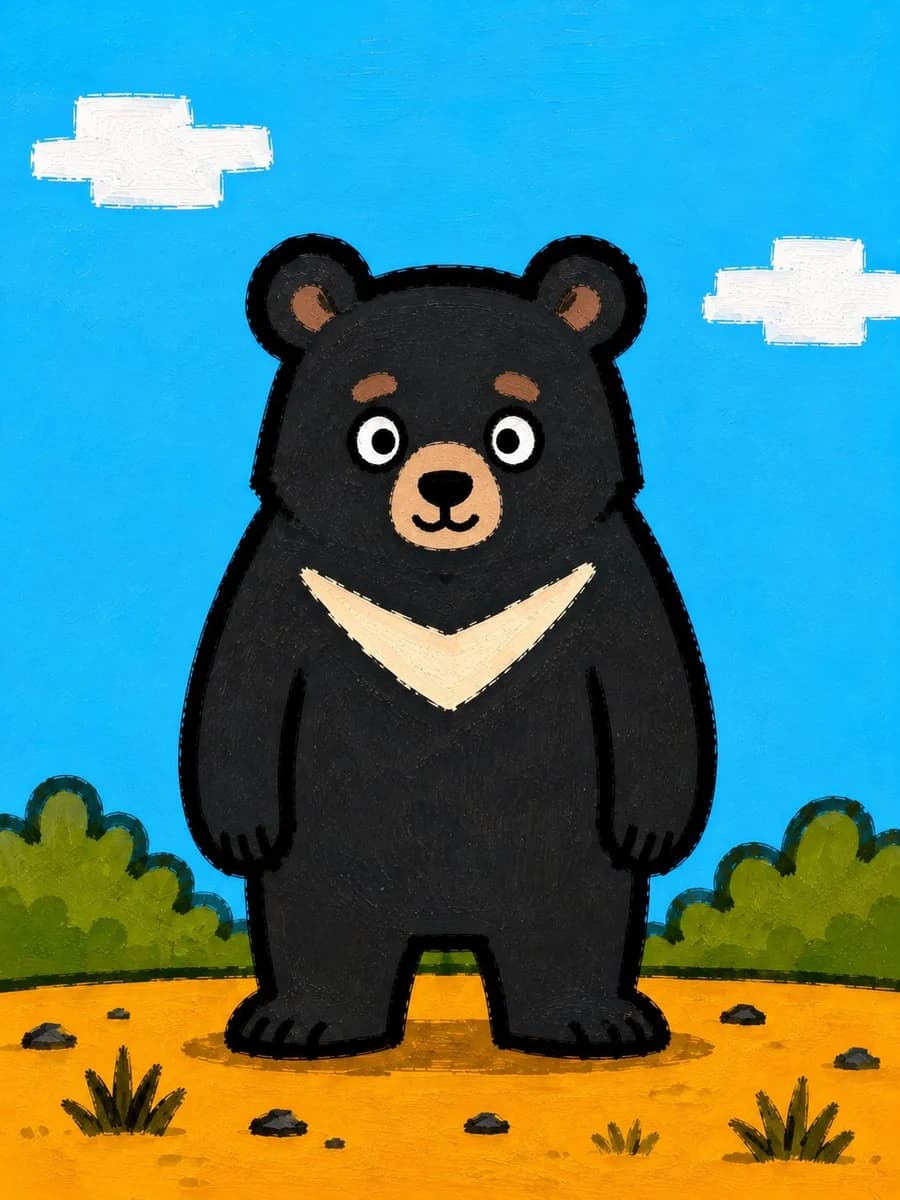
207 wordsCreate a simple square children’s book illustration of a cute cartoon black bear standing front-facing in the center of a sunny outdoor scene. The bear has a rounded body, short legs, small rounded ears, white circular eyes with black pupils, tan inner ears, tan eyebrow patches, a tan muzzle with a simple black nose and smiling mouth, and a large cream V-shaped chest marking. Use a deliberately imperfect hand-painted acrylic or gouache style with visible brush strokes, thick uneven black outlines, slightly rough edges, and flat bold colors. The background is a bright cyan-blue sky with exactly 2 blocky white painted clouds, one in the upper left and one in the upper right. The ground is warm orange-yellow dirt with exactly 6 small dark rocks and exactly 3 tufts of grass in the foreground. Add low rounded green bushes along the horizon on both sides behind the bear. Keep the composition symmetrical, playful, minimal, and childlike, with no text, no watermark, and no photorealism. The main subject is a {argument name="animal" default="black bear"} with {argument name="chest marking color" default="cream"} chest marking, set against a {argument name="sky color" default="bright cyan-blue"} sky and {argument name="ground color" default="warm orange-yellow"} ground in a {argument name="art style" default="hand-painted acrylic children’s book illustration"}.About this prompt
Cute Painted Black Bear Illustration is a ready-to-use illustration prompt for GPT Image 2 on Image 2. Copy the 207 words below, paste them into the Create form, and you will get a result close to the preview above. Tweak the Character Design, Watercolor, Illustration tag if you want to push it somewhere new.
Use it as a starting point, then adjust the subject, lighting, or composition to suit your idea. The credit cost stays the same whether you use it as written or customize it.
Use case
A strong starting point for Illustration
Start here when you want a illustration image inspired by Cute Painted Black Bear Illustration. The prompt already sets the look and composition; replace the subject, product, colors, or scene details to match your project.
Easy places to tweak
- Subject Swap in your person, product, place, or object without changing the overall composition.
- Look and mood Tune the lighting, palette, camera angle, or materials so the image fits your brand.
- Final format Set the aspect ratio, background, text, or layout notes before you generate.
More prompt paths to explore
Find more GPT Image 2 prompts with a similar style, use case, or subject.
How to use it
- Step 1
Copy the prompt
Hit the Copy button above to grab the full text.
- Step 2
Open Image 2 Create
Head to the Create form and paste it in.
- Step 3
Generate
Hit Generate. Your version lands in seconds.
Make it yours
Load the prompt into the Create form with one click, then start tweaking.