Prompt
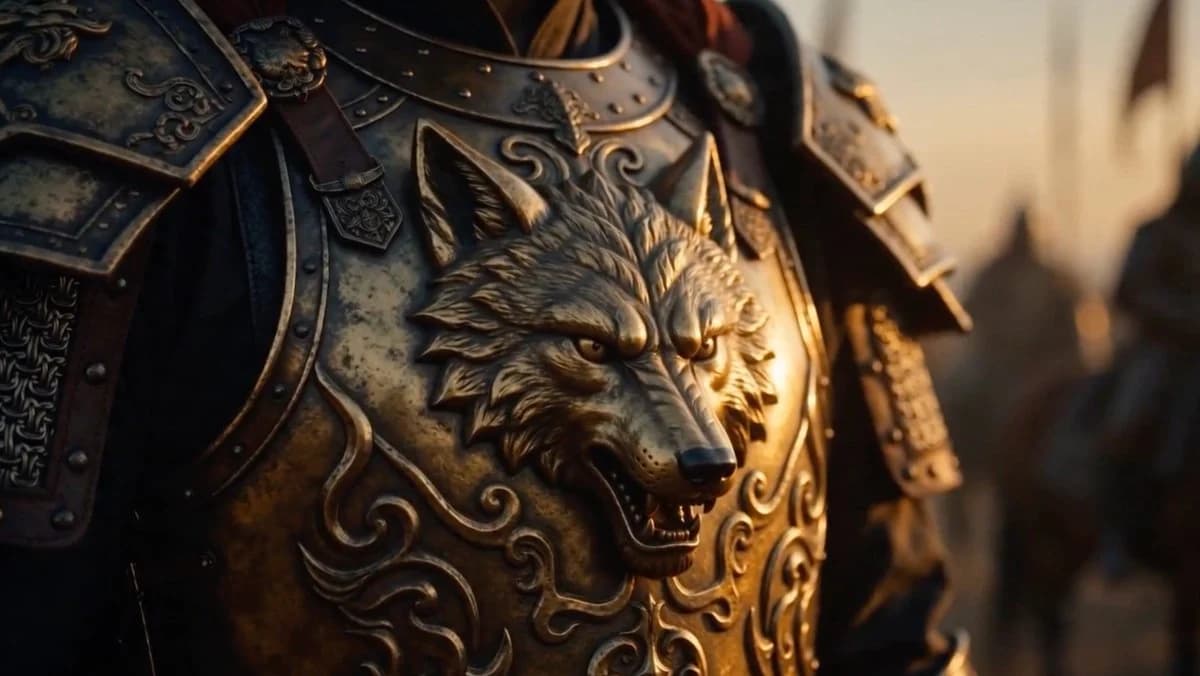
166 wordsCreate a cinematic close-up of an ancient Turkic/Oghuz warrior’s ornate bronze-gold armor, focusing on the chest plate rather than the face. The breastplate features a large raised snarling wolf head emblem at the center, with pointed ears, sharp eyes, open mouth, visible teeth, and sculpted fur details. Surround the wolf with embossed swirling ornamental patterns, rivets, dark leather straps, and weathered metal plates. Show both shoulder pauldrons partially in frame, decorated with engraved motifs and layered armor segments. Use {argument name="armor material" default="aged bronze and darkened steel"} with tarnish, scratches, patina, and realistic battle-worn texture. The warrior is mostly cropped from the neck down, with only a hint of long dark reddish hair above the collar. Set the scene in a blurred medieval battlefield or fortress environment at sunset, with warm golden rim light from the right and deep shadows on the left. Use shallow depth of field, dramatic cinematic lighting, anamorphic film look, ultra-realistic detail, 16:9 widescreen composition, no text, no logos, no modern elements.About this prompt
Cinematic Wolf Armor Close-Up is a ready-to-use character design prompt for GPT Image 2 on Image 2. Copy the 166 words below, paste them into the Create form, and you will get a result close to the preview above. Tweak the Character Design, Cinematic, Character Sheet tag if you want to push it somewhere new.
Use it as a starting point, then adjust the subject, lighting, or composition to suit your idea. The credit cost stays the same whether you use it as written or customize it.
Use case
A strong starting point for Character Design
Start here when you want a character design image inspired by Cinematic Wolf Armor Close-Up. The prompt already sets the look and composition; replace the subject, product, colors, or scene details to match your project.
Easy places to tweak
- Subject Swap in your person, product, place, or object without changing the overall composition.
- Look and mood Tune the lighting, palette, camera angle, or materials so the image fits your brand.
- Final format Set the aspect ratio, background, text, or layout notes before you generate.
More prompt paths to explore
Find more GPT Image 2 prompts with a similar style, use case, or subject.
How to use it
- Step 1
Copy the prompt
Hit the Copy button above to grab the full text.
- Step 2
Open Image 2 Create
Head to the Create form and paste it in.
- Step 3
Generate
Hit Generate. Your version lands in seconds.
Make it yours
Load the prompt into the Create form with one click, then start tweaking.