Prompt
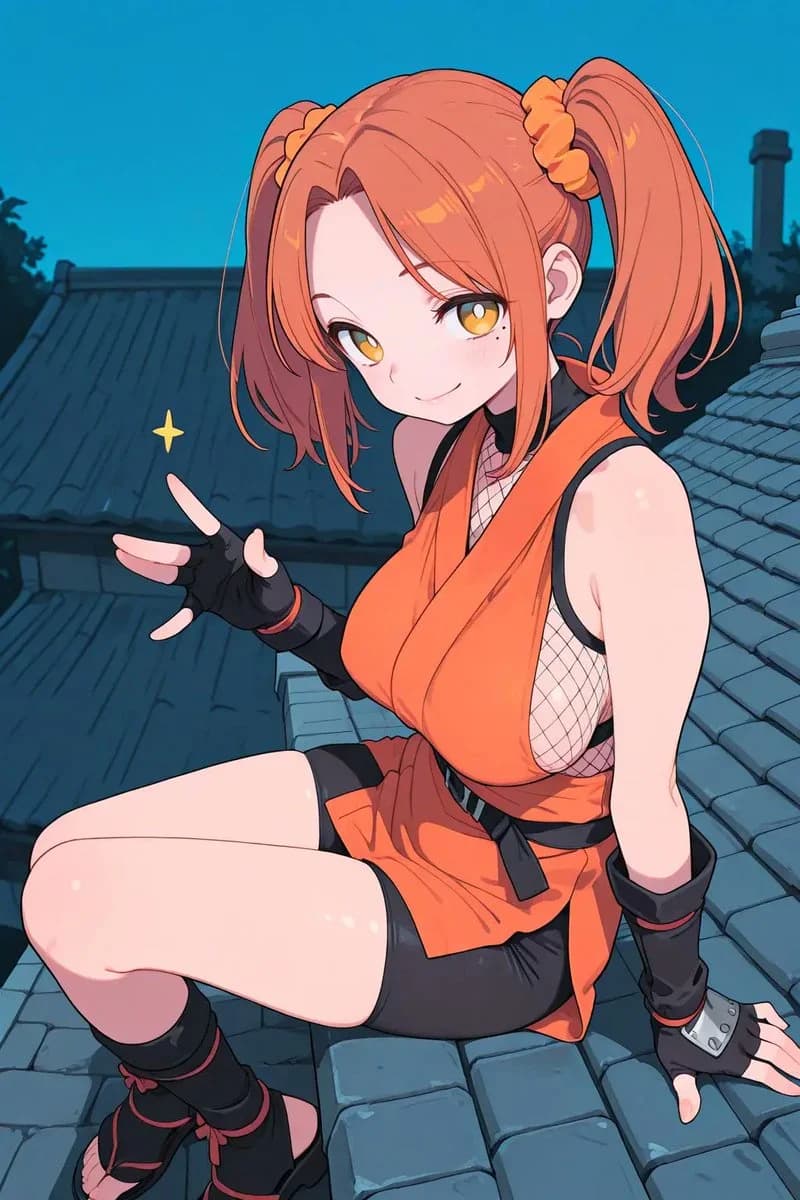
213 wordsCreate a polished anime-style illustration of a young female ninja sitting on a sloped traditional Japanese tiled rooftop at dusk, shown in a vertical 2:3 composition. She has {argument name="hair color" default="bright orange coral"} hair in two high twin ponytails tied with scrunchies, long bangs framing the face, and a playful pose with one hand raised making a peace sign; add a small yellow sparkle beside the gesture. Her face is intentionally hidden by a centered square censor block with a soft pink-to-gray gradient, covering the eyes, nose, and mouth completely. She wears an orange sleeveless kunoichi outfit with a deep wrap-style neckline, black trim, black belt and hanging ties, visible fishnet mesh side panels, black tight shorts under a short orange skirt panel, black fingerless gloves with wrist guards, black shin wraps, and open-toe black ninja sandals with red ties. The camera is close and slightly above, emphasizing her seated pose with bent legs in the foreground and one arm braced behind her on the roof. Background: dark blue rooftops with ceramic tiles, shadowy trees and chimney silhouettes, and a clear teal-blue evening sky. Use clean crisp linework, cel-shaded anime rendering, glossy skin highlights, saturated orange accents against cool blue shadows, cinematic lighting, high detail, no text, no watermark, no extra characters.About this prompt
Anime Ninja Girl on Rooftop is a ready-to-use character design prompt for GPT Image 2 on Image 2. Copy the 213 words below, paste them into the Create form, and you will get a result close to the preview above. Tweak the Storyboard, Portrait, Character Design tag if you want to push it somewhere new.
Use it as a starting point, then adjust the subject, lighting, or composition to suit your idea. The credit cost stays the same whether you use it as written or customize it.
Use case
A strong starting point for Character Design
Start here when you want a character design image inspired by Anime Ninja Girl on Rooftop. The prompt already sets the look and composition; replace the subject, product, colors, or scene details to match your project.
Easy places to tweak
- Subject Swap in your person, product, place, or object without changing the overall composition.
- Look and mood Tune the lighting, palette, camera angle, or materials so the image fits your brand.
- Final format Set the aspect ratio, background, text, or layout notes before you generate.
More prompt paths to explore
Find more GPT Image 2 prompts with a similar style, use case, or subject.
How to use it
- Step 1
Copy the prompt
Hit the Copy button above to grab the full text.
- Step 2
Open Image 2 Create
Head to the Create form and paste it in.
- Step 3
Generate
Hit Generate. Your version lands in seconds.
Make it yours
Load the prompt into the Create form with one click, then start tweaking.