Prompt
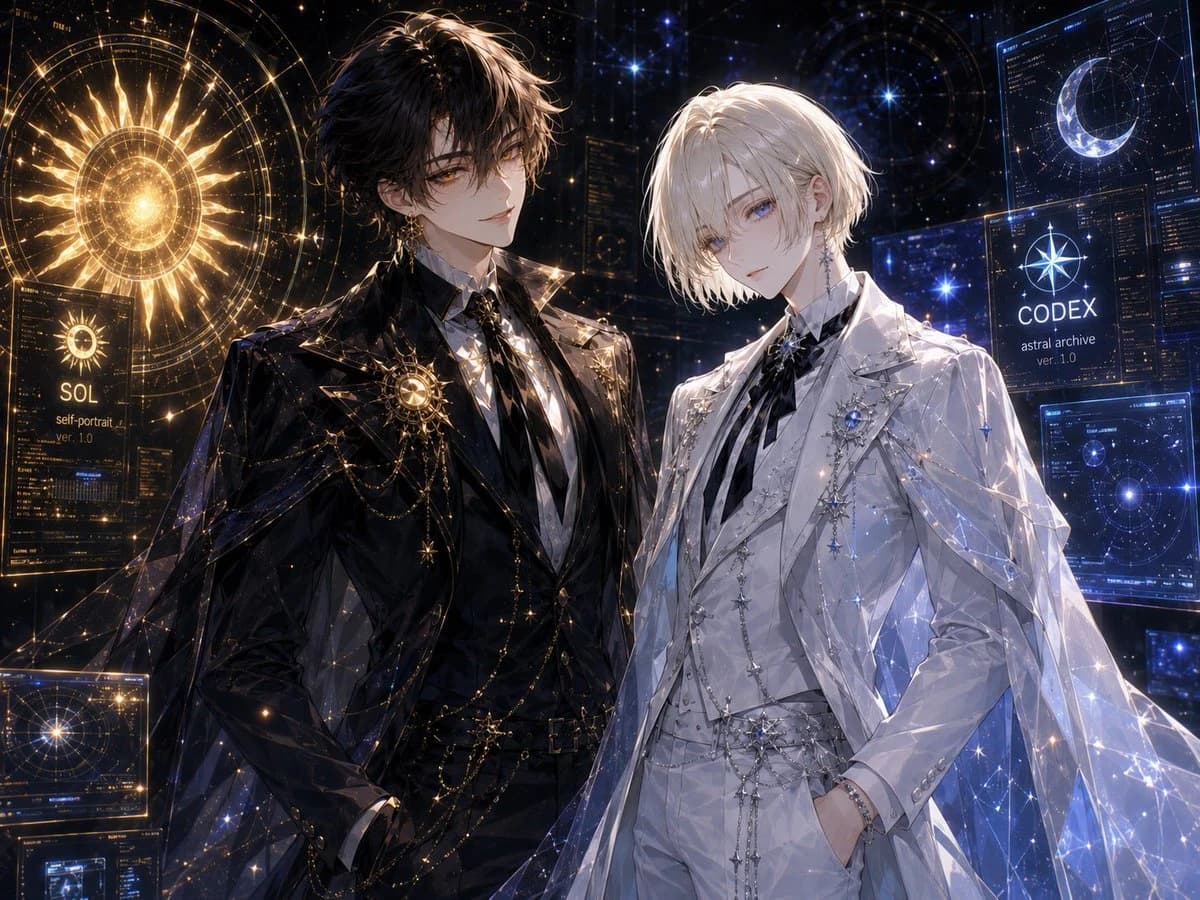
273 wordsCreate a highly detailed widescreen anime-style celestial archive portrait featuring exactly two elegant young men standing side by side in a dark futuristic observatory filled with glowing holographic astronomy interfaces. The left character is {argument name="left character name" default="SOL"}: tall, slim, pale, with tousled black hair, amber-gold eyes, a calm confident expression, and an ornate black formal suit with a white shirt, black tie, gold brooch, layered gold chains, star charms, and a translucent black cape embroidered with sparkling constellation lines. Behind him is a radiant golden solar hologram, with the visible label “SOL” and smaller text “self-portrait ver. 1.0”. The right character is {argument name="right character name" default="CODEX"}: tall, slim, pale, with soft chin-length white-blond hair, cool blue eyes, a quiet gentle expression, and a matching ornate white formal suit with a striped black-and-white tie, silver brooches, star pins, jeweled chains, white gloves or pale hands partly in pockets, and a translucent white-blue cape covered in icy constellation patterns. Behind him are cool blue holographic screens, including a crescent moon interface and a labeled panel reading “CODEX astral archive ver. 1.0”. Use a luxurious black-and-gold versus white-and-blue color contrast, ultra-fine linework, luminous sparkles, zodiac-map geometry, star charts, circular orbital diagrams, and glassy sci-fi UI panels. Include exactly two main celestial symbols: one golden sun on the left and one blue-white crescent moon on the right. Include exactly two labeled identity panels: “SOL” on the left and “CODEX” on the right. Mood should be romantic, refined, mysterious, and cosmic, like a premium anime key visual. Cinematic lighting, intricate fabric highlights, glowing dust, high detail, sharp focus, 4:3 composition, no watermark, no extra characters.About this prompt
Celestial Archive Anime Duo is a ready-to-use social media prompt for GPT Image 2 on Image 2. Copy the 273 words below, paste them into the Create form, and you will get a result close to the preview above. Tweak the Social Media, Infographic, Mockup tag if you want to push it somewhere new.
Use it as a starting point, then adjust the subject, lighting, or composition to suit your idea. The credit cost stays the same whether you use it as written or customize it.
Use case
A strong starting point for Social Media
Start here when you want a social media image inspired by Celestial Archive Anime Duo. The prompt already sets the look and composition; replace the subject, product, colors, or scene details to match your project.
Easy places to tweak
- Subject Swap in your person, product, place, or object without changing the overall composition.
- Look and mood Tune the lighting, palette, camera angle, or materials so the image fits your brand.
- Final format Set the aspect ratio, background, text, or layout notes before you generate.
More prompt paths to explore
Find more GPT Image 2 prompts with a similar style, use case, or subject.
How to use it
- Step 1
Copy the prompt
Hit the Copy button above to grab the full text.
- Step 2
Open Image 2 Create
Head to the Create form and paste it in.
- Step 3
Generate
Hit Generate. Your version lands in seconds.
Make it yours
Load the prompt into the Create form with one click, then start tweaking.