Prompt
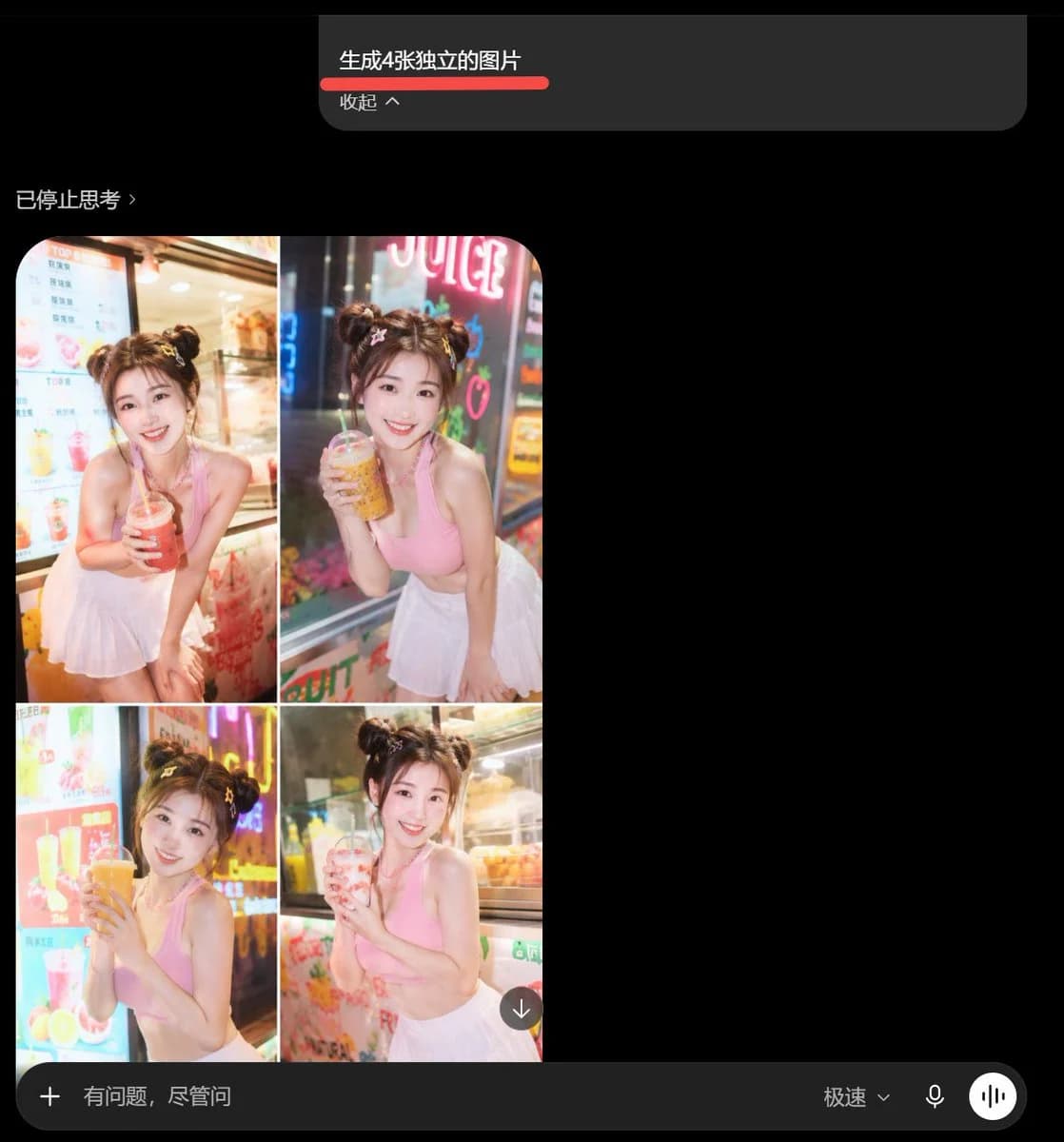
499 wordsGoal: Create a dark-mode mobile chat interface screenshot showing an AI image-generation result that failed to make four separate images and instead produced one 2x2 collage.
Canvas: Square screenshot, approximately 768×768 px, black background with a cropped mobile-app UI feel. Leave large empty black space on the right side and below the result.
Layout: At the top center, place a dark gray rounded prompt bubble containing the Chinese command text “生成4张独立的图片” with a thick red underline beneath it, and a smaller line below reading “收起 ^”. Below and left, show a status label in Chinese reading “已停止思考 ›”. Under that, place one generated image card with rounded top corners, containing exactly 4 photo panels arranged in a 2×2 grid, separated by thin white grid lines. Add a small circular download button with a downward arrow overlapping the lower-right corner of the collage. At the bottom, show a dark rounded input bar spanning the width: a plus icon on the left, placeholder text “有问题,尽管问”, and on the right the mode text “极速⌄”, a microphone icon, and a white circular voice/equalizer button.
Generated image content: The single generated image card must contain exactly 4 panels: top-left, top-right, bottom-left, bottom-right. Each panel shows the same young woman posing in front of a brightly lit juice shop or drink stand at night, with warm storefront lighting, neon signs, colorful drink menu boards, and a shallow depth-of-field smartphone-photo look. She wears a pink sleeveless crop top and a white pleated mini skirt, with hair styled in two cute buns. Her face is obscured by a soft rectangular blur for privacy. In each panel she holds a different plastic drink cup with a straw, posing slightly differently: 1) top-left, holding a red drink with both hands near her chest; 2) top-right, leaning forward holding a yellow/orange drink near her face beside neon “JUICE” signage; 3) bottom-left, holding a large orange drink close to her mouth in front of a bright menu board; 4) bottom-right, holding a pale pink drink while standing near a glass display case. The subject should be {argument name="character description" default="a young woman with two hair buns, pink sleeveless crop top, white pleated mini skirt, face blurred"}, photographed at {argument name="location" default="a colorful night-time juice shop storefront"}.
Visual style: Make the overall screenshot look like a real captured phone UI, not a polished mockup. Use slightly compressed screenshot quality, soft glow from neon lights, realistic photo colors in the collage, and minimalist dark UI elements. The Chinese command in the top bubble should be {argument name="command text" default="生成4张独立的图片"}. The status label should be {argument name="status text" default="已停止思考 ›"}. The bottom input placeholder should be {argument name="input placeholder" default="有问题,尽管问"}.
Constraints: The result must show one combined 2×2 collage rather than four separate image cards. Include exactly 4 photo panels and exactly 1 download icon. Preserve the dark chat interface, Chinese UI text, red underline, and bottom input bar. Do not add extra panels, extra people, watermarks, or captions inside the generated photo collage.About this prompt
Dark Chat UI With Failed 4-Image Collage is a ready-to-use social media prompt for GPT Image 2 on Image 2. Copy the 499 words below, paste them into the Create form, and you will get a result close to the preview above. Tweak the Social Media, UI, Mockup tag if you want to push it somewhere new.
Use it as a starting point, then adjust the subject, lighting, or composition to suit your idea. The credit cost stays the same whether you use it as written or customize it.
Use case
A strong starting point for Social Media
Start here when you want a social media image inspired by Dark Chat UI With Failed 4-Image Collage. The prompt already sets the look and composition; replace the subject, product, colors, or scene details to match your project.
Easy places to tweak
- Subject Swap in your person, product, place, or object without changing the overall composition.
- Look and mood Tune the lighting, palette, camera angle, or materials so the image fits your brand.
- Final format Set the aspect ratio, background, text, or layout notes before you generate.
More prompt paths to explore
Find more GPT Image 2 prompts with a similar style, use case, or subject.
How to use it
- Step 1
Copy the prompt
Hit the Copy button above to grab the full text.
- Step 2
Open Image 2 Create
Head to the Create form and paste it in.
- Step 3
Generate
Hit Generate. Your version lands in seconds.
Make it yours
Load the prompt into the Create form with one click, then start tweaking.