Prompt
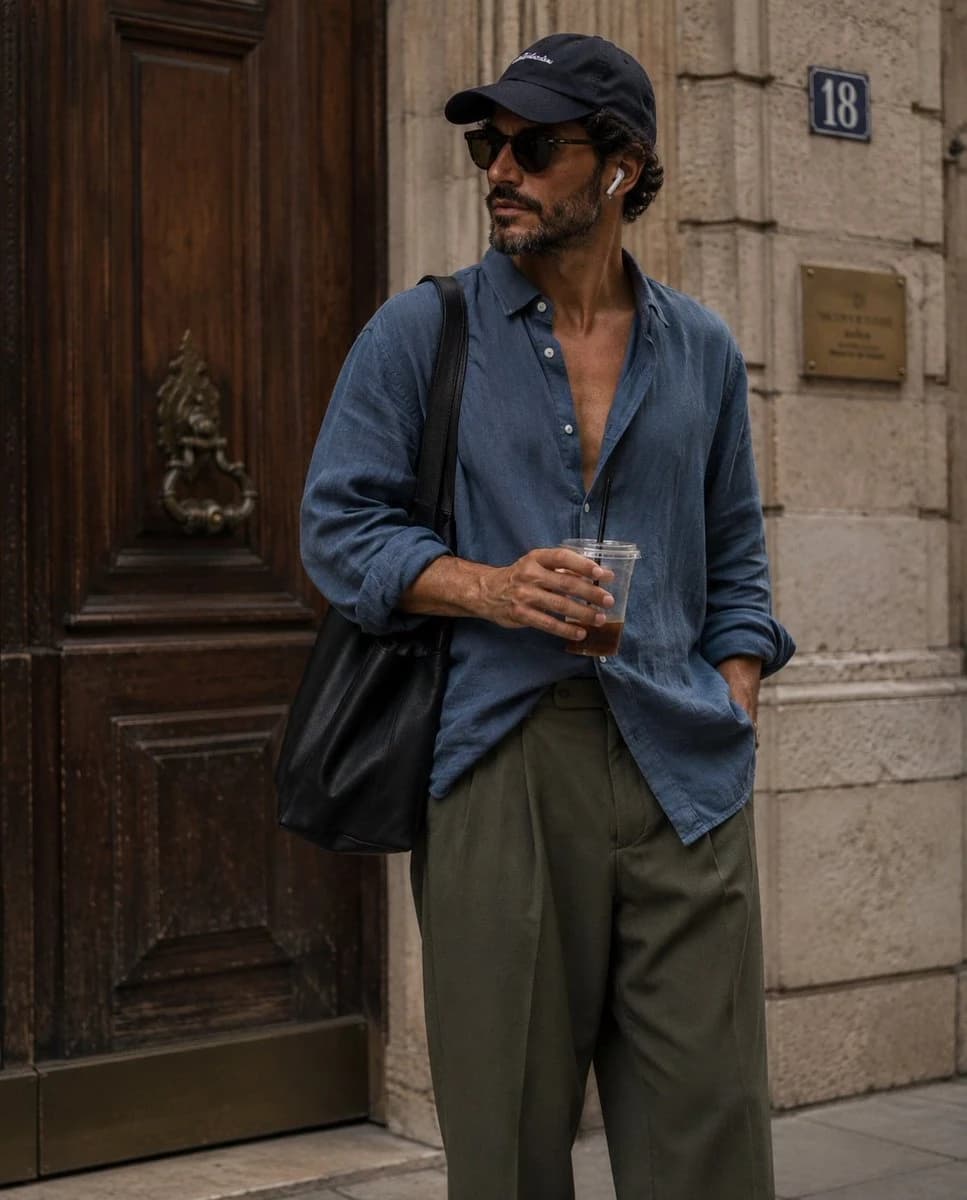
127 wordscandid street-style fashion photograph of a {argument name="subject" default="stylish young man"} standing casually outside a {argument name="location" default="vintage European building with an ornate dark wooden door and stone walls"}. He is wearing an {argument name="outfit" default="oversized faded blue button-up linen shirt with the top buttons open, loose olive green cargo pants, a dark baseball cap, black sunglasses, white wireless earbuds, and carrying a large black shoulder tote bag"}. One hand holds a clear iced drink with a black straw while looking sideways, creating a natural, unposed moment. Soft golden-hour lighting, muted earthy tones, relaxed effortless aesthetic, editorial fashion photography, shallow depth of field, realistic skin texture, high detail, cinematic composition, 35mm lens, slightly grainy film look, luxury streetwear vibe, minimalist color palette, Instagram fashion editorial, ultra-realistic, 8K.About this prompt
Candid Street Style Fashion Photography is a ready-to-use ad creative prompt for GPT Image 2 on Image 2. Copy the 127 words below, paste them into the Create form, and you will get a result close to the preview above. Tweak the Product Ad, Ad Creative, Social Media tag if you want to push it somewhere new.
Use it as a starting point, then adjust the subject, lighting, or composition to suit your idea. The credit cost stays the same whether you use it as written or customize it.
Use case
A strong starting point for Ad Creative
Start here when you want a ad creative image inspired by Candid Street Style Fashion Photography. The prompt already sets the look and composition; replace the subject, product, colors, or scene details to match your project.
Easy places to tweak
- Subject Swap in your person, product, place, or object without changing the overall composition.
- Look and mood Tune the lighting, palette, camera angle, or materials so the image fits your brand.
- Final format Set the aspect ratio, background, text, or layout notes before you generate.
More prompt paths to explore
Find more GPT Image 2 prompts with a similar style, use case, or subject.
How to use it
- Step 1
Copy the prompt
Hit the Copy button above to grab the full text.
- Step 2
Open Image 2 Create
Head to the Create form and paste it in.
- Step 3
Generate
Hit Generate. Your version lands in seconds.
Make it yours
Load the prompt into the Create form with one click, then start tweaking.