Prompt
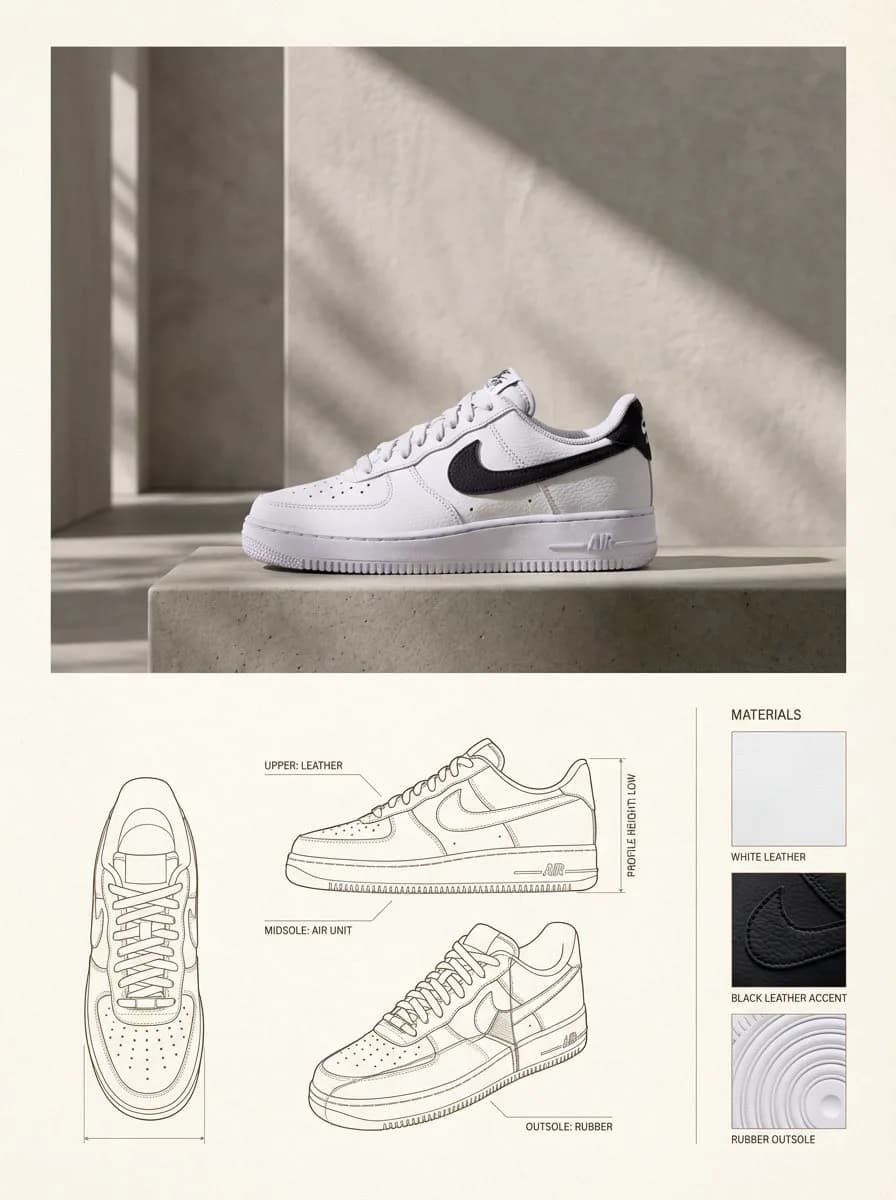
207 wordsCreate a vertical 3:4 product design catalog page with a warm neutral paper-like background. Top section — lifestyle hero shot: place the product (use the uploaded image as the exact reference, preserving its form, proportions, materials, and identity without redesign) center-dominant with generous whitespace. Setting is a minimal architectural interior with a textured plaster wall and subtle concrete/stone floor. Lighting is natural sunlight angled from the side, soft but casting high-contrast shadows. Render in editorial lifestyle photography style, high realism, warm and muted color grading. Bottom section — technical specification panel laid out in a clean modular grid: - Bottom left and center: orthographic architectural line drawings showing front view, side view, and three-quarter cutaway/profile view. Lines in muted red or sepia, fine technical weight, with minimal editorial measurement and construction callouts. - Bottom right: 3-4 material swatch samples derived from the product's actual materials (fabric, leather, metal, wood, or plastic as applicable), in square or rectangular format with small editorial captions. Typography: minimal editorial style, subtle captions only, no large headlines, soft black or dark brown. Overall mood: design catalog / product design journal — architectural, premium, calm. No clutter, no bold colors, no heavy branding, no decorative graphics, no perspective distortion in the technical drawings.
About this prompt
Architectural Product Catalog Page is a ready-to-use ui mockup prompt for GPT Image 2 on Image 2. Copy the 207 words below, paste them into the Create form, and you will get a result close to the preview above. Tweak the Product Ad, UI, Mockup tag if you want to push it somewhere new.
Use it as a starting point, then adjust the subject, lighting, or composition to suit your idea. The credit cost stays the same whether you use it as written or customize it.
Use case
A strong starting point for UI Mockup
Start here when you want a ui mockup image inspired by Architectural Product Catalog Page. The prompt already sets the look and composition; replace the subject, product, colors, or scene details to match your project.
Easy places to tweak
- Subject Swap in your person, product, place, or object without changing the overall composition.
- Look and mood Tune the lighting, palette, camera angle, or materials so the image fits your brand.
- Final format Set the aspect ratio, background, text, or layout notes before you generate.
More prompt paths to explore
Find more GPT Image 2 prompts with a similar style, use case, or subject.
How to use it
- Step 1
Copy the prompt
Hit the Copy button above to grab the full text.
- Step 2
Open Image 2 Create
Head to the Create form and paste it in.
- Step 3
Generate
Hit Generate. Your version lands in seconds.
Make it yours
Load the prompt into the Create form with one click, then start tweaking.