Prompt
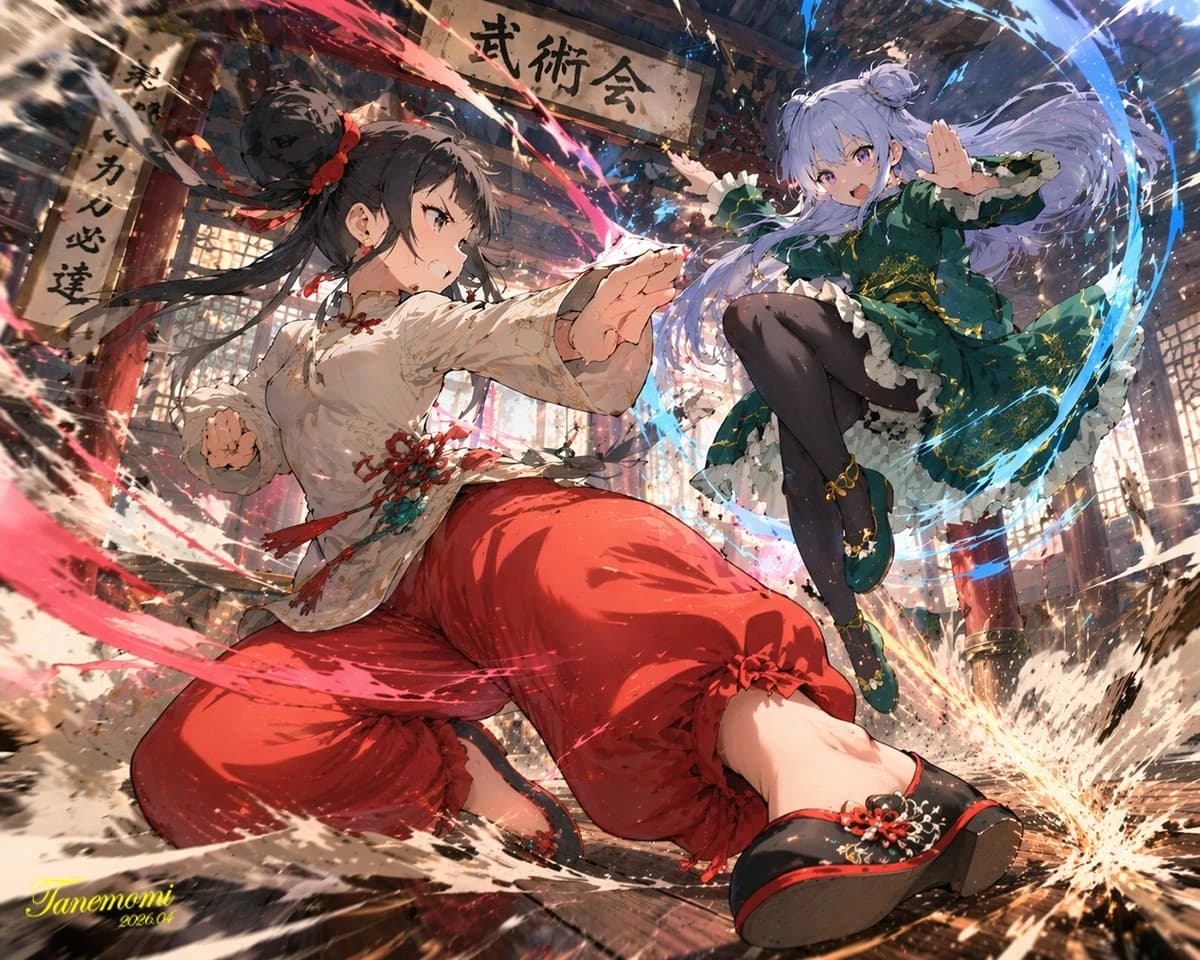
164 wordsAn anime-style illustration of a {argument name="action type" default="high-impact martial arts battle"} between two young female fighters in a {argument name="setting" default="traditional wooden martial arts dojo"}. In the foreground, a girl with black hair in a high bun wears a {argument name="character 1 color theme" default="red and white"} Chinese-style martial arts outfit with baggy pants. She is in a dynamic, low, forward-thrusting stance, surrounded by swirling red energy and water splashes. In the background to the right, a girl with light purple hair in twin buns wears a {argument name="character 2 color theme" default="green and purple"} Chinese dress with gold embroidery and black tights. She is leaping through the air in a flying kick pose, surrounded by swirling blue energy. The wooden floorboards are splintering from the intense impact, with debris and dust flying through the air. Above them hangs a weathered wooden sign with the text "{argument name="sign text" default="武術会"}". The scene features dramatic lighting, a low-angle dynamic perspective, and intense action effects.About this prompt
Anime Martial Arts Battle Illustration is a ready-to-use character design prompt for GPT Image 2 on Image 2. Copy the 164 words below, paste them into the Create form, and you will get a result close to the preview above. Tweak the Character, Fashion, Anime tag if you want to push it somewhere new.
Use it as a starting point, then adjust the subject, lighting, or composition to suit your idea. The credit cost stays the same whether you use it as written or customize it.
Use case
A strong starting point for Character Design
Start here when you want a character design image inspired by Anime Martial Arts Battle Illustration. The prompt already sets the look and composition; replace the subject, product, colors, or scene details to match your project.
Easy places to tweak
- Subject Swap in your person, product, place, or object without changing the overall composition.
- Look and mood Tune the lighting, palette, camera angle, or materials so the image fits your brand.
- Final format Set the aspect ratio, background, text, or layout notes before you generate.
More prompt paths to explore
Find more GPT Image 2 prompts with a similar style, use case, or subject.
How to use it
- Step 1
Copy the prompt
Hit the Copy button above to grab the full text.
- Step 2
Open Image 2 Create
Head to the Create form and paste it in.
- Step 3
Generate
Hit Generate. Your version lands in seconds.
Make it yours
Load the prompt into the Create form with one click, then start tweaking.